
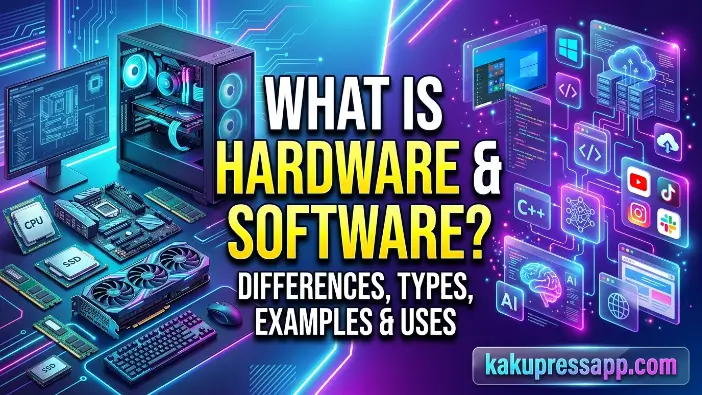
Welcome to Kaku Press App. Understanding what is hardware and software is an essential first step toward learning how computers function. Every computing device, including desktop computers, laptops, smartphones, and tablets, relies on both computer hardware and computer software to perform tasks effectively. These two components work together to make modern computing possible.
Hardware refers to the physical parts of a computer that users can see and touch, while software consists of the programs and instructions that tell those parts how to operate. Together, hardware and software form a complete computer system that allows users to browse the internet, create documents, play games, and perform countless other tasks. This guide explores their definitions, types, examples, differences, and practical applications.
What Is Hardware in a Computer System?
Hardware provides the physical foundation of every computer system. It includes all tangible components, such as the processor, memory, storage devices, keyboard, monitor, and other internal and external parts. Whether you use a desktop computer, laptop, smartphone, or tablet, its hardware components work together to perform specific functions. Understanding computer hardware helps explain how devices process information, store data, and run software applications. Simply put, hardware provides the physical resources a digital device needs to operate.
Definition of Hardware
Computer hardware refers to the physical components of a computer system that can be seen, touched, and handled. These components work together to receive input, process data, store information, and produce output. In simple terms, hardware forms the physical structure that allows a computer to perform its intended functions.
Every computing device, including desktop computers, laptops, smartphones, and tablets, contains different hardware components that cooperate to ensure proper operation. Without these physical components, a computer would have no platform on which to execute instructions or perform computing tasks.
Examples of hardware include:
- Keyboard
- Mouse
- Monitor
- Central Processing Unit (CPU)
- Hard drive
- Motherboard
- Printer
Hardware is essential to computer operation because it provides the physical components needed to process information, execute instructions, and perform other computing activities.
Key Characteristics of Hardware
Some of the main characteristics of computer hardware include:
- It is physical and tangible, meaning users can see and touch it.
- It can experience wear and tear over time through regular use.
- It can be repaired, upgraded, or replaced when necessary.
- It relies on computer software instructions to perform specific operations.
- It requires electrical power to operate and process data.
Hardware components vary in size, speed, capacity, and purpose depending on the device and its intended use. For example, a gaming computer generally has more powerful hardware than a standard office computer because it needs to handle demanding games, graphics, and other resource-intensive applications.
Real-World Examples of Computer Hardware
People interact with computer hardware every day, even when they do not realize how much it contributes to their activities. From typing an email on a keyboard to printing a document, physical components help users complete everyday digital tasks.
The following table highlights common computer hardware components and explains their primary functions:
| Hardware Component | Purpose |
| Keyboard | Enters text, numbers, and commands into a computer |
| Monitor | Displays visual information and computer output |
| CPU | Processes instructions and performs calculations |
| RAM | Temporarily stores data and instructions for quick access |
| SSD | Stores files, applications, and operating system data |
| Printer | Produces physical copies of digital documents |
These hardware components work together with computer software to create a complete and functional computer system capable of performing a wide range of tasks.
Read Also: What is software in a computer
Types of Computer Hardware
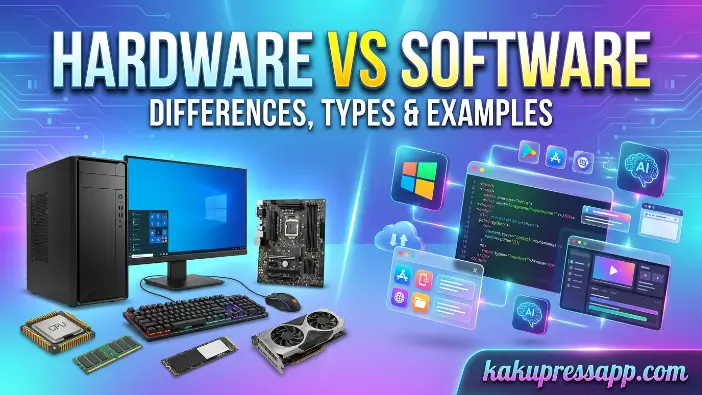
Computer hardware is organized into several categories based on the roles each component performs within a computer system. These components handle essential operations, including entering information, processing data, storing files, presenting results, and connecting devices to networks. When working together, they enable computers to perform tasks reliably and efficiently. Understanding the different hardware categories helps explain how individual components interact and contribute to a computer’s overall functionality and performance.
Input Devices
Input devices are physical hardware components that allow users to provide data, commands, and instructions to a computer. They create a connection between the user and the computer system, making it possible to interact with software and control different operations.
Common examples of input devices include:
- Keyboard
- Mouse
- Scanner
- Microphone
- Webcam
- Touchscreen
For example, a keyboard allows users to enter text and commands, while a mouse helps them navigate menus and select items on the screen. A microphone captures audio, whereas a scanner converts printed documents and photographs into digital formats. Input devices are essential because they provide users with practical ways to communicate with and control a computer.
Output Devices
Output devices are hardware components that present the results of computer processing to users. They convert digital information into understandable forms, such as text, images, audio, and video, allowing users to view, hear, or otherwise access the results of their activities.
Common examples of output devices include:
- Monitor
- Printer
- Speakers
- Projector
- Headphones
For example, when watching a video, the monitor displays the images while speakers or headphones reproduce the audio. A printer creates physical copies of digital documents, photographs, and other files. These devices allow users to receive and understand the information processed by a computer.
Processing Devices
Processing devices execute instructions, perform calculations, and manage computational activities within a computer system. They are responsible for handling the operations required to run applications, process data, and coordinate different computing tasks. Their capabilities have a significant influence on a computer’s speed, responsiveness, and overall performance.
Important processing hardware includes:
CPU (Central Processing Unit)
The CPU is commonly described as the brain of a computer because it executes program instructions, performs calculations, and coordinates many system operations. Tasks such as opening applications, processing documents, and browsing websites rely on the CPU to execute instructions and handle data efficiently.
GPU (Graphics Processing Unit)
A GPU is designed to process graphics and perform operations that involve large amounts of visual data. It is particularly useful for demanding activities such as gaming, video editing, animation, and 3D rendering. Many modern computers use dedicated GPUs to improve graphics performance, produce smoother visuals, and handle complex visual workloads more efficiently.
Motherboard
The motherboard is the main circuit board that connects the computer’s hardware components and enables communication between them. It provides connections for the CPU, memory, storage devices, expansion cards, and other peripherals. By allowing these components to exchange information and operate together, the motherboard forms the foundation of the computer’s hardware system.
Storage Devices
Storage devices are hardware components that save and retrieve digital information. They hold operating systems, applications, documents, photographs, videos, and other files, allowing users and programs to access data when needed. Depending on the technology used, storage devices can provide temporary or long-term data storage.
Common examples of storage devices include:
- Hard Disk Drive (HDD)
- Solid State Drive (SSD)
- USB Flash Drive
- Memory Card
- Optical Disc
Storage devices are important because they preserve files and information even after a computer has been turned off. For example, an SSD can store the operating system, applications, and personal files while providing fast data access that helps improve system responsiveness. External storage devices, such as USB flash drives, also make it easier to transfer files between computers and create backups of important information.
Communication Devices
Communication devices are hardware components that enable computers to send and receive data across networks and communicate with other digital devices. They support internet access, wired and wireless connections, and the exchange of information between devices on local or wider networks.
Examples of communication devices include:
- Network Interface Card (NIC)
- Modem
- Router
- Bluetooth Adapter
A modem connects a network to an internet service provider, while a router distributes the network connection among multiple devices. Bluetooth adapters enable wireless communication between computers and compatible peripherals, such as headphones, keyboards, and smartphones. Together, these devices support networking, file sharing, internet access, and other online activities.
What Is Software?
Computer software is a fundamental part of a computer system because it provides the instructions that tell hardware how to perform different tasks. While hardware consists of the physical components of a device, software supplies the programs and instructions that control their operations. From operating systems and web browsers to productivity tools and video games, software enables users to interact with computers and complete a wide range of everyday activities.
Definition of Software
Computer software refers to a collection of programs, instructions, and associated data that directs a computer to perform specific operations. Unlike hardware, software is intangible, meaning it cannot be physically touched. Instead, it exists in digital form and runs using the resources provided by a computer system.
Software coordinates computer operations by managing hardware resources and providing tools for different activities. It supports tasks such as creating documents, browsing websites, communicating online, playing multimedia files, and running games. Without appropriate software, even powerful hardware would be unable to perform most useful computing tasks.
Characteristics of Software
Computer software has several characteristics that distinguish it from physical hardware. Understanding these features helps explain how software is created, maintained, and used within a computer system.
Key characteristics of software include:
- It is intangible and exists in digital form.
- It does not experience physical wear and tear in the same way as hardware components.
- It can be modified, updated, and upgraded when necessary.
- It depends on computer hardware resources to execute instructions.
- It can be copied, installed, and distributed electronically through digital media or the internet.
Software continues to evolve through updates and newer releases that introduce improvements, fix errors, strengthen security, and add useful features. Keeping software updated helps maintain compatibility, improve performance, and reduce exposure to known security vulnerabilities.
Examples of Software
People rely on different types of computer software throughout their daily lives, often without paying much attention to how frequently they use it. Each program is developed to perform particular tasks, from managing system resources to helping users complete personal and professional activities.
Some common examples of software include:
| Software | Type |
| Windows | Operating System |
| Google Chrome | Web Browser |
| Microsoft Word | Application Software |
| Adobe Photoshop | Graphics Software |
| VLC Media Player | Multimedia Software |
For example, Windows manages the computer’s general operations, while Google Chrome allows users to browse websites and access online services. Microsoft Word is used to create and edit documents, Adobe Photoshop supports image editing and graphic design, and VLC Media Player plays audio and video files. Together, these programs demonstrate how software makes computers adaptable and useful for personal, educational, and professional purposes.
Types of Software Explained
Computer software can be classified into different categories according to the tasks it performs. Each category serves a specific purpose, whether it involves managing hardware resources, helping users complete everyday activities, or providing tools for developing new programs. Learning about these software types helps explain how different programs contribute to a computer’s functionality, efficiency, and overall performance.
System Software
System software manages computer hardware and provides the environment required for application programs to operate. It connects the operating system, applications, and hardware resources, allowing different parts of the computer to work together effectively. Without system software, a computer would not be able to manage its resources properly or run applications as intended.
Operating Systems
An operating system (OS) is a major type of system software that manages a computer’s operations and coordinates access to hardware resources. It provides a user interface, manages memory and files, and facilitates communication between applications and hardware components.
Popular operating systems include:
- Windows
- macOS
- Linux
- Android
- iOS
For example, Windows is widely used on desktop and laptop computers, while Android and iOS are commonly found on smartphones and tablets. An operating system manages essential resources and provides the platform applications need to run effectively on a computing device.
Device Drivers
Device drivers are specialized software programs that enable an operating system to communicate with particular hardware components. They help devices such as printers, scanners, graphics cards, keyboards, and external storage drives function correctly within a computer system.
For instance, when a printer is connected to a computer, the operating system may need a compatible driver to communicate with the printer and send it the appropriate instructions. Without a suitable driver, the device might not work correctly or could offer only limited functionality.
Utility Programs
Utility software consists of programs designed to maintain, protect, manage, and optimize a computer system. These tools perform maintenance and security tasks that help keep a computer operating reliably and efficiently.
Examples of utility software include:
- Antivirus software
- Disk cleanup tools
- Backup programs
Antivirus software helps detect and protect against malware and other security threats, while disk cleanup tools remove unnecessary files to free up storage space. Backup programs create copies of important information so that users can recover their data if files are accidentally deleted, damaged, or lost.
Application Software
Application software helps users perform specific tasks according to their personal, educational, and professional needs. Unlike system software, which manages hardware and provides the environment for programs to run, application software focuses on activities that users want to complete. Examples include creating documents, browsing the internet, editing photographs and videos, preparing presentations, managing finances, and communicating online. These programs make computers practical tools for a wide variety of everyday and professional activities.
General-Purpose Applications
General-purpose applications are designed to support common tasks that many users perform on computers and mobile devices. They simplify routine activities and help people work more efficiently.
Examples include:
- Microsoft Word
- Microsoft Excel
- Google Docs
- Web browsers
For example, Microsoft Word enables users to create, format, and edit documents, while Microsoft Excel helps organize data, prepare spreadsheets, and perform calculations. Web browsers such as Google Chrome allow users to visit websites, access online services, and explore digital information.
Specialized Applications
Specialized applications are developed for particular professions, industries, or advanced tasks. They provide tools and features designed to meet the specific requirements of their intended users.
Examples include:
- AutoCAD
- Adobe Premiere Pro
- QuickBooks
For instance, architects and engineers use AutoCAD for computer-aided design, while Adobe Premiere Pro provides advanced tools for editing videos. QuickBooks helps businesses manage accounting activities, maintain financial records, prepare invoices, and organize other financial information.
Programming Software
Programming software provides developers with tools for writing, testing, debugging, and maintaining computer programs. These tools offer features and environments that make software development more organized and efficient.
Examples include:
- Compilers
- Interpreters
- Integrated Development Environments (IDEs)
A compiler translates source code into machine code or another executable format, while an interpreter executes program instructions through an interpreter environment. Integrated Development Environments (IDEs) combine tools such as code editors, debuggers, and build systems into a single workspace, helping developers create and test applications more efficiently.
Popular IDEs include Visual Studio and Eclipse, which are used to develop different kinds of applications, including desktop, web, and mobile software.
Hardware vs Software: Key Differences
Understanding the difference between computer hardware and computer software is essential for anyone learning how computers operate. Although both are necessary for a functioning computer system, they differ in their physical nature, purpose, maintenance, and operation. Hardware refers to the tangible components of a computer, whereas software consists of the programs and instructions that control those components. Recognizing these differences helps users troubleshoot problems, choose suitable upgrades, and understand how the two work together.
Comparison Table
The following table summarizes the main differences between hardware and software:
| Basis | Hardware | Software |
| Definition | Physical components of a computer system | Programs, applications, and instructions that control hardware |
| Nature | Tangible and physically touchable | Intangible and available in digital form |
| Creation | Manufactured using electronic and mechanical components | Developed through programming and coding |
| Durability | Can experience physical wear and tear over time | Does not physically wear out but can become outdated or corrupted |
| Maintenance | May require physical repairs, cleaning, or replacement | May require updates, patches, and bug fixes |
| Dependency | Relies on software instructions to perform coordinated tasks | Requires hardware resources to run |
| Upgrade Process | Requires adding or replacing physical components | Usually involves installing updates or newer versions |
| Examples | CPU, keyboard, monitor, RAM | Windows, Google Chrome, Adobe Photoshop |
Although hardware and software have different characteristics, they depend on one another to operate effectively. Hardware provides the physical resources needed to execute programs, while software supplies the instructions that guide hardware operations. Together, they allow a computer system to process information and deliver useful results.
How Hardware and Software Work Together
Computer hardware and software operate in close coordination to complete tasks within a computer system. Hardware provides the physical components required for processing, input, output, and storage, while software supplies the instructions that direct these components. Neither can deliver the full functionality of a modern computer independently. By working together, they execute commands, process information, and produce results that users can see and interact with. Understanding this relationship provides a clearer picture of how computers handle everyday activities.
Step-by-Step Example
Hardware and software must cooperate for computer operations to work correctly. Nearly every task involves physical components receiving input, software processing instructions, and hardware producing the required output. Their combined operation allows computers to handle commands, organize data, and complete tasks efficiently.
Example: Opening a Web Browser
- You use the mouse (hardware) to click the browser icon.
- The operating system (software) receives and processes the command.
- The CPU (hardware) executes the necessary instructions and manages processing tasks.
- The browser application (software) starts and loads its interface.
- The monitor (hardware) displays the browser window on the screen.
Example: Typing a Document
- The keyboard (hardware) captures the keystrokes entered by the user.
- A word-processing application such as Microsoft Word (software) processes the input.
- The CPU (hardware) executes the instructions required to handle the text.
- The monitor (hardware) displays the typed characters as they appear.
- A storage device such as an SSD or HDD (hardware) saves the document for future access.
These examples show how hardware and software cooperate during everyday computer activities. Hardware relies on software instructions to perform useful operations, while software depends on hardware resources to execute its instructions. This interdependence is a fundamental principle of modern computing.
Importance of Hardware and Software in Everyday Life
Computer hardware and software play essential roles in modern life, influencing how people learn, work, communicate, and enjoy entertainment. From smartphones and laptops to large business computing systems, these components work together to make daily activities more convenient and efficient. Many digital services and technologies that people depend on would not function as intended without the combined capabilities of hardware and software.
Education
In education, computer hardware and software help improve access to learning materials and create more interactive educational experiences. Students use computers, laptops, tablets, and interactive smart boards to research topics, attend virtual classes, and access digital resources. Educational applications, learning management systems, and digital libraries also allow learners to study remotely and access information from different locations.
Business
Businesses depend on computer hardware and software to manage their daily operations and improve productivity. Organizations use computers, servers, printers, and networking equipment alongside business applications for communication, accounting, inventory management, customer relationship management, and project coordination. These technologies help streamline workflows, reduce unnecessary manual work, and support more efficient business operations.
Healthcare
Healthcare organizations use specialized hardware and software to support patient care, medical assessments, and administrative activities. Hospitals and clinics rely on medical equipment, diagnostic devices, and healthcare management systems to assist with identifying illnesses, monitoring patients, maintaining medical records, and supporting treatment decisions. When used appropriately, these technologies can improve the efficiency and accuracy of many healthcare processes.
Entertainment
The entertainment industry relies on the combined capabilities of computer hardware and software to deliver digital content and interactive experiences. Streaming platforms, gaming consoles, multimedia applications, and smart devices allow users to watch films, listen to music, play games, and create digital media. Capable hardware and well-designed software work together to provide responsive, engaging, and high-quality entertainment.
Communication
Modern communication depends on computer hardware and software working together efficiently. Email services, social media platforms, instant messaging applications, and video conferencing tools allow people to exchange information across geographical distances. Devices such as smartphones, webcams, microphones, and networking equipment work with communication software to support real-time conversations, remote meetings, and online collaboration.
Common Problems Related to Hardware and Software
Computer hardware and software can experience problems that interfere with system performance, stability, and normal operation. These issues range from minor errors and slow response times to serious failures that prevent a computer from working properly. Identifying whether a problem originates from hardware or software helps users choose an appropriate solution and reduce downtime. Understanding common issues and basic troubleshooting techniques can improve computer reliability and the overall user experience.
Common Hardware Issues
Computer hardware consists of physical components that can be affected by wear and tear, environmental conditions, accidental damage, and component failure. When a hardware problem occurs, it may interrupt normal operations and require maintenance, repair, or replacement.
Common hardware problems include:
- Overheating: Excessive temperatures can affect components such as the CPU and GPU, causing reduced performance, system instability, or unexpected shutdowns.
- Storage Drive Failure: A failing HDD or SSD can lead to data loss, slower performance, and difficulties starting the operating system.
- Faulty RAM: Defective memory can cause application crashes, system instability, and blue-screen errors.
- Broken Keyboard or Mouse: Damaged input devices may become unresponsive or behave unpredictably, making it difficult to control the computer.
- Power Supply Failure: A malfunctioning power supply can prevent a computer from starting or cause unexpected shutdowns.
Regular maintenance, sufficient ventilation, careful handling, and timely replacement of defective components can help extend hardware lifespan and reduce the likelihood of unexpected failures.
Common Software Issues
Software problems can result from programming errors, corrupted files, outdated applications, compatibility conflicts, or malicious software. These issues may reduce performance, compromise security, or prevent programs and operating systems from functioning correctly.
Common software problems include:
- System Crashes: Unexpected shutdowns or crashes may result from software conflicts, damaged system files, or insufficient resources.
- Malware Infections: Viruses, spyware, and other malicious programs can damage files, compromise personal information, and weaken computer security.
- Slow Performance: Too many background applications, outdated programs, or limited system resources can make a computer respond slowly.
- Application Errors: Programs may freeze, fail to launch, or display error messages because of compatibility problems, bugs, or corrupted installations.
- Operating System Corruption: Damaged operating system files can cause startup failures, repeated crashes, and the loss of essential system functions.
Installing software updates regularly, using reliable security tools, and obtaining applications from trusted sources can help reduce software-related problems and protect computer systems.
Quick Troubleshooting Tips
Many common hardware and software problems can be addressed through straightforward troubleshooting steps. Following basic maintenance practices can improve performance, reduce the likelihood of failures, and help extend the useful life of a computer.
To resolve common issues:
- Restart the computer to clear temporary errors and refresh running system processes.
- Update software regularly to fix known bugs, improve compatibility, and strengthen security.
- Use reliable antivirus software to detect and help prevent malware infections and other cyber threats.
- Clean hardware components carefully to reduce dust buildup and prevent overheating.
- Back up important files regularly to reduce the risk of data loss caused by hardware failures or software problems.
Applying these practices can help maintain computer performance, improve reliability, and extend the lifespan of a system while reducing the chances of unexpected technical issues.
Common Mistakes Beginners Make When Learning Hardware and Software
When studying computer hardware and software, beginners sometimes make mistakes that lead to confusion, improper maintenance, or reduced system performance. Because these two components depend on each other, understanding their individual responsibilities is important for operating and maintaining a computer correctly. Recognizing common mistakes helps users develop stronger technical knowledge and avoid preventable problems.
Some common mistakes include:
- Confusing hardware with software: Beginners may have difficulty distinguishing physical components from digital programs. For example, Microsoft Word is software, whereas a keyboard is hardware.
- Assuming hardware works independently: Hardware requires appropriate software instructions and system management to perform useful computing tasks.
- Ignoring software updates: Missing updates can leave computers exposed to known security vulnerabilities, bugs, and compatibility problems. Updates often improve functionality and security.
- Upgrading hardware without checking compatibility: Installing components without verifying compatibility with the motherboard, operating system, or other hardware can cause instability or prevent the computer from operating correctly.
- Neglecting data backups: Failing to back up important files can result in permanent data loss if a storage device fails, files become corrupted, or software problems occur.
Avoiding these mistakes helps users maintain secure, reliable, and efficient computer systems while developing a better understanding of how hardware and software work together.
Frequently Asked Questions (FAQ)
What is the main difference between hardware and software?
The main distinction is that hardware consists of physical parts that can be seen and touched, while software consists of programs and instructions that cannot be physically handled.
Can a computer work without software?
No. A computer cannot carry out useful tasks without software because hardware needs instructions to operate.
Is RAM hardware or software?
RAM (Random Access Memory) is hardware because it is a physical component installed inside a computer.
What are five examples of hardware?
Five examples are:
- Keyboard
- Mouse
- Monitor
- CPU
- Hard Drive
What are five examples of software?
Five examples are:
- Windows
- Microsoft Word
- Google Chrome
- Adobe Photoshop
- VLC Media Player
Conclusion
Understanding what hardware and software are is essential for anyone who uses modern technology. Computer hardware supplies the physical components required for computing, while computer software provides the programs and instructions that guide those components. Both are closely interconnected and must work together to form a fully functional computer system.
By understanding the various types of hardware and software, their main differences, and their practical uses, users can make better technology choices, solve common issues, and maintain their devices more efficiently. Whether you are a student, professional, or regular computer user, a solid understanding of computer hardware and computer software can help you use digital devices more effectively and with greater confidence in today’s technology-driven world.
