
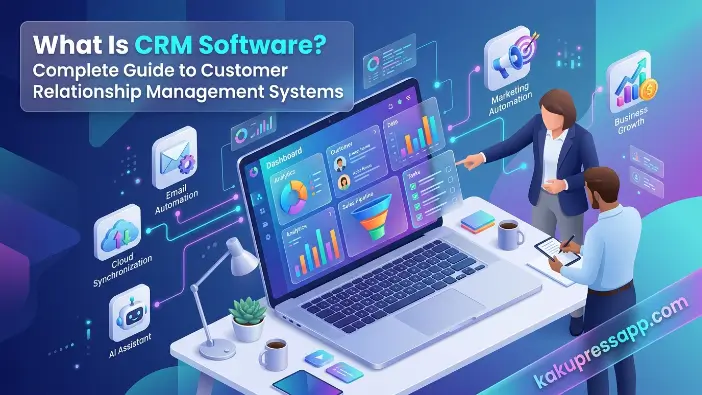
Understanding what is CRM software is essential for businesses that want to manage customer relationships efficiently. Companies interact with customers through websites, emails, social media, phone calls, and live chat. Managing these interactions manually can be time-consuming, which is why customer relationship management software is useful.
A CRM system helps businesses organize customer information, track interactions, manage sales activities, and improve customer satisfaction. Whether you run a small business or a large company, CRM software centralizes customer data, streamlines workflows, and helps teams build stronger customer relationships. As digital business operations expand, CRM solutions have become important tools for managing customer interactions and supporting growth.
What Is CRM Software?
CRM software is a business tool designed to manage customer information and improve relationships with existing and potential customers. It stores customer records, tracks interactions, organizes sales activities, and supports customer service. By keeping information in one central location, CRM software helps sales, marketing, and support teams work more efficiently, improve customer experiences, and maintain organized records.
What Does CRM Stand For?
CRM stands for Customer Relationship Management. It describes both a business strategy and the software used to manage customer relationships. Companies use CRM systems to track interactions with existing customers and potential buyers throughout the customer journey.
A CRM platform centralizes customer information, including contact details, communication history, purchase records, support requests, and sales activities. This information helps businesses understand customer needs, personalize communication, and build long-term customer relationships.
Simple Definition of CRM Software
Simply put, what is CRM software? It is a digital tool that helps businesses store customer information, track communications, manage sales opportunities, automate routine tasks, and organize customer support.
Instead of using separate spreadsheets or disconnected applications, businesses can use a single CRM database to manage customer-related information. This centralized system reduces manual work, helps prevent data entry errors, and allows authorized team members to access updated customer records.
Why CRM Software Matters Today
Customers expect timely responses, personalized communication, and consistent service across different channels. Without a reliable CRM system, businesses may struggle to manage customer information and maintain effective communication.
Without a CRM system, companies often struggle to:
- Track customer interactions across different channels.
- Follow up with leads and prospects at the right time.
- Manage sales pipelines efficiently.
- Provide consistent customer support.
- Keep customer information accurate and organized.
CRM software addresses these challenges by keeping customer records and interactions accessible in one place. This helps teams respond faster, improve customer satisfaction, identify sales opportunities, and support business growth.
How Does CRM Software Work?
Understanding how a CRM system works helps businesses use customer information more effectively. CRM software collects, stores, organizes, and analyzes customer data from different communication channels. It allows sales, marketing, and customer support teams to access customer records, automate routine activities, and track interactions throughout the customer journey. By centralizing information, CRM software improves collaboration and helps businesses manage customer relationships more efficiently.
Collecting Customer Information
A CRM system gathers customer information from different sources to create a centralized record of customer interactions. Depending on the software and its integrations, information can be collected automatically or entered manually.
Common sources include:
- Website forms
- Email inquiries
- Social media platforms
- Phone calls
- Live chat conversations
- Marketing campaigns
The software stores important details such as:
| Customer Data | Examples |
| Personal Information | Name, email address, phone number |
| Company Information | Business name, industry, job title |
| Purchase History | Previous orders, transactions |
| Communication History | Emails, calls, meetings, support tickets |
This centralized customer database helps businesses understand customer preferences, purchasing behavior, and communication history, making it easier to provide relevant service.
Organizing Sales and Communication
CRM software organizes customer interactions so employees can review previous conversations and access relevant information without switching between multiple tools. Depending on the platform and its integrations, interactions can be recorded automatically or entered manually.
Sales representatives can easily view:
- Previous conversations
- Meeting notes
- Sent proposals
- Purchase records
- Support requests
Access to these records helps employees understand customer needs, maintain consistent communication, and avoid repeating questions. It also supports more personalized customer service and better coordination between teams.
Automating Business Processes
One important CRM feature is sales automation, which helps businesses reduce repetitive administrative work. Automated workflows allow employees to focus more on customer relationships, sales opportunities, and other essential tasks.
Examples of automation include:
- Automatically sending welcome emails to new customers.
- Scheduling follow-up reminders for sales representatives.
- Assigning leads to the appropriate sales team members.
- Creating tasks after customer inquiries or form submissions.
- Triggering email marketing campaigns based on customer behavior.
CRM automation reduces manual effort, minimizes errors, and improves productivity. It also helps businesses follow up with leads consistently and complete important tasks on time.
Generating Reports and Analytics
Modern CRM platforms provide reports, dashboards, and analytics tools that help businesses measure sales performance and evaluate customer relationships. These features turn customer data into useful insights for improving business decisions.
Businesses can analyze:
- Sales performance
- Conversion rates
- Lead sources
- Customer retention rates
- Revenue trends
By reviewing these metrics, businesses can identify effective sales strategies, understand customer behavior, evaluate marketing results, and recognize opportunities for improvement. CRM analytics supports informed decision-making and helps organizations plan for sustainable growth.
Read Also: What is hardware and software
Key Features of CRM Software
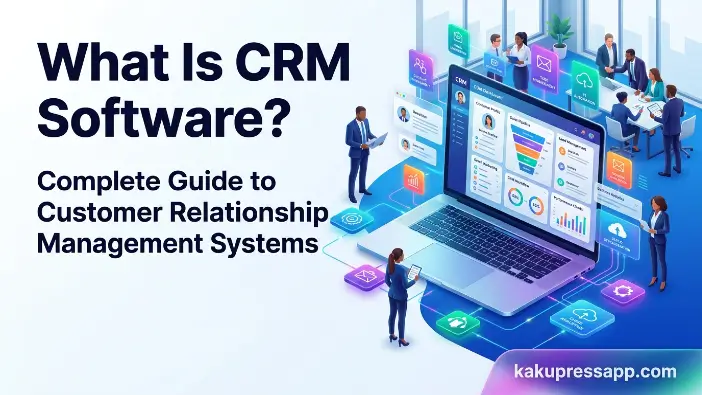
To understand what is CRM software, it is important to know how customer relationship management tools help businesses organize customer information, manage sales activities, automate tasks, and improve customer service. CRM software centralizes customer data and interactions, making it easier for teams to maintain relationships and manage daily operations.
Contact Management
Contact management is a core feature of CRM software that allows businesses to store, organize, and update customer information in one central location. Teams can access customer profiles and interaction histories without relying on separate spreadsheets or manual records.
Businesses can:
- Store customer details.
- Update contact information.
- Segment audiences.
- View customer histories.
A centralized customer database helps teams find accurate information, communicate consistently, and provide more personalized customer experiences.
Lead Management
Lead management helps businesses collect, track, and nurture potential customers throughout the sales process. CRM software records inquiries and monitors prospects from their first interaction until a deal is completed.
CRM software allows users to:
- Record new leads.
- Score leads based on quality.
- Monitor lead progress.
- Prioritize valuable opportunities.
These features help sales teams focus on promising prospects, organize follow-ups, and improve the efficiency of their sales activities.
Sales Pipeline Management
Sales pipeline management allows businesses to monitor potential deals as they move through different stages of the sales process. It gives sales teams a clear view of opportunities and helps them identify which deals need attention.
Typical stages include:
- New Lead
- Qualified Lead
- Proposal Sent
- Negotiation
- Closed Deal
A well-organized sales pipeline helps representatives track progress, estimate potential revenue, and follow up with prospects at the right time.
Marketing Automation
Many CRM platforms include marketing automation tools that simplify repetitive marketing tasks and help businesses communicate with customers more effectively.
Features often include:
- Email marketing campaigns
- Customer segmentation
- Drip campaigns
- Campaign performance tracking
These tools help businesses organize campaigns, measure customer engagement, and deliver more relevant marketing messages.
Customer Support Tools
CRM software helps businesses manage customer inquiries and provide consistent support. Customer service teams can organize requests, review previous interactions, and respond more efficiently.
Common customer support features include:
- Ticket management
- Live chat
- Knowledge bases
- Service history tracking
These capabilities help teams manage customer concerns, reduce response times, and maintain consistent service across communication channels.
Reporting and Analytics
Reporting and analytics tools help businesses evaluate customer information, sales performance, and team activities. CRM dashboards and reports provide insights that support informed business decisions.
Common reports include:
- Sales forecasts
- Revenue reports
- Customer acquisition reports
- Team performance reports
These tools help businesses identify trends, monitor results, and understand how effectively they manage customer relationships.
Mobile Access and Integrations
Modern CRM platforms often provide mobile applications and integrations with other business tools. These capabilities allow employees to access customer information remotely and connect CRM data with existing systems.
Common integrations include:
- Email platforms
- Accounting software
- E-commerce platforms
- Communication tools
Mobile access helps employees update customer records and manage tasks while working remotely. Integrations reduce manual data entry and allow information to move more smoothly between business applications.
Frequently Asked Questions
What is CRM software used for?
CRM software helps manage customer relationships, track sales activities, automate workflows, and improve customer service.
Is CRM software only for large businesses?
No. CRM software can be useful for businesses of all sizes, including startups and small businesses.
What are the main features of CRM software?
Core features include contact management, lead management, sales automation, reporting, customer support tools, and marketing automation.
What is the difference between CRM and ERP?
CRM focuses on customer interactions and sales processes, while ERP manages broader business operations such as finance, inventory, and supply chain management.
Which CRM software is best for beginners?
Many beginners choose HubSpot CRM because it offers an easy-to-use interface and a free version.
Conclusion
Understanding what is CRM software is essential for businesses seeking sustainable growth and stronger customer relationships. A modern customer relationship management platform centralizes customer information, automates routine activities, improves communication, and supports data-driven decision-making.
Whether you operate a startup, small business, or enterprise, selecting the right CRM solution can improve productivity, increase revenue, and enhance customer satisfaction. By carefully evaluating business requirements and choosing an appropriate CRM system, organizations can build lasting customer relationships and achieve long-term success.
