
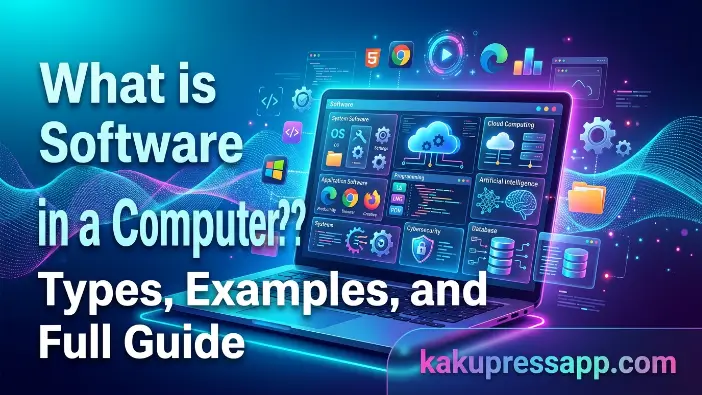
When using a computer, we can see physical components such as the screen, keyboard, and mouse. However, these parts alone cannot perform useful tasks without software. Software in a computer refers to a set of instructions that tells the computer what actions to perform and how to perform them. It enables users to write documents, browse the internet, play games, and carry out many other activities.
Without software, a computer cannot perform its intended functions effectively. Software connects users with hardware and coordinates different operations to ensure the system works properly. Every application, website, and operating system relies on software to function. Simply put, software acts as the computer’s “brain,” directing its activities and helping users accomplish tasks. Understanding what software in computer means is therefore an important part of learning basic computer concepts.
What is Software in a Computer?
Software is a collection of programs, instructions, and related data that directs a computer to perform specific tasks. In simple terms, software in a computer refers to the non-physical part of a computer system that enables it to operate and interact with hardware. Without software, a computer would consist only of physical components that could not perform meaningful tasks on their own. Software serves as a link between the user and the hardware, translating commands into instructions the computer can process and execute correctly.
Simple Definition of Software
Software is a set of instructions created using programming languages to tell a computer what to do. Unlike hardware, it has no physical form and exists as digital code that runs on a computer system. In everyday language, software makes a computer useful by allowing it to perform activities such as typing documents, browsing websites, and playing games. This is the fundamental meaning of what software is in computer.
Software is also responsible for managing hardware operations. When a user performs an action, such as clicking an icon or pressing a keyboard key, the software processes the input and communicates the necessary instructions to the hardware. This coordination allows the computer to respond correctly to user commands. Although hardware provides the physical components, software directs their activities and manages system operations through computer programs.
Real-Life Meaning of Software
Software plays a major role in our daily digital activities on computers and mobile devices. Messaging applications, web browsers, and video games are common examples of software that support communication, education, and entertainment. Each application is developed to perform particular functions, helping people use technology more efficiently in their everyday lives. These practical examples help explain what software in computer means and how it is used.
Software is not restricted to computers; it also powers smartphones, smart TVs, and modern vehicles. For instance, when you search for information online using a browser or play a game on your phone, you are interacting directly with software. These programs rely on application software to carry out their intended functions, process user inputs, and deliver a smooth and useful experience.
Key Characteristics of Software
A major characteristic of software is that it is intangible, meaning it does not have a physical form that can be touched. Unlike hardware components such as keyboards and monitors, software consists of digital instructions and code stored or executed within a computer system. Although it cannot be physically handled, it is essential for controlling computer operations and enabling the system to perform useful tasks.
Another important characteristic of software is its flexibility and ability to be modified. Developers create software using programming languages and can improve or change it as requirements evolve. Software can also receive updates that fix bugs, strengthen security, improve performance, and introduce new features without requiring changes to the computer’s physical components. These characteristics make software a vital part of modern computing systems.
Read Also: What is software testing
Types of Software in Computer
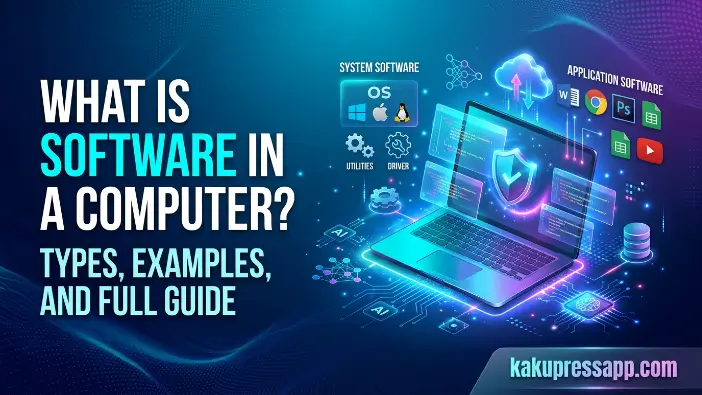
Software in a computer system is divided into several categories according to the tasks it performs. Understanding these categories helps explain what software is in a computer and how different programs work together to make a computer useful. Each category serves a particular purpose, and all of them contribute to the smooth operation of the computer system.
System Software
System software is a fundamental type of software that manages a computer’s overall operations. It provides the environment in which other programs can run. A common example is an operating system such as Windows or Linux, which manages hardware resources and provides an interface for users to interact with the computer. Without system software, a computer cannot start up or operate correctly.
System software also includes device drivers and utility programs. Device drivers allow the operating system to communicate with hardware components such as printers, keyboards, and graphics cards. Utility programs help maintain system performance and security through tasks such as disk cleanup, file management, and antivirus scanning. Together, these tools help keep the computer stable, secure, and efficient.
Application Software
Application software enables users to perform specific tasks on a computer and is one of the types of software people use most frequently. For example, word processors such as Microsoft Word help users create and edit documents, while web browsers such as Chrome and Firefox provide access to websites and online services. Media players are another example, allowing users to play audio and video files.
This category of software meets users’ needs across personal, educational, and professional activities. Whether you are preparing a report, searching for information, or watching a video, you are using application software. These programs rely on system software to access hardware resources and perform their functions correctly.
Programming Software
Programming software provides developers with tools to create, test, debug, and maintain other software applications. It helps programmers write code, identify errors, and convert instructions into forms that a computer can execute. These tools are essential for building new applications and improving existing software.
Examples of programming software include compilers, interpreters, and Integrated Development Environments (IDEs). Compilers translate high-level source code into machine code or another executable form, while interpreters execute program instructions through an interpreter environment. IDEs bring together tools such as code editors, debuggers, and compilers in a single workspace, making software development more organized and efficient.
Functions of Software in a Computer
Software is a central part of every computer system because it determines how the machine operates and responds to user commands. It provides the instructions needed to coordinate activities and complete different tasks. To understand what software in computers is, it is useful to examine its main functions and how they support everyday computer operations.
Controls Hardware
Software manages computer hardware by providing instructions that tell different components what actions to perform. When you click a mouse, type on a keyboard, or print a document, software processes the input and coordinates the hardware’s response. For example, when you press a key, the system processes that input and displays the corresponding character on the screen.
These operations typically happen within milliseconds and continue throughout normal computer use. The processor, memory, storage devices, and other hardware components rely on software instructions to perform their roles and work together. Without software, the hardware components would lack the necessary instructions to coordinate their activities and complete tasks.
Runs Applications
Software enables users to launch and run applications for everyday activities. Programs such as web browsers, games, office tools, and media players depend on system software to start and operate. When you open an application, the operating system loads the necessary program components into memory and provides the resources needed to execute its instructions.
Software also helps multiple applications operate simultaneously without unnecessarily interfering with one another. For instance, you can listen to music while browsing the internet because the operating system manages the resources required by both programs. This ability to handle multiple tasks is an important feature of modern computer systems.
Manages System Resources
Another important function of software is managing system resources, including RAM, processor time, storage space, and input/output devices. The operating system allocates resources to different applications and manages their access to prevent individual programs from using resources improperly. Effective resource management helps maintain system stability and reduces the risk of performance problems.
Software can also prioritize tasks according to their requirements and system settings. For example, a computer may allocate more processing power to a demanding application, such as a video editor, while managing background activities. This coordination helps the system remain responsive and use its available resources efficiently.
Enables User Interaction
Software allows users to interact with computers through accessible and convenient interfaces. Instead of entering complex commands for every operation, users can click icons, open menus, select options, and use buttons. These features make computers easier to operate, even for people with limited technical knowledge.
Modern software commonly uses graphical user interfaces (GUIs) to make computer interactions more visual and intuitive. Actions such as dragging files into folders, opening applications with a click, and changing system settings are managed by software. This interaction layer translates user actions into instructions that the computer can process.
Difference Between Software and Hardware
Understanding the difference between software and hardware is essential when learning what software is in a computer. Both are necessary for a computer system to function, but they have different characteristics and responsibilities. Hardware consists of the physical components of a computer, whereas software consists of the programs and instructions that direct those components.
Hardware vs Software Comparison Table
The following comparison highlights the main differences between hardware and software and explains how they work together to operate a computer system.
| Feature | Software | Hardware |
| Nature | Intangible; consists of programs and instructions | Physical; consists of tangible components |
| Function | Provides instructions and manages operations | Performs physical processing and input/output tasks |
| Examples | Applications, operating systems, and programs | Keyboard, mouse, CPU, and monitor |
Software needs hardware to execute its instructions, while hardware relies on software to perform coordinated operations. Both work together to make a computer system functional and useful.
Examples of Software in Daily Life
Software is an essential part of modern life and operates on nearly every digital device people use. Activities such as checking emails, browsing websites, editing photographs, and playing games depend on software. Examining real-world examples makes it easier to understand what software in computers is and how different programs serve different purposes. Whether used for work, education, communication, or entertainment, software helps people use technology more effectively.
Microsoft Windows
Microsoft Windows is one of the most widely used operating systems on personal computers and laptops. As system software, it manages essential computer operations and provides an environment for running applications. When a computer starts, Windows loads into memory and coordinates hardware components such as the processor, RAM, keyboard, mouse, and storage devices. It also provides an accessible interface for opening files, installing programs, and completing everyday tasks.
Windows supports the operation of different applications by managing system resources and coordinating communication between software and hardware. Features such as the Start Menu, File Explorer, Task Manager, and Settings help users control and organize their computers. Because Windows manages many of the core activities required to operate a PC, it is a useful example for understanding what software is in a computer and how it makes hardware practical to use.
Google Chrome
Google Chrome is a widely used web browser that allows users to access websites and online services. It is application software that helps people search for information, watch videos, read articles, and use web-based tools. Chrome retrieves and displays web content in an organized format, allowing users to navigate and interact with online information.
Chrome offers features such as tabbed browsing, bookmarks, password management, extensions, and security protections. Regular updates can improve browser performance, add functionality, and address security vulnerabilities. Because people use Chrome for work, education, research, and entertainment, it demonstrates how application software supports everyday activities and improves productivity.
WhatsApp is a communication application that helps people stay connected through digital messaging and calls. Users can send text messages, share photographs and videos, make voice calls, and participate in video calls using an internet connection. This provides a convenient alternative to traditional SMS messaging and allows people to communicate across different locations.
One of WhatsApp’s key security features is end-to-end encryption for supported personal communications, which helps prevent anyone other than the intended participants from reading protected messages. Businesses also use WhatsApp to communicate with customers, answer questions, and provide support. It is a practical example of how modern software makes communication faster and more accessible.
Adobe Photoshop
Adobe Photoshop is a professional image-editing and graphics application used by photographers, graphic designers, digital artists, and marketing professionals. It provides tools for enhancing photographs, creating visual content, designing advertisements, and producing digital artwork. Users can adjust colors, remove unwanted objects, apply effects, and combine multiple images to create polished designs.
Photoshop is widely used in advertising, publishing, social media marketing, and web design. Its editing features help professionals create detailed visual content for digital platforms and print materials. This application demonstrates how specialized software allows users to complete creative tasks that require precision, flexibility, and advanced editing capabilities.
Video Games
Video games are a popular category of entertainment software. Games such as Minecraft, FIFA, Call of Duty, and PUBG offer interactive experiences through challenges, storytelling, exploration, and competition. Developers use programming languages, graphics engines, and sound technologies to create environments in which player actions influence what happens during gameplay.
Beyond entertainment, some video games can help develop problem-solving, strategic thinking, teamwork, and hand-eye coordination. Educational games also support learning by presenting information through interactive activities. Behind every game, software manages graphics, sound, player input, game rules, and performance, making video games a clear example of how software creates engaging digital experiences.
Importance of Software in Modern Computers
Software makes computers functional by providing the instructions needed to perform different operations. While hardware supplies the physical components, software controls how those components work and enables users to complete specific tasks. Even a powerful computer cannot perform useful general-purpose activities without appropriate software. Understanding the importance of software explains what software in computers is and why it plays a central role in modern technology, from personal computing to large-scale business operations.
Makes Computers Usable
One of the main reasons software is important is that it makes computers practical for everyday use. Components such as the processor, memory, keyboard, and monitor cannot independently perform all the tasks users expect from a computer. Software supplies the instructions that coordinate these components and allow them to respond to commands.
Operating systems, applications, and utility programs provide interfaces and tools that make computer operations accessible. Whether someone is creating a document, browsing the internet, watching a video, or organizing files, software makes these activities possible. Without software, a computer would be a collection of electronic components with limited practical functionality.
Supports Communication
Software has transformed communication by enabling people to connect across different locations quickly and conveniently. Email services, messaging applications, and video conferencing platforms allow individuals and organizations to exchange information and communicate in real time. These tools have made communication more accessible and efficient for personal, educational, and professional purposes.
Modern communication software also supports collaboration by allowing users to share documents, images, and other information. Businesses can organize virtual meetings, students can participate in online classes, and families can stay in touch across countries. These capabilities demonstrate why software is an essential part of communication in today’s digital world.
Helps in Education and Business
Software supports education and business by improving productivity, organizing information, and expanding access to resources. Educational institutions use software for online learning, virtual classrooms, digital libraries, and interactive lessons. Students can access learning materials, submit assignments, and communicate with teachers through dedicated platforms.
In business, software helps organizations manage operations, monitor finances, analyze data, and provide customer support. Accounting applications, project management tools, and customer relationship management systems help businesses organize their work and make informed decisions. As a result, software is an important resource for improving efficiency, supporting innovation, and achieving long-term growth across industries.
Powers Automation
Automation is one of the major benefits of software in modern computer systems. Software can perform repetitive tasks automatically, reducing the need for constant human involvement. This can save time, improve consistency, and reduce manual errors. For example, businesses use software to automate payroll processing, inventory tracking, customer support, and data analysis.
In manufacturing, automated software systems help control machinery and production lines with precision. Everyday technologies, including smart home devices and automatic software updates, also rely on automation. By handling routine tasks and coordinating complex processes, software-driven automation continues to improve efficiency across industries. Its role in modern computing is increasingly important as organizations look for more effective ways to manage their operations.
Common Mistakes Beginners Make
When learning what software is on a computer, beginners sometimes misunderstand its purpose, characteristics, and relationship with hardware. These misconceptions can make it harder to understand how a computer system operates. Recognizing and correcting common mistakes helps learners build a solid foundation in computer basics and understand the different roles software performs.
- Confusing software with hardware and assuming they are the same.
- Believing that software is a physical component that can be touched or held.
- Assuming a computer can perform its normal functions without suitable software.
- Failing to recognize the difference between system software and application software.
- Thinking that all software serves the same purpose or performs identical tasks.
- Overlooking the importance of software updates and security patches.
- Assuming that deleting a desktop shortcut removes the actual application from the computer.
- Believing that software never contains bugs, errors, or technical problems.
- Installing programs from untrusted sources, potentially exposing the computer to malware.
- Forgetting that software needs hardware resources, including memory, storage, and processing power, to run efficiently.
Future of Software Development
The future of software development is expected to bring significant changes to how people live, work, learn, and communicate. As technology advances, software is becoming more intelligent, adaptable, and accessible. New developments are helping programmers build applications that solve complex problems, automate routine tasks, and provide experiences tailored to users’ needs. Understanding these trends highlights the growing importance of what software is in computers and why software will continue to drive technological progress.
Artificial Intelligence and Machine Learning
Artificial Intelligence (AI) and Machine Learning (ML) are transforming software development by enabling applications to analyze data, identify patterns, and support increasingly complex tasks. Traditional software generally follows rules and instructions defined by developers, while machine learning systems can identify patterns in training data and improve their performance on specific tasks. Depending on their design, AI-powered applications can make predictions, recognize images, process language, and assist with decisions.
AI is already used in virtual assistants, recommendation systems, customer support chatbots, language translation tools, and healthcare applications. As these technologies develop, software may help businesses automate more processes, improve productivity, and provide more personalized services. AI-driven tools are likely to become increasingly common across industries such as education, finance, transportation, and healthcare, although their effectiveness depends on data quality, system design, and appropriate human oversight.
Growth of Cloud Computing
Cloud computing has changed how software is developed, hosted, and delivered. Instead of relying entirely on programs installed on a local computer, users can access many applications and store data through internet-based services. This approach allows people to work from different locations and use multiple devices, provided they have the necessary access and connectivity.
Cloud technologies are expected to remain important in software development because they support scalability, collaboration, and flexible resource use. Businesses can expand computing capacity without purchasing all the required physical infrastructure themselves, while cloud providers can deliver updates and maintenance centrally. As cloud services continue to evolve, they will support an expanding range of applications for individuals and organizations.
Rise of Mobile-First Development
The widespread use of smartphones has encouraged developers to prioritize mobile-first software development. This approach begins by designing an application for mobile devices and then adapting it for desktops or other platforms when needed. Since people increasingly use smartphones for communication, shopping, banking, education, and entertainment, mobile-friendly software has become an important part of modern computing.
Future applications will continue to focus on consistent experiences across different screen sizes and operating systems. Developers may incorporate features such as facial recognition, voice commands, GPS, and augmented reality where they provide practical benefits. As mobile technology advances, software will continue to become more responsive, accessible, and tailored to different user needs.
Automation and Smart Workflows
Automation is an important trend shaping the future of software development. Businesses and individuals increasingly seek ways to reduce repetitive work, save time, and improve accuracy. Software automation can carry out routine operations with minimal manual involvement, helping users complete tasks more consistently and efficiently.
Future automation tools are expected to handle increasingly complex workflows. Organizations may use them for customer service, inventory management, financial reporting, data analysis, and coordinating business processes. By automating repetitive activities, these systems can give employees more time to focus on decision-making, creative work, and tasks that require human judgment.
Low-Code and No-Code Development
Traditionally, software development required programming knowledge and technical experience. Low-code and no-code platforms are making the process more accessible by providing visual interfaces, reusable components, and drag-and-drop tools. Low-code platforms still allow some custom programming, while no-code tools are designed to let users build many applications with little or no traditional coding.
As these platforms improve, more individuals and businesses will be able to develop software for specific needs without building every component from scratch. This can reduce development time and help organizations respond more quickly to changing requirements. However, complex applications may still require professional development, testing, security reviews, and ongoing maintenance.
Enhanced Cybersecurity and Data Protection
As software becomes more deeply integrated into daily activities, cybersecurity and data protection are becoming increasingly important. Businesses and individuals store sensitive information in digital systems, making those systems potential targets for cyberattacks and data breaches. Developers must therefore consider security throughout the software development process rather than treating it as an afterthought.
Future applications will continue to adopt stronger security measures, including encryption, multifactor authentication, biometric verification, and AI-assisted threat detection. Organizations will also need to follow applicable privacy and data protection regulations. Regular updates, secure coding practices, and responsible data handling will remain essential for protecting users and maintaining the reliability of software systems.
Internet of Things (IoT) Integration
The Internet of Things (IoT) refers to networks of connected devices that collect, exchange, and process data through the internet or other network connections. Smart home appliances, wearable fitness trackers, connected vehicles, and industrial sensors are examples of IoT devices. Software enables these devices to communicate, process information, and respond to commands or changing conditions.
As IoT adoption grows, software will increasingly help manage and analyze information collected from connected devices. These capabilities can support smarter city services, remote healthcare monitoring, more efficient energy use, and industrial automation. At the same time, secure device management and data protection will be important for reducing the risks associated with large networks of connected equipment.
Virtual Reality and Augmented Reality
Virtual Reality (VR) and Augmented Reality (AR) are expanding the possibilities of software development. VR places users in computer-generated environments, while AR adds digital elements to views of the real world. Both technologies are already used in areas such as gaming, education, healthcare, and professional training.
Future applications may use VR and AR to create more interactive and practical experiences. Students could explore virtual learning environments, medical professionals could practice procedures through simulations, and businesses could demonstrate products using digital overlays. As the underlying hardware and software improve, these technologies may become more accessible for learning, training, and everyday tasks.
Green and Sustainable Software
Growing concerns about energy consumption and environmental sustainability have encouraged developers to create more resource-efficient software. Sustainable software development focuses on reducing unnecessary processing, optimizing resource usage, and minimizing the energy required to operate digital systems. Efficient software can also help extend device battery life and make better use of existing hardware.
Future applications will increasingly emphasize performance optimization and responsible resource consumption. By reducing unnecessary computations and improving how applications use hardware, developers can help lower energy demand in some computing environments. Organizations are also paying greater attention to the environmental impact of software, cloud services, and the infrastructure required to support them.
The Long-Term Future of Software
The future of software development will be shaped by intelligence, automation, connectivity, and continuous innovation. Technologies such as artificial intelligence, cloud computing, IoT, cybersecurity, and immersive digital environments will continue to influence industries and everyday activities. Software is likely to become more adaptable and capable, while security, reliability, and responsible development will remain essential priorities.
As society becomes more dependent on digital technology, understanding what software is on computers will remain increasingly valuable. Software will continue to support existing technologies and enable new developments across business, education, healthcare, communication, and other fields. Learning about these trends provides a clearer understanding of how software may shape future technologies and influence the way people live and work.
Frequently Asked Questions
What is software in a computer in simple words?
Software in a computer is a collection of programs, instructions, and data that tells a computer how to perform specific tasks. It enables users to interact with the computer and makes hardware components work together efficiently. Without software, a computer cannot perform any useful function.
Why is software important in a computer?
Software is important because it controls the hardware and allows the computer to perform various tasks. It helps users create documents, browse the internet, communicate with others, play games, and run applications. In simple terms, software makes a computer functional and useful for everyday activities.
What are the main types of software?
The three main types of software are system software, application software, and programming software. System software manages the computer and hardware, application software helps users perform specific tasks, and programming software provides tools for developers to create new applications and programs.
Can a computer work without software?
No, a computer cannot work without software. Hardware components such as the CPU, memory, and storage devices require software instructions to perform any operation. Without software, the computer would not be able to start, process data, or respond to user commands.
What is the difference between software and hardware?
Software refers to the programs and instructions that tell a computer what to do, while hardware refers to the physical components that can be seen and touched. Examples of software include operating systems and applications, whereas examples of hardware include keyboards, monitors, and processors. Both work together to make a computer system function properly.
Conclusion
Understanding what software in computer is essential for anyone who wants to learn the basics of computers and modern technology. Software is a collection of programs and instructions that tell a computer how to perform different tasks. It acts as the link between users and hardware, making it possible to operate computers efficiently and complete a wide range of activities, from simple document creation to complex business operations.
Throughout this guide, we explored the different types of software, including system software, application software, and programming software. We also discussed their functions, real-life examples, importance in modern computing, and future developments. Each type of software plays a unique role in ensuring that computers run smoothly and meet the needs of users.
