
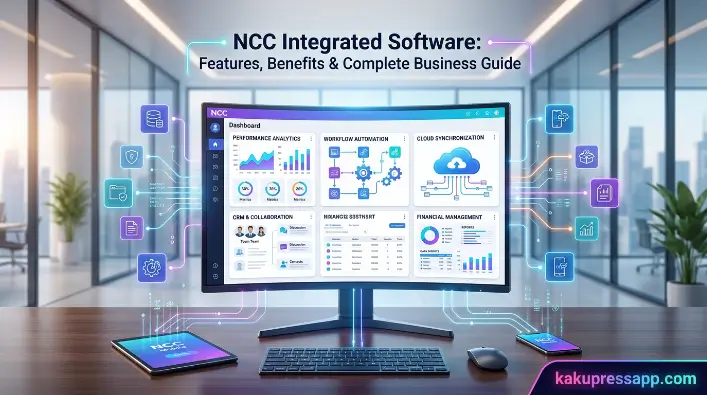
Welcome to Kaku Press App. In today’s competitive business environment, companies need technology that simplifies operations, improves customer service, and provides real-time insights. NCC Integrated Software is an all-in-one business management solution for restaurants, retail stores, hospitality businesses, and other organizations. It combines POS, inventory management, employee scheduling, reporting, and payment processing in one platform, helping businesses save time and reduce manual work.
Whether you manage one location or multiple stores, NCC Integrated Software helps streamline daily operations and support business growth. Businesses can process transactions, track inventory, monitor sales, and use real-time data to make better decisions. This guide covers its key features, benefits, and practical business uses.
What Is NCC Integrated Software?
Understanding how an integrated business management system works is important when choosing the right software for your organization. NCC Integrated Software brings essential business processes together on one centralized platform, reducing the need for multiple applications and simplifying daily operations. From processing transactions and tracking inventory to analyzing sales, it provides real-time data that helps businesses make smarter decisions. This guide covers the key features, benefits, and practical uses of NCC Integrated Software.
Overview
NCC Integrated Software is an integrated Point of Sale (POS) and business management solution developed to help organizations manage sales, inventory, employees, customer information, and reporting from a single interface. Instead of relying on multiple disconnected systems, businesses can access all essential operational data in one plaFrom handling customer transactions to tracking inventory and evaluating sales performance, the software enables business owners to make informed decisions using accurate, real-time information.
This type of software is widely used across various industries, including:
- Restaurants
- Quick-service restaurants (QSRs)
- Cafés and coffee shops
- Retail stores
- Grocery stores
- Stadiums and entertainment venues
- Hospitality businesses
By keeping operational data synchronized across the platform, managers can gain better visibility into day-to-day performance while minimizing the risk of errors, duplicate records, and data inconsistencies.
How It Works
The primary goal of NCC Integrated Software is to create a connected business ecosystem. From processing customer transactions to monitoring inventoFrom tracking inventory levels to analyzing sales performance, the software helps business owners make informed decisions using accurate, real-time data. Whenever a transaction is completed at the point of sale, the information is automatically shared with other areas of the system, including inventory management, financial reporting, and sales analytics.
For example:
- A customer places an order.
- The POS system records the transaction.
- Inventory levels are automatically adjusted.
- Sales reports are updated in real time.
- Managers can track performance through cloud-based dashboards.
- Financial records stay synchronized without requiring manual data entry.
This automated process minimizes repetitive work, reduces the risk of human error, and improves overall operational accuracy and efficiency.
Core Purpose
The core objective of NCC Integrated Software is to simplify business management by integrating multiple operational functions into one platform. InsInstead of switching between separate applications for inventory, sales, reporting, and employee management, business owners can handle their core operations through a centralized dashboard. This integrated approach reduces repetitive work, minimizes manual errors, and improves overall operational accuracy.
The software is designed to help businesses:
- Increase operational efficiency
- Minimize manual errors
- Maintain accurate inventory records
- Provide faster customer service
- Generate real-time business reports
- Support better decision-making
- Increase employee productivity
- Enhance customer satisfaction
By automating routine tasks and connecting essential business functions, NCC Integrated Software allows managers to spend less time handling administrative responsibilities and more time concentrating on business growth, operational improvements, and delivering a better customer experience.
Read Also: Vidmate Software: Features, Download Guide, Safety & Complete Review
Key Features of NCC Integrated Software
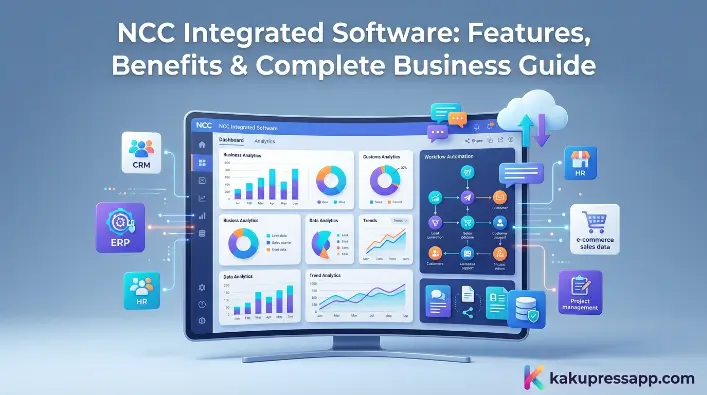
One of the key advantages of NCC Integrated Software is its wide range of features. Instead of operating as a basic standalone POS system, it brings multiple essential business management functions together within a single integrated platform. This helps businesses streamline daily operations, maintain accurate data, and access valuable insights through centralized reporting.
Point of Sale (POS)
The Point of Sale (POS) system serves as the foundation of NCC Integrated Software. It enables businesses to process customer transactions quickly while maThe system helps businesses maintain accurate and organized sales records while making daily transactions faster and more efficient.
Key POS capabilities include:
- Fast and efficient order processing
- Support for multiple payment methods
- Barcode scanning functionality
- Quick receipt generation
- Customer account management
- Discount and promotional controls
- Automated tax calculations
- Split payment and refund processing
A responsive POS system can significantly reduce customer wait times, streamline the checkout process, and minimize transaction errors, resulting in a smoother experience for both employees and customers.
Back Office Management
Managing business operations requires more than just processing sales. NCC Integrated Software includes a back-office management system that provides administrators with centralized control over daily operations. This automated workflow reduces repetitive tasks while improving operational accuracy. A responsive POS system helps reduce customer wait times while improving checkout accuracy.
Back-office features typically include:
- Product management
- Menu management
- Price updates
- Vendor management
- Purchase tracking
- Employee permissions
- Business settings
- Financial summaries
Centralized administration reduces duplicate work and ensures consistency across locations.
Cloud Reporting
Access to real-time business data is one of the key advantages of NCC Integrated Software. With cloud-based reporting, business owners and managers can monitor operations, review performance, and access important business information from virtually anywhere with an internet connection.
Common report categories include:
| Report Type | Purpose |
| Sales Reports | Monitor revenue trends |
| Inventory Reports | Track stock movement |
| Employee Reports | Measure staff performance |
| Profit Reports | Analyze business profitability |
| Customer Reports | Understand purchasing behavior |
Real-time reporting helps managers identify trends, respond to challenges quickly, and make data-driven decisions.
Inventory Management
Effective inventory management is essential for minimizing waste, avoiding stock shortages, and maintaining accurate stock levels. NCC Integrated Software automates inventory tracking, allowing businesses to monitor product quantities and keep stock information up to date with less manual effort.
Inventory management features include:
- Real-time stock tracking
- Automatic inventory updates
- Low-stock alerts
- Purchase order management
- Supplier tracking
- Product categorization
- Waste monitoring
- Inventory valuation
Automation reduces manual counting and minimizes costly inventory errors.
Employee Management
Managing employees across different shifts and locations becomes more efficient with integrated workforce management tools. NCC Integrated Software helps businesses organize employee schedules, manage access permissions, and maintain better oversight of staff activities from a centralized system.
Employee management capabilities include:
- Role-based access control
- Shift scheduling
- Time tracking
- Performance reporting
- Labor cost monitoring
- User permissions
- Payroll data support
These tools help improve accountability while ensuring employees have appropriate system access.
Online Ordering Integration
By bringing online and offline orders together, the software helps businesses streamline order management, reduce confusion, and provide a more consistent customer experience. This integrated approach also makes it easier for staff to process orders accurately and keep operations running smoothly across different sales channels.
Benefits include:
- Centralized order management
- Reduced manual order entry
- Faster order fulfillment
- Improved order accuracy
- Better customer experience
Integrating online orders into the same workflow reduces operational complexity and supports omnichannel sales.
Kitchen Display System (KDS)
For restaurants and food service businesses, a Kitchen Display System (KDS) can replace traditional paper tickets with clear digital order displays. Orders sent from the POS system can appear directly on kitchen screens, helping staff organize incoming requests and prioritize tasks more efficiently.
Key advantages include:
- Faster communication between front and back of house
- Reduced order errors
- Improved preparation times
- Better kitchen organization
- Real-time order tracking
A KDS helps streamline food preparation and improves service speed during busy periods.
Payment Processing
Secure and efficient payment processing is another important feature of NCC Integrated Software. The platform allows businesses to accept multiple payment methods while supporting secure transaction processing and industry-standard security practices.
Supported payment options often include:
- Credit cards
- Debit cards
- Mobile wallets
- Contactless payments
- Gift cards
- Digital payment platforms
Integrated payment processing simplifies reconciliation and provides customers with a smooth checkout experience.
Industries That Use NCC Integrated Software
One of the key advantages of NCC Integrated Software is its flexibility and adaptability. The platform is designed to serve businesses across different industries and sizes by providing tools that streamline operations, enhance customer service, and bring essential management functions together in one place. Whether a business operates from a single location or manages multiple branches, the software can be tailored to meet its specific operational requirements.
Restaurants
Restaurants depend on speed, accuracy, and clear communication to maintain efficient daily operations. NCC Integrated Software helps simplify these processes by bringing order management, kitchen communication, inventory tracking, and payment processing together within a single platform.
- Faster order processing
- Digital menu management
- Real-time inventory updates
- Table management
- Kitchen Display System (KDS)
- Customer loyalty programs
- Sales reporting
- Employee scheduling
Coffee Shops and Cafés
Coffee shops often manage a large number of orders during busy periods, making speed and accuracy essential. NCC Integrated Software helps simplify the ordering process while allowing staff to efficiently manage customized drink requests and keep service moving smoothly.
- Quick checkout
- Mobile payment support
- Combo and promotional pricing
- Customer rewards
- Inventory tracking for beverages and ingredients
- Daily sales reporting
The software also helps café owners identify their best-selling drinks and optimize menu offerings based on sales data.
Retail Stores
Retail businesses depend on accurate inventory management and efficient checkout processes to keep daily operations running smoothly. NCC Integrated Software provides a centralized platform where retailers can manage products, pricing, promotions, and customer information in one place.
- Barcode scanning
- Product catalog management
- Multi-store inventory
- Returns and exchanges
- Customer purchase history
- Promotional pricing
- Gift card management
Retail managers can monitor inventory levels across multiple locations, helping prevent stock shortages and overstock situations.
Grocery Stores
Grocery stores handle a high volume of transactions while managing extensive inventories on a daily basis. NCC Integrated Software helps streamline both stock management and checkout operations, making it easier for businesses to maintain accurate inventory records and process customer purchases efficiently.
- High-speed checkout
- Fresh inventory tracking
- Supplier management
- Price updates
- Bulk product management
- Sales analytics
These features help grocery businesses improve inventory accuracy while reducing product waste.
Stadiums and Entertainment Venues
Large venues often experience high transaction volumes during events, making fast and reliable service essential. NCC Integrated Software supports a variety of venue operations, including concession stands, merchandise sales, and food service.
- Fast customer transactions
- Multiple POS terminals
- Mobile ordering
- Cashless payments
- Real-time sales monitoring
- Inventory synchronization
By reducing wait times, venues can improve customer satisfaction and increase revenue during busy events.
Specialty Retail Businesses
By bringing these essential functions together, the software helps specialty retailers maintain accurate product records, monitor sales performance, and better understand customer activity. This integrated approach can simplify daily operations while supporting more efficient inventory and customer relationship management.
Common use cases include:
- Seasonal inventory planning
- Customer loyalty tracking
- Sales forecasting
- Employee performance monitoring
- Promotional campaigns
Benefits of Using NCC Integrated Software
Businesses invest in technology to increase efficiency, control costs, and deliver better customer experiences. NCC Integrated Software supports these goals by bringing multiple essential business functions together within a single platform.
Faster Business Operations
Businesses invest in technology to improve efficiency, reduce costs, and deliver better customer experiences. NCC Integrated Software supports these goals by automating routine tasks, reducing manual effort, and helping employees complete daily processes more efficiently.
Examples include:
- Automatic inventory updates
- Real-time reporting
- Digital order management
- Centralized employee scheduling
- Integrated payment processing
Staff can spend more time serving customers instead of handling repetitive administrative tasks.
Better Customer Experience
Customer satisfaction is a key factor in long-term business success. NCC Integrated Software helps improve service quality by reducing customer wait times, minimizing order errors, and streamlining daily operations.
Benefits include:
- Faster checkout
- Accurate order processing
- Personalized customer profiles
- Loyalty programs
- Digital receipts
- Consistent service across locations
Happy customers are more likely to return and recommend the business to others.
Improved Reporting and Analytics
Effective business decisions rely on accurate, up-to-date information rather than assumptions. NCC Integrated Software provides real-time reporting and analytics tools that give managers greater visibility into business performance, sales trends, and operational activities.
Reports may include:
- Daily sales
- Weekly trends
- Product performance
- Employee productivity
- Profit margins
- Inventory movement
Managers can quickly identify which products perform best and adjust inventory or marketing strategies accordingly.
Reduced Human Errors
Manual processes can often result in costly mistakes and inconsistencies. By automating many routine operational tasks, NCC Integrated Software helps businesses reduce the risk of errors in areas such as sales processing, inventory tracking, reporting, and data management.
- Inventory counts
- Sales reporting
- Pricing updates
- Employee permissions
- Financial reconciliation
Automation improves accuracy while reducing the time spent correcting mistakes.
Business Scalability
As businesses expand, managing multiple locations can become increasingly complex. NCC Integrated Software supports business growth by providing centralized management tools that help owners and managers oversee operations across different branches.
Scalability features include:
- Multi-location support
- Cloud-based reporting
- Standardized pricing
- Centralized inventory
- Unified employee management
This makes it easier for businesses to maintain consistency while expanding into new markets.
Enhanced Inventory Control
Inventory management has a direct impact on business profitability. NCC Integrated Software helps businesses maintain appropriate stock levels by providing real-time visibility into inventory quantities and product movement.
Key advantages include:
- Automatic stock adjustments
- Low-inventory alerts
- Supplier management
- Purchase order tracking
- Waste reduction
- Demand forecasting
Accurate inventory tracking helps reduce carrying costs and prevent stockouts.
Better Employee Management
Effective staff management plays an important role in maintaining smooth day-to-day operations. NCC Integrated Software provides tools that help supervisors manage employee schedules, monitor performance, and coordinate staff activities more efficiently.
Employee management benefits include:
- Secure user access
- Shift planning
- Attendance tracking
- Labor cost monitoring
- Performance reporting
Managers can optimize staffing levels based on business demand.
Frequently Asked Questions
What is NCC Integrated Software?
NCC Integrated Software is an integrated business management solution that combines point-of-sale (POS), inventory management, employee management, reporting, payment processing, and other operational tools into a centralized platform.
Is NCC Integrated Software cloud-based?
Many deployments of NCC Integrated Software include cloud-based reporting and remote management features, allowing business owners to monitor operations from virtually anywhere with an internet connection.
Which industries use NCC Integrated Software?
The software is commonly used by restaurants, cafés, retail stores, grocery stores, hospitality businesses, stadiums, entertainment venues, and other organizations that require integrated business management.
Does NCC Integrated Software support inventory management?
Yes. NCC Integrated Software provides real-time inventory tracking, automatic stock updates, supplier management, purchase order tracking, and inventory reporting to help businesses maintain accurate stock levels.
Can small businesses use NCC Integrated Software?
Yes. Small businesses can benefit from NCC Integrated Software, especially if they need an integrated POS system, inventory management, reporting tools, and the ability to scale as their operations grow.
Conclusion
NCC Integrated Software is a comprehensive business management solution that combines point-of-sale (POS), inventory management, employee administration, cloud reporting, payment processing, and business analytics within a centralized platform. By connecting these essential functions, NCC Integrated Software helps businesses streamline daily operations, reduce manual work, improve data accuracy, and make informed decisions based on real-time insights.
Whether you operate a restaurant, café, retail store, grocery business, or a growing multi-location company, NCC Integrated Software provides tools designed to simplify workflows and support sustainable growth. Before adopting the system, businesses should evaluate their specific requirements, integration needs, and employee training plans to ensure a smooth implementation.
