

Welcome to Kaku Press App. Managing projects effectively can be challenging for modern teams, particularly when different departments, responsibilities, deadlines, and tasks need to be coordinated. Jira Software is a widely used project management and issue-tracking platform designed to help teams organize their work, improve collaboration, manage workflows, and complete projects more efficiently. Whether you work in software development, project management, marketing, or IT, Jira Software offers a range of tools to keep tasks structured and teams productive.
Initially created with software development teams in mind, Jira Software has grown into a versatile work management platform that can support teams across various industries. It provides built-in support for Agile approaches such as Scrum and Kanban, along with features for workflow customization, automation, reporting, and integration with other tools. These capabilities allow organizations to adapt Jira to their specific working processes and project requirements.
What Is Jira Software?
Jira Software is a project management and issue-tracking platform created by Atlassian. It enables teams to plan, organize, monitor, and manage their work using customizable workflows, Agile boards, automation features, and comprehensive reporting tools. Although it was originally developed primarily for software development teams, Jira Software is now used by organizations for a variety of purposes, including marketing projects, IT operations, HR workflows, product management, and general business tasks.
Brief History of Jira Software
Atlassian launched Jira Software in 2002 as a tool primarily designed to help development teams track bugs, issues, and software-related tasks. Since its early days, the platform has developed considerably, adding a wide range of capabilities such as Agile project management, customizable workflows, automation, roadmaps, dashboards, and integrations with numerous third-party tools.
Today, Jira Software is used by teams in many industries to organize projects, manage tasks, and improve collaboration. By bringing important project information into a centralized workspace, it helps teams track progress, distribute responsibilities, communicate more effectively, and manage deadlines. Its flexible deployment options also allow Jira Software to accommodate the needs of both smaller organizations and large enterprises.
Who Uses Jira Software?
Although software developers remain one of the main groups using Jira Software, the platform is also useful for a wide variety of professionals and teams. Its flexible project management features can support project managers, IT specialists, product teams, marketers, HR departments, and business professionals who need to organize and track their work.
- Software development teams
- Agile Scrum teams
- Product managers
- IT support departments
- DevOps engineers
- Marketing teams
- Human resources departments
Its flexibility allows organizations to customize workflows according to their unique business processes.
Core Purpose of Jira Software
The main purpose of Jira Software is to make project management more organized while giving teams better visibility into their work. It helps organizations structure tasks, coordinate responsibilities, track progress, and manage deadlines from a centralized platform.
- Track project progress in real time
- Assign and prioritize tasks
- Manage software bugs and issues
- Plan Agile sprints
- Automate repetitive work
- Generate performance reports
- Improve communication between departments
- Monitor deadlines and project milestones
These capabilities help teams work more efficiently while reducing manual effort and improving project outcomes.
Key Features of Jira Software
One of the key factors contributing to the popularity of Jira Software is its broad range of project management features. Whether you’re handling a small team project or coordinating work across hundreds of employees and multiple departments, the platform provides tools to support different stages of the project lifecycle.
Scrum Boards
Scrum boards in Jira Software are specifically designed for Agile development teams. They help organize work into sprints, allowing teams to prioritize tasks, monitor sprint progress, and quickly identify bottlenecks.
Key advantages include:
- Sprint planning
- Sprint backlog management
- Burndown charts
- Velocity reports
- Sprint reviews
- Sprint retrospectives
Scrum boards make it easier for teams to deliver iterative improvements while maintaining transparency throughout the development cycle.
Kanban Boards
Kanban boards offer a clear visual way to manage and monitor workflows. Unlike Scrum, which typically organizes work into fixed-length sprints, Kanban allows tasks to move continuously through different stages as team members complete them. This approach helps teams maintain a steady workflow, identify bottlenecks, and understand the current status of each task.
Common workflow stages may include:
- To Do: Tasks that are planned but have not started yet.
- In Progress: Work that is currently being handled by the team.
- Review: Completed work that requires checking or approval.
- Done: Tasks that have been successfully completed.
Using a Kanban board in Jira Software gives teams better visibility into their workload and makes it easier to track progress, assign responsibilities, and keep projects organized.
Backlog Management
A well-organized backlog ensures that teams always know what to work on next. Jira Software allows project managers to: The platform centralizes project information, making it easier for teams to collaborate, monitor progress, assign responsibilities, and meet deadlines. With cloud and data center deploymenJira Software provides flexible backlog management options that help teams organize upcoming work and maintain clear priorities.
Teams can use the backlog to:
- Prioritize tasks according to project requirements
- Reorder work items as priorities change
- Add estimates to better understand the effort involved
- Define dependencies between related tasks
- Categorize issues for easier organization and tracking
- Prepare future sprints by selecting work items in advance
Effective backlog management reduces confusion, keeps teams focused on important tasks, and helps ensure that high-priority work is addressed at the right time. It also gives teams a clearer view of upcoming work and makes sprint planning more organized.
Sprint Planning
Sprint planning tools allow Agile teams to organize work before each development cycle. The platform centralizes project information, making it easier for teams to cJira Software provides a range of sprint planning features that help teams organize upcoming work, distribute tasks, and manage workloads effectively. These tools give teams better visibility into project requirements and make it easier to coordinate responsibilities and deadlines.
Key sprint planning features include:
- Story point estimation to measure the relative effort required for tasks
- Capacity planning to align planned work with available team resources
- Sprint goals to establish clear objectives for each sprint
- Drag-and-drop issue assignment for quick and convenient task allocation
- Team workload balancing to distribute work more effectively among team members
Well-structured sprint planning can improve team coordination, maintain a manageable workload, and help projects progress toward their planned goals while reducing the risk of missed deadlines.
Roadmaps
Roadmaps provide teams with a clear, high-level view of project timelines, milestones, and dependencies. They help managers and team members understand how different tasks and objectives fit together while making it easier to adjust schedules when priorities or project requirements change.
Roadmaps can help teams:
- Align stakeholders around shared project objectives
- Track milestones and important deliverables
- Plan releases and coordinate upcoming work
- Identify dependencies between tasks and teams
- Forecast project completion based on planned work and timelines
By providing a broader view of project progress, roadmaps make long-term planning more organized and help teams coordinate their efforts more effectively.
Custom Workflows
Every organization has unique processes. Jira Software allows businesses to create customized workflows that match their operational requirements. The platform centralizes project information, making it easier for teams to collaborate, monitor progress, assign responsibilities, and meet deadlines.
Workflow customization includes:
- Custom statuses
- Approval processes
- Transition rules
- Required fields
- Notifications
- Conditions and validators
This flexibility makes the platform suitable for industries beyond software development.
Automation
Automation eliminates repetitive manual work, saving time and reducing errors. The platform centralizes project information, making it easier for teams to collaborate, monitor progress, assign responsibilities, and meet deadlines. With cloud and data center deployment options, Jira Software scales from small startups to large enterprises.Jira Software includes automation features that help teams reduce repetitive manual work and keep workflows running smoothly. Teams can create rules that automatically perform specific actions when certain conditions or events occur.
Common examples of automation rules include:
- Automatically assign issues to the appropriate team member
- Notify team members when important changes occur
- Move issues between statuses based on predefined conditions
- Close completed tasks when all required steps are finished
- Create recurring issues for regularly scheduled work
- Trigger approval requests when a task reaches a specific stage
By automating routine processes, teams can save time, reduce manual errors, and maintain more consistent workflows. This allows team members to spend more time on important tasks that require attention and decision-making.
Dashboards
Dashboards provide a centralized view of project performance through customizable widgets. The platform centralizes project information, making it easier for teams to collaborate, monitor progress, assign responsibilities, and meet deadlines. With cloud and data center deployment options, Jira Software scales from small startups to large enterprises.Jira Software dashboards give teams a convenient way to view important project information from a single location. Different widgets can be added and arranged according to the needs of individual users or teams, making it easier to monitor ongoing work and project performance.
Common dashboard widgets include:
- Assigned tasks to see current responsibilities
- Sprint progress to track work completed during a sprint
- Recent activity for quick visibility into project updates
- Burndown charts to monitor remaining work
- Pie charts to view issues by category or status
- Workload distribution to understand how tasks are shared across the team
- Calendar view to keep track of important dates and deadlines
With these dashboard tools, managers and team members can quickly review project activity, identify areas that need attention, and stay informed without relying on manually prepared reports.
Reporting and Analytics
Data-driven decision-making is an important advantage of Jira Software, as the platform provides teams with useful information about projects, tasks, workloads, and overall progress. By bringing project data into a centralized workspace, it becomes easier for teams to understand current performance and identify areas that may require attention.
Built-in reports include:
| Report | Purpose |
| Burndown Chart | Sprint progress |
| Velocity Chart | Team performance |
| Sprint Report | Sprint analysis |
| Control Chart | Cycle time |
| Cumulative Flow Diagram | Workflow efficiency |
| Version Report | Release forecasting |
These reports help identify trends, improve planning accuracy, and optimize team performance.
Integrations
One of the major strengths of Jira Software is its ability to connect with a wide variety of third-party tools and services. These integrations help create a more connected work environment by allowing teams to bring different aspects of project management, communication, development, and productivity into a coordinated workflow.
Popular integrations include:
- Confluence
- Bitbucket
- GitHub
- GitLab
- Slack
- Microsoft Teams
- Zoom
These integrations reduce context switching and improve collaboration across departments.
Read Also: knowledge base software
Benefits of Using Jira Software
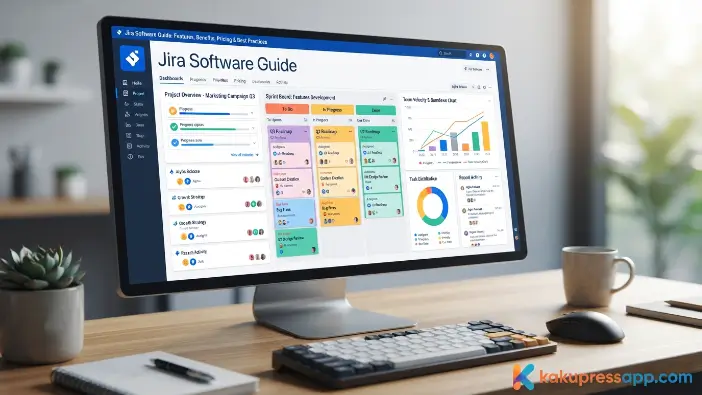
Organizations of different sizes use Jira Software to organize projects, improve visibility, and support collaboration across teams. Its flexible features help businesses manage tasks, workflows, and responsibilities while adapting to changing project requirements.
Improved Team Collaboration
Jira Software brings project information into a centralized workspace, helping team members communicate more effectively and stay aligned throughout the project. Users can comment on issues, share progress updates, attach relevant files, and receive notifications directly within the platform. This reduces the need to depend on scattered emails or separate chat conversations for important project details.
Customizable dashboards provide another useful way to improve visibility. Teams can configure widgets to display information such as project progress, assigned tasks, recent activity, and other relevant metrics. By keeping communication and project data in one place, Jira Software helps teams coordinate responsibilities, monitor work, and stay informed about changing priorities and deadlines.
Better Project Visibility
Managers can use Jira Software dashboards and reports to monitor task progress, sprint performance, upcoming deadlines, and team workloads in one centralized workspace. This provides greater visibility into ongoing projects and makes it easier to understand how work is progressing.
Real-time project information can help managers spot potential delays, workload issues, or workflow bottlenecks at an earlier stage. Customizable dashboards also allow users to focus on the metrics that are most relevant to their projects. With better visibility into project activity and performance, teams can make informed decisions, adjust priorities, and coordinate responsibilities more effectively.
Increased Productivity
Automation, reusable workflows, and streamlined task management help reduce manual effort in Jira Software. By automating routine processes and organizing recurring tasks, teams can spend less time on administrative work and more time focusing on important project goals. Customizable dashboards also provide a clear overview of project performance, allowing users to monitor relevant activities and metrics from one place.
Jira Software is designed to support organizations of different sizes and requirements. Whether a company has a small team of five employees or thousands of users across an enterprise, workflows can be configured and expanded as projects become more complex. Organizations can begin with simple processes and gradually introduce more advanced workflows as their teams and operations grow.
Flexibility Across Teams
Although built for software development, Jira Software adapts to many business functions, including: Jira Software includes enterprise-grade security featuJira Software can support a wide range of business functions beyond traditional software development. Its customizable workflows allow teams to adapt the platform to different operational requirements and organize work according to their specific processes.
Common use cases include:
- Marketing campaign management
- IT service operations
- Human resources onboarding
- Product development
- Customer support
- Business process management
With flexible workflows and centralized task management, organizations can structure different types of work while maintaining visibility into responsibilities, progress, and deadlines. This adaptability makes Jira Software useful for teams with diverse operational needs and varying project requirements.
Scalability
Whether you’re running a small startup or a global enterprise, Jira Software can adapt as your organization grows. Smaller teams can begin with essential features such as task creation, issue tracking, and basic workflows without requiring complicated configurations. As business needs increase, organizations can add users, manage multiple projects, customize workflows, and connect Jira Software with other business tools.
This scalability allows Jira Software to support projects of different sizes and levels of complexity. From small internal initiatives to large programs involving multiple teams, departments, and locations, the platform provides tools for organizing and managing work effectively. Larger organizations can also use features such as automation, detailed reporting, role-based permissions, and portfolio planning to improve efficiency, maintain visibility, and keep projects aligned with broader business objectives.
Enhanced Reporting
Whether you’re a small startup or a large enterprise, Jira Software can adapt to your changing business needs. Small teams can start with essential tools such as task management, issue tracking, and basic workflows to organize their daily work. As the organization grows, teams can add users, manage additional projects, and adopt more advanced capabilities without having to completely change their existing processes.
For larger and more complex operations, Jira Software offers greater flexibility through customized workflows, task automation, detailed reporting, and integrations with other business applications. These capabilities allow organizations to coordinate multiple departments, manage large-scale projects, and support distributed teams while maintaining clear visibility into progress and responsibilities.
How Jira Software Works
Understanding how Jira Software works can help teams use its features more effectively. The platform organizes work into projects, with individual tasks and work items created as issues. Depending on the project, an issue can represent a bug, user story, task, epic, or another type of work.
Creating a Project
The process of using Jira Software begins with creating a project, which serves as a central workspace for organizing related tasks, issues, workflows, and other project information. When setting up a new project, users can select from templates suited to different working methods, including Scrum, Kanban, bug tracking, task management, and business projects. These templates provide predefined configurations that can help teams get started more efficiently.
After creating a project, administrators can adjust its settings based on the team’s specific requirements. They can define issue types, assign user roles, configure permissions, and customize workflows to match how work is handled. A properly organized project structure makes it easier to manage responsibilities, coordinate team activities, and maintain clear visibility throughout the project.
Creating Issues
In Jira Software, individual pieces of work are managed as issues. These can be created manually or generated through automation rules and integrations. Each issue can include key information such as a title, description, priority, assignee, due date, labels, attachments, and comments. Keeping these details in one place helps team members understand requirements, follow updates, and reduce communication gaps.
Jira Software also provides different issue types to help teams organize work according to its purpose. Software teams may use bugs, user stories, epics, and tasks, while other departments can adapt issue types for activities such as marketing campaigns or employee onboarding. Maintaining clear and well-organized issues makes it easier to track progress, manage responsibilities, and keep projects moving efficiently.
Assigning Tasks
Task assignment is an important part of managing work in Jira Software. Managers and team leads can assign issues to specific team members based on their responsibilities, skills, or current workload. Assigned users can receive notifications about updates, due dates, and status changes, helping them stay informed and reducing the chance of important tasks being missed.
Teams can also prioritize issues based on urgency, business impact, or project requirements. High-priority work can be highlighted on backlogs and boards, making it easier for team members to focus on critical tasks first. This organized approach improves accountability, reduces confusion, and helps teams maintain steady progress toward project goals.
Workflow Management
Workflows define how an issue moves through different stages of work in Jira Software. A typical workflow may include steps such as To Do, In Progress, In Review, Testing, and Done. As team members complete each stage, they can update the issue’s status, giving everyone a clearer view of current progress and project activity.
Organizations can customize workflows to reflect their own processes and requirements. Teams can configure approval steps, automated notifications, required fields, and transition conditions to create consistent ways of handling work. A well-structured workflow can make responsibilities clearer, reduce delays, support collaboration, and provide a standardized process for managing projects across different teams.
Closing Issues
Once the required work is completed, issues in Jira Software can be marked as resolved or closed. Before completing an issue, teams can verify that the necessary acceptance criteria have been satisfied, documentation is up to date, and any required approvals have been obtained. This final review helps maintain accurate project records and keeps reporting organized.
Closed issues can still be accessed when teams need to review previous work or project history. Historical issue data can support performance reviews, help identify recurring challenges, and provide insights for improving future processes. Keeping the active backlog organized also allows teams to concentrate on current priorities while preserving completed work for future reference.
Step-by-Step Guide to Getting Started with Jira Software
Getting started with Jira Software can be simple, even for users who are new to the platform. A structured setup process allows teams to create projects, organize tasks, assign responsibilities, and begin tracking work from a centralized workspace. Starting with clear project requirements and basic configurations can help teams establish an efficient foundation from the beginning.
Step 1: Create an Account
The first step is to create a Jira Software account through Atlassian. The registration process is designed to be straightforward, allowing new users to complete the initial setup without much difficulty. During setup, organizations can select the deployment option that fits their operational requirements. Cloud deployment is convenient for businesses that want online access, automatic updates, and minimal infrastructure management, while self-managed deployment may be considered by organizations with specific security, compliance, or infrastructure requirements.
After the account is configured, users can access the Jira Software dashboard, which provides a central workspace for managing projects and tasks. From the dashboard, teams can create projects, add members, configure workflows, and adjust settings according to their needs. Establishing a clear project structure and organizing the workspace from the beginning can make collaboration easier, improve task management, and help teams begin working efficiently.
Step 2: Create Your First Project
To create a project in Jira Software, start from the dashboard and select the Create Project option. You can then choose a template based on your team’s working style and project requirements. Options such as Scrum and Kanban are commonly suited to Agile development teams, while task management and business project templates can be used by other departments. Selecting an appropriate template provides a starting structure with relevant workflows, issue types, and boards.
After selecting a template, choose a clear and descriptive project name that makes it easy to identify among other projects. You can then configure settings such as issue types, workflows, notifications, and user permissions according to your team’s requirements. Assigning suitable access levels helps team members work within their assigned responsibilities while maintaining appropriate control over project information.
Step 3: Invite Team Members
Collaboration is an important part of Jira Software, allowing teams to manage projects and communicate through a shared workspace. After creating a project, administrators can invite colleagues and assign them to the appropriate project. Once added, team members can work with project boards, create and update issues, post comments, attach relevant files, and follow task progress. Keeping these activities in one place helps reduce communication gaps and keeps everyone informed about project goals and updates.
Managing user roles and permissions is also essential when adding team members. Access can be assigned according to each person’s responsibilities, allowing administrators to control which project features and information users can access. Appropriate permission settings can help prevent unauthorized changes, improve accountability, and maintain better control over project data.
Step 4: Configure Your Workflow
Customizing workflows allows Jira Software to better match the way your team manages its work. A workflow defines the stages an issue passes through from creation to completion. Teams can use standard statuses such as To Do, In Progress, Review, and Done, or add stages that reflect their specific processes, including Testing, Approval, or Ready for Deployment. A clear workflow gives team members better visibility into the current status of each issue and helps maintain a consistent approach to completing work.
Automation can further improve efficiency by handling repetitive actions automatically. Teams can create rules to assign issues, move tasks between statuses, send notifications, update issue fields, or trigger specific actions when defined conditions are met. Reducing manual tasks can save time, limit avoidable errors, and allow employees to focus more on important project activities. Together, customized workflows and automation help create a more organized and efficient project management process in Jira Software.
Step 5: Create Your First Sprint
For Scrum teams, sprints provide a fixed time frame for completing planned work. In Jira Software, teams can select high-priority issues from the backlog, estimate their effort using story points or time estimates, and set a clear sprint goal. This helps create a realistic workload and keeps the team focused.
Once the sprint begins, team members update issue statuses as work progresses. Scrum boards, burndown charts, and sprint reports provide visibility into progress, helping teams identify bottlenecks and keep work on track.
Jira Software Pricing Explained
Jira Software offers different pricing plans to suit individuals, small businesses, and larger organizations. Each plan provides a different set of features, allowing teams to select an option based on their budget, team size, and project requirements.
| Plan | Best For | Key Features |
| Free | Small teams and startups | Basic project management, Scrum and Kanban boards, backlog management, reporting, and support for a limited number of users. |
| Standard | Growing businesses | User roles, project permissions, advanced reporting, increased storage, and enhanced collaboration features. |
| Premium | Medium to large organizations | Advanced roadmaps, automation, capacity planning, unlimited storage, and premium support. |
| Enterprise | Large enterprises | Enterprise-grade security, centralized administration, scalability, compliance features, and dedicated support. |
When selecting a plan, consider factors such as team size, project complexity, required integrations, and future growth. Many organizations start with the Free plan and upgrade as their needs evolve.
Common Mistakes When Using Jira Software
Although Jira Software offers powerful project management features, poor planning or configuration can reduce its effectiveness. One common mistake is creating overly complicated workflows with too many statuses, transitions, or approval steps. Keeping workflows simple and well-structured makes task progress easier to understand, reduces confusion, and helps teams work more efficiently.
Designing Overly Complex Workflows
Overly complex workflows are a common challenge when using Jira Software. Adding too many statuses, transitions, approval steps, or conditions can make tasks harder to manage and may slow down project progress.
A simple workflow with only the necessary stages makes it easier for teams to understand responsibilities and track work. Regularly reviewing and refining workflows can also improve collaboration, reduce errors, and ensure the process continues to match changing project needs.
Adding Too Many Custom Fields
Custom fields in Jira Software help teams record project-specific information, but using too many can make issue screens cluttered and harder to manage. Excessive fields may slow down task creation and updates, reducing overall productivity.
Teams should focus on fields that provide meaningful value, such as priority, assignee, status, and essential project details. Keeping issue forms simple improves usability, supports accurate data entry, and makes important information easier to find. Regularly removing unused fields can also keep projects organized and efficient.
Ignoring Automation
Many teams still manage repetitive tasks manually, even though Jira Software provides automation tools to simplify routine workflows. Activities such as assigning issues, updating statuses, sending reminders, and creating recurring tasks can take time and increase the risk of errors.
Automation rules can trigger actions based on specific conditions. For example, new bug reports can be assigned automatically, notifications can be sent when an issue changes status, and completed tasks can move to the next workflow stage. Automating these processes saves time, improves consistency, and allows teams to focus on higher-value project work.
Poor Backlog Management
A poorly managed backlog can make it difficult for teams to identify important work. Outdated, duplicate, or low-priority issues can create clutter, slow sprint planning, and cause critical tasks to be overlooked.
Teams should regularly review and prioritize the backlog based on business value, urgency, and project goals. Removing unnecessary issues keeps the backlog focused and easier to manage. A well-organized backlog supports better sprint planning, improves team focus, and helps ensure that high-value work receives the right attention.
Not Training Team Members
Introducing Jira Software without adequate training can lead to confusion, inconsistent workflows, and reduced productivity. If team members are unfamiliar with issue creation, status updates, workflows, or Agile features, projects may become harder to organize and track.
Training helps employees understand important features such as issue tracking, backlog management, Scrum or Kanban practices, and reporting. Well-trained teams can follow consistent processes, collaborate more effectively, and use the platform with greater confidence. Providing guidance from the beginning can support smoother adoption and more efficient project management.
Jira Software Best Practices
A poorly managed backlog can create confusion for teams using Jira Software. Outdated tasks, duplicate issues, and low-priority items can make it difficult to identify important work, slow sprint planning, and reduce productivity.
Keep Workflows Simple
When creating workflows in Jira Software, teams should prioritize simplicity and practical use. A clear workflow should reflect how work actually moves through the organization while remaining easy to understand. Essential stages such as To Do, In Progress, Review, and Done can provide clear visibility without adding unnecessary complexity.
Simple workflows are easier to manage and adjust as requirements change. Avoiding excessive steps, approvals, and transitions can reduce confusion and improve productivity. Regularly reviewing workflows also helps teams identify improvements, maintain consistency, and keep Jira Software aligned with their day-to-day processes.
Use Automation Wherever Possible
Automation in Jira Software helps teams reduce repetitive manual work and improve workflow efficiency. Routine activities such as assigning issues, updating statuses, sending reminders, and managing approvals can be handled through automation rules, reducing administrative effort and giving teams more time to focus on important project tasks.
Automation can also improve consistency and reduce the risk of human errors. Issues can be assigned based on specific conditions, notifications can be triggered when action is needed, and approval processes can be streamlined automatically. By automating routine workflows, teams can save time, maintain smoother processes, and improve overall productivity.
Organize Your Backlog Regularly
Regular backlog grooming helps teams keep their Jira Software backlog organized and relevant. During these sessions, teams review upcoming issues, prioritize important work, remove outdated items, and update details such as estimates, descriptions, and requirements.
A clean backlog makes sprint planning easier by helping teams quickly identify high-priority tasks. It also improves project visibility and keeps upcoming work aligned with current goals. Consistently reviewing the backlog helps teams stay focused, make better decisions, and manage work more efficiently.
Build Meaningful Dashboards
Customizing dashboards in Jira Software helps teams monitor important project information in one place. Users can add widgets to display metrics such as sprint progress, workload, issue resolution, completed tasks, and upcoming deadlines. This makes relevant information easier to access without searching through multiple projects or reports.
For managers and stakeholders, dashboards provide a clear view of project progress and team activity. Monitoring key metrics can help identify potential issues, track goals, and support informed decisions. Regularly updating dashboard widgets also ensures that the information remains relevant as project priorities change.
Conduct Sprint Reviews and Retrospectives
For Agile teams, reviewing completed work at the end of each sprint supports continuous improvement in Jira Software. Sprint reviews allow teams to assess completed tasks, demonstrate delivered work, collect stakeholder feedback, and confirm that project goals remain on track.
Retrospectives give team members an opportunity to discuss challenges, workflow issues, and areas for improvement. The insights gained can help teams refine workflows, improve sprint planning, strengthen collaboration, and use Jira Software more effectively. Regular reviews encourage continuous learning and support better results over time.
Jira Software vs Competitors
Choosing the right project management platform depends on factors such as team size, workflow, budget, and business requirements. Jira Software is one option among several popular project management tools, each offering different features and approaches to organizing work.
| Feature | Jira Software | Trello | Asana | Monday.com | ClickUp |
| Agile Project Management | Excellent | Basic | Moderate | Good | Excellent |
| Scrum Support | Yes | Limited | Limited | Basic | Yes |
| Kanban Boards | Yes | Yes | Yes | Yes | Yes |
| Workflow Customization | Advanced | Limited | Good | Good | Advanced |
| Automation | Advanced | Moderate | Good | Advanced | Advanced |
| Reporting | Extensive | Basic | Good | Good | Extensive |
| Best For | Software Development & Agile Teams | Simple Task Management | Team Collaboration | Business Projects | All-in-One Productivity |
Frequently Asked Questions
What is Jira Software used for?
Jira Software is primarily used for project management, issue tracking, Agile development, sprint planning, bug tracking, and team collaboration. It helps organizations organize work, monitor progress, and improve project delivery.
Is Jira Software free?
Yes. Jira Software offers a Free plan for small teams with essential project management features. Businesses that require advanced functionality can upgrade to Standard, Premium, or Enterprise plans.
Is Jira Software suitable for non-technical teams?
Absolutely. Although it was originally designed for software development, Jira Software is widely used by marketing, HR, finance, operations, product management, and other business teams through customizable workflows.
Can Jira Software integrate with other applications?
Yes. Jira Software integrates with thousands of tools, including Confluence, GitHub, GitLab, Slack, Microsoft Teams, Google Drive, Bitbucket, Jenkins, Zoom, and many more.
Is Jira Software difficult for beginners?
No. Jira Software provides intuitive project templates, guided setup, and extensive documentation that make it easy for beginners to get started while still offering advanced capabilities for experienced users.
Conclusion
Jira Software is a flexible project management and issue-tracking platform that supports Agile planning, customizable workflows, automation, reporting, and team collaboration. Its features can be used across software development, IT operations, marketing, and other business projects. With the right configuration, teams can organize tasks, track progress, manage responsibilities, and maintain better visibility throughout the project lifecycle.
To get the most from Jira Software, organizations should focus on proper project setup, simple workflows, organized backlogs, useful automation, and effective user training. These practices can reduce manual effort, improve collaboration, and keep projects structured as requirements change. By regularly reviewing workflows and adapting the platform to their needs, teams can build a more efficient approach to managing projects over time.
