
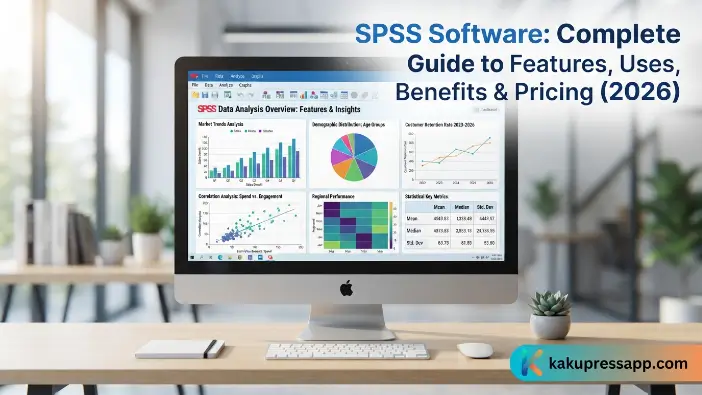
Welcome to Kaku Press. In today’s data-driven environment, businesses, researchers, students, and organizations depend on reliable statistical tools to analyze data and make well-informed decisions. SPSS Software is one of the most widely recognized statistical analysis programs, designed to turn raw data into valuable insights through a wide range of analytical techniques. Whether you are conducting academic research, studying customer behavior, or measuring business performance, SPSS Software offers a practical and user-friendly solution for effective data analysis.
Originally developed to support social science research, SPSS Software has grown into a powerful analytics platform used across numerous fields, including healthcare, education, finance, marketing, and government. Its intuitive interface and extensive collection of statistical tools allow both beginners and experienced professionals to perform sophisticated analyses without requiring advanced programming skills.
What Is SPSS Software?
SPSS Software (Statistical Package for the Social Sciences) is a professional statistical analysis application developed by IBM. It is designed to collect, organize, analyze, and visualize data efficiently, making it one of the most trusted tools for quantitative research and business analytics. Initially introduced in 1968 for social science researchers, the software has expanded significantly and now supports advanced statistical modeling, predictive analytics, machine learning, and data management. Today, SPSS Software is used by universities, government agencies, healthcare organizations, businesses, and research institutions worldwide.
Brief History of SPSS Software
The history of SPSS Software dates back more than five decades, reflecting its long-standing role in statistical data analysis. Unlike traditional programming-based statistical tools, SPSS Software features an intuitive graphical user interface (GUI) that makes data analysis more accessible. Users can perform advanced statistical procedures through menus, options, and dialog boxes instead of having to write complex lines of code.
| Year | Milestone |
| 1968 | SPSS was developed by Norman H. Nie, Dale H. Bent, and C. Hadlai Hull. |
| 1975 | SPSS Inc. was established as a commercial company. |
| 1980s | Became a leading statistical software package for academic research. |
| 2009 | IBM acquired SPSS Inc., rebranding it as IBM SPSS Statistics. |
| Present | Widely used for statistical analysis, predictive modeling, and data science applications. |
This evolution has enabled SPSS Software to remain one of the most recognized statistical analysis platforms globally.
Who Uses SPSS Software?
The versatility of SPSS Software makes it valuable across numerous industries. Unlike programming-based statistical tools, SPSS Software offers a graphical user interface (GUI), allowing users to perform sophisticated analyses through menus and dialog boxes rather than writing code.
Common users include:
- Academic researchers
- University students
- Data analysts
- Market researchers
- Healthcare professionals
- Financial analysts
- Government agencies
- Human resource departments
- Business intelligence teams
- Social scientists
Because of its flexibility, SPSS Software supports projects ranging from simple survey analysis to advanced predictive modeling.
Key Features of SPSS Software
A major reason for the popularity of SPSS Software is its wide range of analytical features and straightforward approach to data analysis. It combines a user-friendly design with powerful statistical tools, making it suitable for people with different levels of technical experience. Unlike many programming-based statistical applications, SPSS Software provides a graphical user interface (GUI), enabling users to carry out advanced statistical procedures through menus and dialog boxes instead of writing complex code.
User-Friendly Interface
Unlike many programming-based statistical tools, SPSS Software offers an intuitive graphical interface that simplifies the data analysis process. Users can easily import datasets, choose the appropriate statistical procedures, and generate tables or reports using straightforward menus and dialog boxes, without needing to write complex code.
Benefits include:
- Minimal coding requirements
- Easy navigation
- Faster learning curve
- Suitable for beginners
Advanced Statistical Analysis
The core strength of SPSS Software lies in its extensive range of statistical procedures and analytical tools. It enables users to work with datasets efficiently, choose appropriate analysis methods, and produce clear tables and reports through simple menus and dialog boxes. From basic statistical calculations to more advanced analytical techniques, SPSS Software provides a practical environment for exploring data and generating meaningful results.
It supports analyses such as:
- Descriptive statistics
- Correlation analysis
- Regression analysis
- T-tests
- ANOVA
- Chi-square tests
- Factor analysis
- Cluster analysis
- Survival analysis
- Time series forecasting
These techniques help researchers and businesses uncover trends, relationships, and predictive insights from data.
Powerful Data Management
Managing large and complex datasets becomes more convenient with SPSS Software. Its user-friendly interface allows users to import data, choose suitable statistical analyses, and create tables and reports through straightforward menus and dialog boxes.
Data management capabilities include:
- Data cleaning
- Variable transformation
- Missing value handling
- Data merging
- Data filtering
- Sorting
- Data validation
These features ensure data accuracy before statistical analysis begins.
Data Visualization
Visual representation is an important part of understanding and communicating statistical results. SPSS Software provides visualization tools that help researchers and businesses identify trends, explore relationships, and gain predictive insights from their data. Clear charts and graphical presentations can make complex findings easier to interpret while also improving the quality of reports and presentations.
SPSS Software allows users to create:
- Bar charts
- Pie charts
- Histograms
- Scatter plots
- Box plots
- Line graphs
- Frequency charts
These visualizations simplify complex findings and improve reporting.
Predictive Analytics
Organizations are increasingly turning to predictive analytics to anticipate future trends and outcomes. These analytical capabilities allow businesses to make more informed, data-driven decisions and better understand potential changes in their operations. Another notable feature of SPSS Software is its Output Viewer, which automatically organizes statistical results into clear and structured reports.
SPSS Software supports:
- Predictive modeling
- Customer segmentation
- Risk analysis
- Sales forecasting
- Demand prediction
- Trend analysis
These capabilities help businesses make data-driven decisions with greater confidence.
Read Also: Jira Software Guide: Features, Benefits, Pricing & Best Practices
What Is SPSS Software Used For?
The flexibility of SPSS Software makes it useful across a wide range of industries, helping professionals analyze data, identify meaningful patterns, and support evidence-based decision-making. It is also widely used in universities and research institutions for quantitative research. Students, professors, and researchers can use SPSS Software to analyze survey data, test hypotheses, evaluate relationships between variables, and support research findings.
Academic Research
Universities and research institutions widely use SPSS Software for quantitative research and data analysis. Students, professors, and researchers rely on its statistical tools to examine survey responses, test hypotheses, identify relationships between variables, and evaluate research results.
Common academic applications include:
- Thesis and dissertation analysis
- Survey data analysis
- Experimental research
- Educational studies
- Psychological research
- Sociological research
Healthcare and Medical Research
Healthcare organizations use SPSS Software to analyze patient data, support clinical research, and identify patterns that can help improve healthcare outcomes. At the same time, universities and research institutions widely rely on SPSS Software for quantitative research.
Applications include:
- Clinical trial analysis
- Disease trend identification
- Patient satisfaction surveys
- Public health research
- Medical data analysis
Accurate statistical analysis enables healthcare professionals to make informed treatment and policy decisions.
Business Analytics
Businesses use SPSS Software to examine operational data, identify trends, and support more effective strategic planning. In healthcare, accurate statistical analysis helps professionals evaluate data and make informed decisions related to treatment, patient care, and policy development.
Typical business applications include:
- Sales performance analysis
- Customer behavior analysis
- Employee satisfaction surveys
- Risk assessment
- Business forecasting
- Operational efficiency measurement
These insights help organizations optimize performance and reduce uncertainty.
Marketing Research
Marketing professionals use SPSS Software to analyze customer preferences, understand consumer behavior, and evaluate the effectiveness of marketing campaigns. Detailed statistical reports provide valuable insights that can help businesses develop more targeted and data-driven marketing strategies. In the healthcare sector, accurate statistical analysis enables professionals to assess relevant data and make informed decisions related to treatment, patient care, and policy planning.
Examples include:
- Consumer behavior analysis
- Brand perception studies
- Product testing
- Market segmentation
- Advertising effectiveness
- Customer satisfaction surveys
With detailed statistical reports, businesses can develop more targeted marketing strategies.
Advantages of SPSS Software
SPSS Software is widely used by researchers, students, and professionals because it combines a user-friendly interface with powerful statistical and analytical capabilities. Its detailed reports help businesses gain valuable insights that can support more focused and effective marketing strategies, while accurate data analysis can assist healthcare professionals in making informed decisions related to treatment and policy planning.
Easy to Learn and Use
One of the biggest advantages of SPSS Software is its intuitive graphical user interface (GUI). Unlike programming-based tools that require coding knowledge, SPSS allows users to perform complex statistical analyses using simple menus and dialog boSPSS Software is designed to make statistical analysis accessible, even for users with limited programming experience. Its intuitive interface and straightforward tools allow users to perform a wide range of analytical tasks efficiently.
Key benefits include:
- Minimal programming knowledge required
- Convenient drag-and-drop functionality
- Clearly organized menus and options
- Quick access to a wide range of statistical procedures
- Easy data management and result interpretation
These features make SPSS Software a practical choice for students, educators, researchers, and professionals who need reliable statistical results without having to learn a programming language.
Comprehensive Statistical Analysis
SPSS Software supports a wide range of statistical techniques, making it suitable for both basic and advanced data analysis. This makes SPSS Software an excellent choice for stThese features make SPSS Software a practical choice for students, educators, researchers, and professionals who need reliable statistical results without extensive programming knowledge.
Some of the commonly used statistical methods available in SPSS Software include:
- Descriptive statistics
- Correlation analysis
- Linear and multiple regression
- Logistic regression
- T-tests
- ANOVA
- MANOVA
- Chi-square tests
Having a broad range of statistical methods within a single platform helps users streamline their analysis workflow, save time, and maintain greater consistency when working with different datasets and research projects.
Efficient Data Management
Before performing statistical analysis, data often needs cleaning and preparation. This makes SPSS Software an excellent choice for students, educators, and professionals who want reliable statistical results without learning a programming language. SPSS Software provides powerful tools to manage datasets efficiently.SPSS Software provides a range of data management tools that help users organize, clean, and prepare datasets before performing statistical analysis. These capabilities make it easier to work with both small and large datasets while maintaining data accuracy.
Key data management features include:
- Importing data from Excel, CSV files, SQL databases, and other sources
- Identifying and managing duplicate records
- Handling missing or incomplete values
- Filtering, sorting, and organizing data
- Merging multiple datasets
- Creating calculated and customized variables
By simplifying data preparation and management, these features can help reduce common errors and improve the reliability and overall quality of statistical analysis.
Professional Data Visualization
Visualizing data helps users identify patterns and communicate findings mSPSS Software makes it easier for users to analyze and present data effectively without requiring advanced programming skills. Its built-in charting tools allow users to create clear, professional visualizations that make statistical findings easier to understand and communicate.
Common chart types available in SPSS Software include:
- Bar charts
- Pie charts
- Histograms
- Scatter plots
- Line graphs
- Box plots
- Error bar charts
Users can customize these visualizations to suit their specific needs and export them for use in research reports, business presentations, academic papers, and other professional documents. By presenting complex data in a visual format, SPSS Software helps users communicate statistical results more clearly.
Reliable and Accurate Results
SPSS Software is widely used by researchers and organizations for statistical analysis because it provides a structured environment for processing and interpreting data. By applying established statistical methods, the software helps users analyze datasets systematically and produce consistent results. Whether working with survey responses, business data, healthcare information, or academic research, SPSS Software provides tools that support accurate and dependable analysis.
Its combination of statistical capabilities and reporting features makes SPSS Software useful across fields such as academic research, business analytics, healthcare, and scientific studies. The software can generate detailed tables, reports, and visualizations, making complex findings easier to interpret and present in a clear, organized, and professional format.
Limitations of SPSS Software
Although SPSS Software provides a comprehensive range of statistical tools, it also has some limitations that users should consider. One of the main concerns is its cost, which may be relatively high for individuals, students, and small businesses. Certain advanced capabilities may also require additional modules or licensing options.
Expensive Licensing
One of the key considerations when using SPSS Software is its pricing. Unlike many free or open-source statistical tools, SPSS Software generally requires a paid license, which may be a significant expense for individual users, freelancers, and small businesses. Costs can also vary depending on the selected plan and whether additional modules or advanced features are required.
However, IBM provides several licensing options designed to accommodate different types of users, including subscription-based plans and enterprise solutions. Universities and educational institutions may also offer students, researchers, and faculty access through academic licensing programs. These options can make SPSS Software more accessible for educational, training, and research purposes.
Limited Programming Flexibility
Although SPSS Software includes a syntax editor for automating tasks and repeating statistical procedures, its programming flexibility is more limited than that of languages such as Python and R. These programming environments provide greater customization, advanced data manipulation capabilities, and access to extensive libraries for statistics, machine learning, artificial intelligence, and data science.
For users working on highly specialized analytics, deep learning, or complex AI projects, Python or R may provide more flexibility. However, SPSS Software remains well suited to many statistical research, survey analysis, and business reporting tasks. Its graphical interface allows users to perform a wide range of analyses with minimal coding, making it a practical option for those who prioritize ease of use and an accessible workflow.
Resource Intensive
Processing very large datasets can require: However, IBM offers different licensing options to suit various users, including subscription plans and enterprise licenses. Many universities and educational institutions also provide students and faculty with discounted or freEducational institutions may also provide academic access, making SPSS Software more affordable for students, educators, and researchers who use it for learning and research.
For smooth and efficient performance, especially when working with large datasets, users should consider a computer with:
- Sufficient RAM capacity
- A fast and reliable processor
- Adequate storage space
Older or lower-specification computers may experience slower performance when processing large datasets or running complex statistical analyses.
Fewer Advanced AI Features
While SPSS Software provides predictive analytics and machine learning capabilities, its built-in artificial intelligence (AI) and deep learning features are more limited than those available in modern data science platforms such as Python and TensorFlow. As a result, it may not be the ideal choice for developing highly advanced AI models or managing complex deep learning projects.
Organizations working on advanced AI applications may need to integrate SPSS Software with other programming languages and specialized tools to access more sophisticated capabilities. However, for statistical analysis, predictive modeling, survey research, and business analytics, SPSS Software remains a practical and effective solution.
Learning Statistical Concepts
Although SPSS Software offers a user-friendly interface, users still need a basic understanding of statistical concepts to use the software effectively. Knowing when and how to apply methods such as t-tests, ANOVA, correlation, and regression is important for producing accurate and meaningful results.
Choosing an inappropriate statistical test or misinterpreting the output can result in misleading findings and potentially poor decisions. Therefore, learning fundamental statistical principles alongside SPSS Software enables users to select suitable analytical methods, interpret results correctly, and produce reliable, high-quality research and business reports.
How to Use SPSS Software (Step-by-Step Guide)
If you are new to SPSS Software, following a structured workflow can make the data analysis process simpler, more organized, and more efficient. Completing each stage in the right sequence—from importing and preparing your dataset to selecting appropriate statistical tests and interpreting the results—can help reduce errors and improve the accuracy of your analysis.
Step 1: Install SPSS Software
The first step is to download and install SPSS Software through IBM’s official website. Select the version compatible with your operating system, such as Windows or macOS, and follow the on-screen installation instructions. Once the installation is complete, activate SPSS Software using your valid license key or IBM account credentials.
After installation, complete the following steps:
- Activate your SPSS Software license
- Launch the application
- Select your preferred language and basic settings
- Confirm that the software is ready for use
Step 2: Import Your Data
Before installing, ensure that your computer meets the minimum system requirements for smooth performance. Once the installation is complete, launch SPSS Software and configure the basic settings to prepare it for your statistical analysis tasks. Always verify that variables and data types have been imported correctly.Once SPSS Software is installed and ready, the next step is to import your dataset. The software supports a variety of commonly used file formats, making it convenient to work with data from different sources.
Supported formats include:
- Excel (.xlsx)
- CSV (.csv)
- Text files (.txt)
- SQL databases
- SAS datasets
- Stata files
After importing your data, carefully review the dataset to ensure that variables, labels, values, and data types have been imported correctly. Checking the data at this stage can help prevent errors during later statistical analysis.
Step 3: Clean and Prepare the Data
Data preparation is a crucial step before analyzing information in SPSS Software. A clean and organized dataset helps improve the accuracy of your statistical analysis and ensures that the results are reliable. If your data contains errors, duplicate records, or missing values, it can lead to incorrect conclusions and affect the overall quality of your reseBefore conducting statistical analysis, it is important to clean and organize your dataset properly. SPSS Software provides useful data management tools that help researchers identify inconsistencies, correct errors, and prepare variables for analysis.
Common data preparation tasks include:
- Removing duplicate records
- Correcting data entry errors
- Managing missing or incomplete values
- Renaming variables for better organization
- Creating new variables when needed
- Filtering or removing unnecessary observations
Properly prepared data can reduce errors, improve the quality of your analysis, and contribute to more reliable and meaningful statistical results.
Step 4: Choose the Appropriate Statistical Test
Before beginning your statistical analysis, carefully review and prepare your dataset to ensure it is accurate and well organized. Correct any data entry errors, remove duplicate records, manage missing values, and verify that each variable has been assigned the appropriate data type. You can also rename variables, filter out unnecessary observations, or create new variables when required.
Examples:
| Objective | Recommended Test |
| Compare two groups | Independent t-test |
| Compare multiple groups | ANOVA |
| Measure relationships | Correlation |
| Predict outcomes | Regression Analysis |
| Analyze categorical variables | Chi-square Test |
Choosing the correct test is essential for meaningful analysis.
Step 5: Run the Analysis
After preparing your dataset, choose the appropriate statistical test in SPSS Software based on your research objectives and the type of data you are analyzing. Select the relevant variables, configure the required options, and run the analysis. SPSS Software then processes the dataset and applies the selected statistical method to generate the results.
Once the analysis is complete, SPSS Software displays detailed output, including statistical tables, charts, descriptive measures, significance values (p-values), and other relevant findings. Reviewing these results can help you identify patterns and relationships within the data, evaluate your research questions, and present your findings in a clear and professional format.
IBM SPSS Software Pricing and Licensing
IBM offers several licensing options for SPSS Software to accommodate the needs of different types of users. Whether you are a student, educator, researcher, individual professional, or large organization, you can choose a licensing model based on your usage requirements, available budget, and preferred level of access.
Free Trial
IBM offers a free trial of SPSS Software for new users who want to explore its features before purchasing a license. The trial provides access to many of the software’s core statistical analysis tools, allowing users to become familiar with the interface, work with datasets, perform statistical analyses, and generate reports without making an initial purchase.
The free trial can be particularly helpful for students, researchers, and business professionals who want practical experience with SPSS Software before choosing a paid plan. During the trial period, users can explore key features, analyze sample data, and evaluate whether the software meets their specific requirements, helping them make a more informed licensing decision.
Subscription Plans
IBM offers subscription-based licensing for SPSS Software, providing flexible access for both individual users and organizations. With a subscription plan, users pay a recurring fee, usually on a monthly or annual basis, rather than making a large upfront payment. This makes the subscription model a convenient option for users who prefer predictable costs and flexible access.
A major advantage of a subscription license is that it can include access to software updates, security enhancements, and IBM technical support, depending on the selected plan. These benefits help users keep SPSS Software up to date and provide a reliable environment for statistical analysis, academic research, and business projects.
Perpetual License
A perpetual license allows users to purchase SPSS Software through a one-time payment rather than paying recurring subscription fees. Once the license is acquired, users can continue using the licensed version without having to renew it periodically. This licensing model may be suitable for professionals and organizations that plan to use SPSS Software over an extended period.
However, a perpetual license may not automatically include future software upgrades, new features, or ongoing technical support. Depending on the licensing terms, users may need to purchase separate maintenance or upgrade services to access newer versions of SPSS Software and continued support.
Student Version
IBM provides educational licensing options for SPSS Software to make statistical analysis tools more accessible to students, educators, and academic institutions. Many universities and colleges may offer discounted licenses or institution-wide access, allowing students to use SPSS Software for coursework, research projects, theses, and dissertations at a lower cost or, in some cases, at no additional charge.
The student version provides many of the essential tools required for statistical analysis and academic research, making it a practical option for learning and coursework. Affordable educational access also allows students to develop hands-on experience with SPSS Software, helping them build useful statistical analysis skills for future academic and professional work.
Enterprise Licensing
Large organizations and businesses can choose enterprise licensing for SPSS Software, which is designed to support multiple users across different teams and departments. Depending on the selected agreement, enterprise licensing may provide centralized license management, flexible deployment options, enhanced security features, and technical support, making it suitable for organizations with large-scale statistical and data analysis requirements.
Enterprise licensing can also help teams collaborate more efficiently by providing access to the necessary analytical tools and software updates. Because SPSS Software pricing can vary based on factors such as region, edition, licensing model, number of users, and promotional offers, organizations should check IBM’s official website for the latest pricing, licensing terms, and available options.
System Requirements for SPSS Software
Before installing SPSS Software, make sure your computer meets the required or recommended system specifications for smooth and reliable performance. Checking compatibility in advance can help prevent installation issues and ensure that the software runs efficiently.
| Component | Recommended Specification |
| Operating System | Windows 10/11 or latest macOS |
| Processor | Intel Core i5 or equivalent |
| RAM | 8 GB minimum (16 GB recommended) |
| Storage | At least 4 GB free disk space |
| Display | 1366 × 768 resolution or higher |
| Internet | Required for download, activation, and updates |
Meeting or exceeding these requirements ensures smoother performance, especially when working with large datasets and advanced statistical analyses.
SPSS Software vs Excel vs R vs Python
Choosing the right data analysis tool depends on factors such as your experience level, project requirements, analytical needs, and budget. Different platforms offer varying features, levels of flexibility, and ease of use. The comparison below highlights the key strengths of SPSS Software alongside other popular data analysis and analytics tools, helping users understand the differences between available options.
| Feature | SPSS Software | Microsoft Excel | R | Python |
| Ease of Use | Excellent | Excellent | Moderate | Moderate to Advanced |
| Programming Required | No | No | Yes | Yes |
| Statistical Analysis | Excellent | Basic to Moderate | Excellent | Excellent |
| Data Visualization | Very Good | Good | Excellent | Excellent |
| Machine Learning | Good | Limited | Excellent | Excellent |
| Automation | Good | Limited | Excellent | Excellent |
| Cost | Paid | Paid | Free | Free |
| Best For | Research, Business Analytics | Spreadsheets, Basic Analysis | Advanced Statistics | Data Science & AI |
Frequently Asked Questions
What is SPSS Software used for?
SPSS Software is used for statistical analysis, data management, predictive analytics, and data visualization. It is widely used in education, healthcare, business, finance, marketing, and scientific research.
Is SPSS Software free?
SPSS Software is a commercial product, but IBM offers a free trial for new users. Students may also receive discounted or free access through their universities.
Is SPSS Software better than Excel?
Both tools serve different purposes. Excel is suitable for basic calculations and data management, while SPSS Software offers advanced statistical analysis, predictive modeling, and professional reporting features.
Can beginners learn SPSS Software?
Yes. SPSS Software is designed with a user-friendly graphical interface, making it one of the easiest statistical analysis tools for beginners. Learning basic statistical concepts will help users get the most from the software.
Is SPSS Software still worth learning in 2026?
Absolutely. SPSS Software remains one of the most widely used statistical analysis tools in academic research, healthcare, business analytics, and social sciences. Its ease of use and powerful statistical capabilities continue to make it a valuable skill for students and professionals.
Conclusion
SPSS Software remains a widely used statistical analysis platform, offering a combination of an intuitive interface, powerful analytical tools, and comprehensive reporting capabilities. Its accessibility makes it suitable for students, researchers, businesses, and data professionals who need to analyze data, identify patterns, and generate meaningful insights. Whether you are conducting academic research, studying customer behavior, or supporting business decisions, SPSS Software provides a structured environment for performing statistical analysis.
Like any data analysis platform, SPSS Software has certain limitations, including licensing costs and fewer advanced AI and deep learning capabilities compared with programming-based tools such as Python and R. However, its extensive statistical features, ease of use, and reliable reporting functionality make it a practical choice for many research and business applications.
