
Welcome to kaku press app. Every computer device relies on different types of software to complete tasks efficiently. While users usually interact with applications such as web browsers, games, and word processors, another important type of software works in the background to keep the entire system functioning properly. This essential category is called system software.
System software serves as a connection between computer hardware and application programs. It manages system resources, controls hardware components, supports security, and provides the environment needed for other software to function correctly. Without it, modern computers, smartphones, and other digital devices would not operate effectively.
What Is System Software?
System software is a category of computer software created to manage hardware resources and provide essential services that allow application programs to function. It operates at a basic system level and communicates directly with the computer’s hardware components, including the processor, memory, storage devices, and input/output devices. Unlike application software, which is designed for specific user activities, system software is responsible for controlling and maintaining the overall operation of a computer system.
How Does System Software Work?
The primary purpose of system software is to provide a link between users, applications, and computer hardware. It enables different parts of a computer system to communicate properly with one another. When a user enters a command through an application, the system software processes the request and sends the required instructions to the hardware.
A computer system can be viewed as several layers:
- User Layer – The person using and interacting with the device
- Application Software Layer – Programs designed for specific tasks
- System Software Layer – Software responsible for managing operations
- Hardware Layer – The physical parts of the computer
When a user performs an action, such as printing a document, the application sends the instructions to the operating system. The operating system then communicates with the printer driver, which manages the printer hardware.
This process helps different applications and hardware devices work together smoothly and efficiently.
Main Functions of System Software
System software performs several important functions that keep computers reliable and efficient. System software helps a computer operate smoothly, securely, and effectively by managing its various functions. It controls hardware components, handles memory and processing resources, organizes files, provides security, and enables applications to work correctly. By performing these tasks in the background, system software improves overall performance, reduces errors, and helps users complete their work without unnecessary problems.
Hardware Management
One of the main responsibilities of system software is controlling and managing hardware components. It handles devices such as keyboards, printers, monitors, storage drives, and graphics cards. Device drivers enable the operating system to communicate with hardware by converting commands into instructions that individual devices can understand.
For example, when you connect a new printer to your computer, the system software uses the printer driver to identify the device and allows the computer to send printing commands. Without the correct drivers, the hardware may not function properly with the computer.
Memory and Resource Management
Computers have limited resources, including RAM, processing power, and storage capacity. System software manages these resources so that programs can operate smoothly. Device drivers allow the operating system to communicate with hardware by converting commands into instructions that devices can understand. For example, when you connect a new printer, the system software helps the computer detect and operate the device.
The operating system decides:
- Which applications receive processing power
- How memory is allocated
- Which tasks should run first
- How multiple programs operate simultaneously
This helps prevent conflicts and improves the overall performance of the system.
File and Data Management
Another key function of system software is organizing and managing files stored on a computer. It allows the operating system to control how data is created, saved, accessed, and deleted from storage devices such as hard drives and SSDs.
Operating systems provide file management features that allow users to:
- Create files
- Store data
- Rename documents
- Delete unnecessary files
- Access folders and storage devices
File systems allow computers to store and retrieve information in an organized and efficient way.
Providing User Interface Support
System software uses file management systems to arrange files into folders, protect stored data, and make it easier for users to locate and use their information. It also manages actions such as creating new files, renaming documents, removing unwanted data, and controlling access permissions.
These interfaces may include:
- Graphical User Interface (GUI)
- Command Line Interface (CLI)
For example, Windows offers a graphical interface with icons and menus, while Linux systems may also provide command-line tools for more advanced users.
Read Also: software development life cycle
Types of System Software
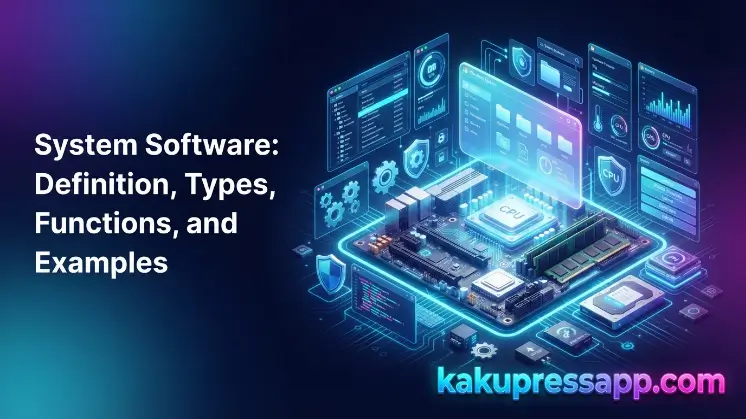
There are several types of system software, and each type has a particular function that helps a computer system operate correctly. Different categories of system software are responsible for tasks such as managing hardware, controlling system resources, improving security, and enabling communication between software and devices. For instance, operating systems manage the overall functioning of computers, device drivers allow hardware to communicate with the system, utility programs help maintain performance, and firmware manages basic hardware operations. Together, these categories help make computers dependable, efficient, and user-friendly.
Operating System Software
An operating system is the most widely used type of system software. It manages the main activities of a computer and provides an environment where applications can operate. Different types of system software perform different functions, including hardware management, system resource control, security maintenance, and communication between software and devices.
Examples include:
- Microsoft Windows
- Linux
- macOS
- Android
- iOS
For example, when you run several applications on a laptop, the operating system manages memory and processing resources so that every program can function correctly.
Device Drivers
Device drivers are specialized programs that enable the operating system to communicate with hardware components. Different types of system software are responsible for tasks such as hardware management, resource control, security, and communication between software and devices.
Examples of device drivers include:
- Printer drivers
- Graphics card drivers
- Audio drivers
- Network drivers
Without the appropriate driver, a computer may not recognize a connected device or may be unable to operate it correctly.
Utility Software
Utility software is a type of system software developed to maintain, protect, and improve computer performance. Different types of system software perform various functions, including hardware management, system resource control, security maintenance, and communication between software and devices.
Examples include:
- Antivirus programs
- Disk cleanup tools
- Backup software
- File compression tools
Utility programs help enhance system security, eliminate unnecessary files, and safeguard important information.
Firmware
Firmware is a form of low-level system software that is stored directly within hardware devices. It provides fundamental instructions that enable hardware to start and function correctly. Different types of system software perform tasks such as managing hardware, controlling system resources, maintaining security, and enabling communication between software and devices.
Examples include:
- BIOS
- UEFI
- Router firmware
- Smart device firmware
Firmware operates closely with hardware and is generally stored in permanent memory.
For example, when a computer is powered on, firmware helps initialize the hardware before the operating system begins loading.
Programming Language Translators
Programming language translators are a type of system software that changes instructions written by programmers into machine-readable code that computers can understand and execute. Because computers understand machine language (binary instructions), translators provide a connection between human-readable programming languages and computer hardware.
These translators enable developers to build software applications by converting high-level programming languages into instructions that the processor can execute. Common examples of programming language translators include compilers, interpreters, and assemblers. Without these tools, programmers would need to create programs directly using complicated machine language.
Examples of System Software
The table below presents common examples of system software along with their types and purposes. These examples illustrate how different categories of system software manage computer operations, control hardware, improve performance, and provide support for application programs.
| System Software Type | Examples | Purpose |
| Operating System | Windows, Linux, macOS | Controls computer operations |
| Device Drivers | Printer Driver, Graphics Driver | Connects hardware with software |
| Utility Software | Antivirus, Backup Tools | Maintains and protects systems |
| Firmware | BIOS, UEFI | Controls hardware startup |
| Translators | Compiler, Interpreter | Converts programming code |
These examples demonstrate how system software supports various aspects of computer operation.
Difference Between System Software and Application Software
Many users mistake system software for application software because both are essential components of a computer system. However, their purposes are different. The following table presents common examples of system software and explains their types and purposes. These examples demonstrate how different categories of system software manage computer operations, control hardware, improve performance, and support application programs.
| Feature | System Software | Application Software |
| Purpose | Manages hardware and system operations | Performs user-specific tasks |
| Operation Level | Works at the background level | Works according to user commands |
| Dependency | Applications depend on it | Depends on system software |
| Examples | Windows, Linux, Drivers | Chrome, Photoshop, Microsoft Word |
For example, Microsoft Word enables users to create documents, but it cannot operate without an operating system. The operating system creates the environment required for Word to function.
Importance of System Software in Modern Computing
Modern computers rely on system software because it serves as the central foundation that keeps the complete computer system functioning. It manages communication between hardware components and applications, enabling users to perform different activities smoothly.
For example, whenever you launch a program, save a file, or connect a device, system software manages the background operations required to complete these actions. It handles memory, controls hardware, provides security, and ensures that applications operate correctly.
Better Hardware Performance
System software helps hardware components perform efficiently by managing computer resources and controlling communication between hardware and software. It distributes processor time, memory, and storage among different programs, helping prevent resource conflicts and maintaining smooth system performance.
In addition, system software allows communication between the operating system and hardware components through device drivers. This enables devices such as keyboards, printers, monitors, hard drives, and graphics cards to receive and process instructions properly. As a result, the computer can work more efficiently, respond faster to commands, and provide a stable and dependable computing experience.
Improved Security
Security functions included in system software help protect computers and other devices against different cyber threats, including viruses, malware, ransomware, and unauthorized access. Operating systems provide built-in security features such as firewalls, user authentication, and automatic security updates, while utility programs like antivirus software detect and remove harmful programs.
These security functions continually monitor the system, protect sensitive information, and address vulnerabilities through regular updates. As a result, system software helps secure devices, increases system reliability, and lowers the possibility of data loss or cyberattacks.
Smooth Application Operation
Application software cannot operate directly on computer hardware. Instead, it relies on system software, particularly the operating system, to provide the essential services required for execution. These services include memory management, processor scheduling, file management, input and output operations, and communication with hardware devices.
For example, when you launch a web browser or word processor, the operating system assigns memory, loads the application into memory, and manages its communication with hardware such as the keyboard, mouse, and display. Without these system services, applications would be unable to operate correctly or communicate with computer hardware.
Device Compatibility
Drivers and firmware are essential components of system software that ensure hardware devices work correctly with a computer system. Device drivers serve as translators between the operating system and hardware, allowing devices such as printers, keyboards, graphics cards, and network adapters to receive and process commands properly. Firmware, meanwhile, is permanently stored software integrated into hardware devices that provides the basic instructions required for startup and operation.
Together, drivers and firmware improve hardware compatibility, stability, and performance. They allow the operating system to identify connected devices, communicate with them effectively, and ensure they perform their intended functions without errors. Without suitable drivers and firmware, many hardware components may not function correctly or may not be recognized by the computer.
Efficient Resource Usage
System software manages important computer resources such as memory (RAM), storage, and processing power (CPU) to keep the system operating efficiently. It distributes these resources among different programs according to their needs, allowing multiple applications to run smoothly at the same time without creating conflicts or significantly slowing the computer.
For example, when multiple applications are running simultaneously, the operating system determines how much memory and processor time each application receives. It also manages storage by arranging files and improving disk usage. By controlling these resources effectively, system software enhances overall performance, improves responsiveness, and delivers a stable computing experience.
Advantages and Disadvantages of System Software
Like other forms of software, system software has both benefits and drawbacks. It plays an important role in managing computer functions, enhancing performance, and allowing applications to operate smoothly. However, it also has some limitations, including the requirement for regular updates and possible compatibility problems. Understanding these advantages and disadvantages allows users to recognize the value of system software while also understanding the challenges involved in maintaining it.
Advantages of System Software
System software offers several benefits that allow computers to operate efficiently, securely, and reliably. It serves as the foundation of a computer system by managing hardware resources, controlling memory and processing power, and creating the environment required for application software to function. By performing these important tasks in the background, it allows users to complete their everyday activities without unnecessary interruptions.
Another important benefit of system software is its ability to improve system performance, strengthen security, and support hardware compatibility. It provides built-in security functions such as firewalls and automatic updates to help protect against cyber threats, while device drivers and firmware ensure that hardware components work properly with the operating system. These functions improve system stability, minimize errors, and provide a smooth and efficient computing experience.
Disadvantages of System Software
Although system software is necessary for a computer to function properly, it also comes with certain disadvantages. It can be complicated to install, configure, and maintain, particularly for users who have limited technical knowledge. Additionally, operating systems, drivers, and other system software need regular updates to strengthen security, correct bugs, and maintain compatibility with newer hardware and applications.
Another drawback is that system software can sometimes have compatibility problems with specific devices or older software programs. If system files are damaged or a major error occurs, it can impact the performance of the entire computer and may even stop the system from starting correctly. Moreover, some system software uses considerable system resources, which may reduce the performance of older or low-spec computers when resources are not managed properly.
Common Problems Related to System Software and Solutions
Like other types of software, system software may occasionally encounter problems that influence the performance and stability of a computer. These issues can result from outdated software, corrupted system files, incompatible drivers, malware, or hardware conflicts. When these problems occur, they may cause slow performance, system crashes, or hardware devices to function incorrectly.
System Crashes
A computer can crash when system software experiences issues such as corrupted system files, outdated operating system components, incompatible drivers, or hardware conflicts. These problems can disrupt normal computer operations, causing the system to freeze, restart unexpectedly, or show error messages such as the Blue Screen of Death (BSOD) on Windows.
Solutions:
- Update the operating system
- Remove damaged software
- Check hardware drivers
Driver Errors
Incorrect or outdated device drivers can stop hardware components from working correctly with the operating system. Because drivers serve as a communication link between system software and hardware devices, missing, outdated, or incompatible drivers can result in issues such as unresponsive printers, graphics problems, audio failures, or network connection difficulties.
Solutions:
- Install updated drivers
- Download drivers from trusted sources
- Restart the system after installation
Slow System Performance
A computer can become slower when system software needs to manage too many active programs or when unnecessary applications use excessive memory, storage, and processor resources. Background processes, temporary files, startup applications, and limited free disk space can also decrease system performance and increase the time needed to launch applications or complete tasks.
Solutions:
- Remove unused applications
- Clean temporary files
- Upgrade system resources when needed
Future of System Software
The future of system software is strongly connected to rapid developments in technology. As computers and digital devices continue becoming more powerful, system software is developing to deliver improved performance, stronger security, and more intelligent resource management. Emerging technologies such as artificial intelligence (AI), cloud computing, the Internet of Things (IoT), and edge computing are influencing how modern operating systems and other system software are developed and utilized.
Modern trends include:
- Artificial intelligence-powered system management
- Cloud-based operating systems
- Automated security improvements
- Better hardware optimization
- Edge computing systems
Future system software will become smarter, more secure, and more efficient. It will continue to have an important role as computers and digital technologies become increasingly advanced.
Frequently Asked Questions
What is system software in simple words?
System software is software that controls computer hardware and provides the necessary environment for applications to run. It works in the background to keep a computer functioning properly.
What are the main types of system software?
The main types of system software include operating systems, device drivers, utility software, firmware, and programming language translators. Each type has a specific role in managing hardware, supporting applications, and ensuring the computer runs smoothly and efficiently.
Is Windows an example of system software?
Yes, Windows is an example of system software because it is an operating system that manages computer hardware and allows applications to run.
What is the difference between system software and application software?
System software manages computer operations and hardware, while application software helps users perform specific tasks such as writing documents, browsing the internet, or editing images.
Why is system software important?
System software is important because it controls hardware, manages resources, improves security, and allows other software applications to work properly.
Conclusion
System software is the foundation of every computer and digital device, enabling them to operate efficiently and reliably. It manages hardware resources, controls memory and processing power, provides essential security features, and creates the environment required for application software to run smoothly. Without system software, computers would not be able to perform basic operations or support the applications that users rely on every day.
From operating systems and device drivers to firmware and utility programs, each type of system software plays a unique role in maintaining the stability, performance, and security of a computer system. By understanding its functions, types, and importance, users can make better decisions about maintaining their devices, troubleshooting common issues, and improving overall system performance. As technology continues to evolve, system software will remain a critical component in powering the next generation of computing.
