
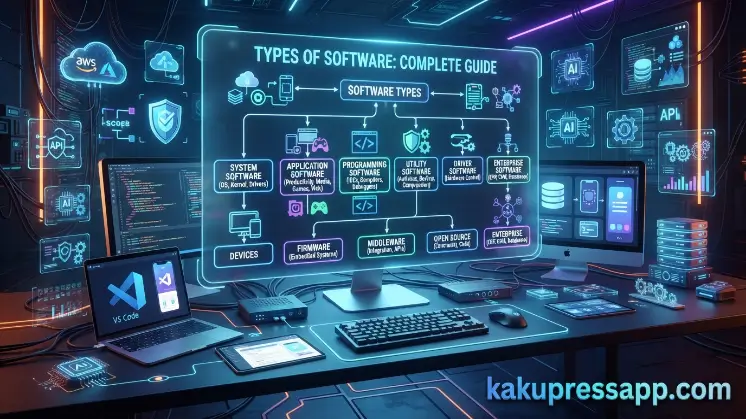
Welcome to kaku press app. Software is the foundation of modern technology, enabling computers, smartphones, and other digital devices to perform countless tasks efficiently. Whether you are browsing the internet, editing documents, playing games, or managing business operations, software makes these activities possible. Understanding Types of software helps users choose the right applications, improve productivity, and gain a better understanding of how computer systems work.
In today’s digital world, software has evolved into various categories, each designed for a specific purpose. From operating systems that control hardware to applications that help users complete everyday tasks, every type of software plays an essential role. This comprehensive guide explores Types of software, explains their functions, provides real-world examples, and highlights the key differences between each category.
What Is Software?
Software is a collection of programs, instructions, and data that tells a computer or digital device how to perform specific tasks. Unlike hardware, which refers to the physical components of a computer, software is intangible and exists in the form of code and digital instructions. Without software, computer hardware cannot perform meaningful operations. Software acts as the bridge between the user and the hardware, making it possible to interact with devices through graphical interfaces, commands, and automated processes.
How Software Works
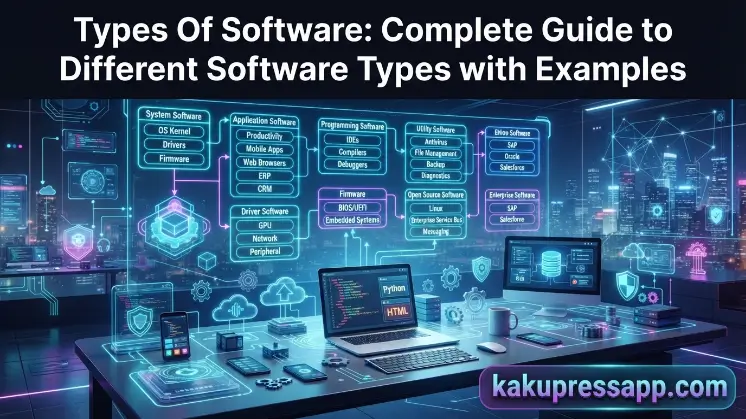
The main Types of software include system software, application software, programming software, and utility software. Although each type has a different role, they work together to ensure a computer operates efficiently and securely. For example, system software manages the computer’s core functions, application software enables users to perform specific tasks, programming software helps developers create new applications, and utility software improves system performance and security. Learning about these software types provides a solid foundation for understanding how modern computers and digital devices function.
For example:
- When you click Google Chrome, the operating system loads the browser into memory.
- The processor executes the browser’s code.
- The browser communicates with the internet to display websites.
- The results are shown on your screen through the display hardware.
This interaction happens in seconds, allowing users to work seamlessly.
What Are the Main Types of Software?
There are several Types of software, each designed to perform specific functions within a computer system. Every category serves a unique purpose, from managing hardware resources to helping users complete everyday tasks. Some software works in the background to keep a device running smoothly, while others allow users to create documents, browse the internet, edit photos, or communicate online. Understanding these Types of software helps users make informed decisions when selecting the right programs for their personal or professional needs.
The primary Types of software include:
- System Software
- Application Software
- Programming Software
- Utility Software
Each category serves a different purpose but works together to ensure a computer functions efficiently and meets the needs of users in various environments. In the following sections, we’ll examine each type in detail, including its features, functions, advantages, and practical examples.
System Software
System software is one of the most important Types of software because it acts as the foundation of a computer system. It manages the hardware components and provides a platform for other software applications to run smoothly. Without system software, a computer would not be able to start, communicate with hardware, or perform basic operations. This type of software works in the background and is essential for the overall functioning of a device. It controls system resources such as the processor, memory, storage, and input/output devices while ensuring that application software runs efficiently. Every computer, smartphone, and tablet relies on system software to operate correctly.
Functions of System Software
System software performs several essential tasks that keep a computer running efficiently, including: Without system software, a computer would not be able to start, communicate with hardware, or perform basic operations. This type of software works in the background and is essential for the overall functioning of a device. It controls system resources such as the processor, memory, storage, and input/output devices while ensuring that application software runs efficiently.
- Managing computer hardware resources.
- Controlling memory and processor usage.
- Providing a platform for application software.
- Managing files and storage devices.
- Handling input and output operations.
- Ensuring system security and stability.
- Supporting communication between hardware and software.
Components of System Software
System software consists of several important components, each with a specific role. An Operating System (OS) is the core component of system software. It manages all hardware and software resources while allowing users to interact with the computer through a graphical or command-line interface.
Without system software, a computer would not be able to start, communicate with hardware, or perform basic operations. This type of software works in the background and is essential for the overall functioning of a device. It controls system resources such as the processor, memory, storage, and input/output devices while ensuring that application software runs efficiently.
Real-World Examples of System Software
System software is used every time you turn on a digital device. For example, when you start your laptop, the BIOS or UEFI firmware initializes the hardware before loading the operating system. Once Windows, macOS, or Linux starts, it manages the system’s resources and allows applications like Microsoft Word or Google Chrome to run efficiently.
Similarly, smartphones rely on operating systems such as Android and iOS to manage apps, storage, cameras, and network connections. Device drivers ensure that components like printers, webcams, and graphics cards communicate correctly with the operating system, while utility programs keep the device secure and optimized.
Advantages of System Software
System software offers several benefits that are essential for the smooth operation of a computer: Without system software, a computer would not be able to start, communicate with hardware, or perform basic operations. This type of software works in the background and is essential for the overall functioning of a device. It controls system resources such as the processor, memory, storage, and input/output devices while ensuring that application software runs efficiently.
- Manages hardware efficiently.
- Provides a platform for running applications.
- Improves system performance.
- Enhances security and stability.
- Supports multitasking.
- Simplifies hardware communication.
- Ensures reliable system operation.
Read Also: System Software
Application Software
Application software is one of the most widely used Types of software because it helps users perform specific tasks on a computer or mobile device. Unlike system software, which manages the computer’s hardware and core functions, application software is designed to meet the needs of end users. Whether you want to write a document, edit photos, browse the internet, or watch videos, application software makes these activities possible. Today, application software is available for personal, educational, and business use. It improves productivity, enhances communication, simplifies complex tasks, and provides entertainment. Most users interact with application software every day without realizing its importance in their digital lives.
Features of Application Software
Application software includes several features that make it user-friendly and efficient. Today, application software is available for personal, educational, and business use. It improves productivity, enhances communication, simplifies complex tasks, and provides entertainment. Application software is one of the most widely used Types of software because it helps users perform specific tasks on a computer or mobile device.
- Designed to perform specific tasks.
- Easy-to-use graphical interface.
- Can be installed or uninstalled as needed.
- Available for desktop, mobile, and web platforms.
- Regularly updated with new features and security improvements.
- Supports personal, educational, and business activities.
Types of Application Software
Application software can be divided into two main categories based on its purpose and functionality. Each category is designed to meet different user requirements, making it easier to perform specific tasks efficiently. While some applications are developed for everyday use by a wide range of users, others are created to address the unique needs of a particular organization or industry. Understanding these categories helps users choose the most suitable software for their personal, educational, or business activities.
The two main categories of application software are general-purpose application software and customized application software. General-purpose software includes commonly used programs such as word processors, web browsers, and spreadsheet applications, whereas customized software is specifically developed for individual businesses or organizations to solve specialized problems. Both types play an important role in improving productivity, streamlining workflows, and enhancing the overall user experience.
Real-World Examples of Application Software
Application software is an essential part of everyday life. Students use Microsoft Word to prepare assignments, professionals rely on Microsoft Excel for data analysis, and designers create graphics using Adobe Photoshop. Web browsers like Google Chrome and Mozilla Firefox allow users to access websites, while communication platforms such as Zoom and Microsoft Teams support online meetings and collaboration.
Businesses also depend on specialized applications like accounting software, project management tools, and CRM systems to manage finances, organize projects, and build stronger customer relationships. These examples show how application software supports productivity across different industries.
Benefits of Application Software
Application software offers numerous advantages for both individuals and organizations. System software offers several benefits that are essential for the smooth operation of a computer. Without system software, a computer would not be able to start, communicate with hardware, or perform basic operations. This type of software works in the background and is essential for the overall functioning of a device. It controls system resources such as the processor, memory, storage, and input/output devices while ensuring that application software runs efficiently.
Key Benefits
- Simplifies everyday tasks.
- Increases productivity and efficiency.
- Improves communication and collaboration.
- Saves time through automation.
- Supports education and online learning.
- Enhances creativity with design and multimedia tools.
- Helps businesses manage operations effectively.
Popular Examples of Application Software
System software offers several benefits that are essential for the smooth operation of a computer. Without system software, a computer would not be able to start, communicate with hardware, or perform basic operations. This type of software works in the background and is essential for the overall functioning of a device. It controls system resources such as the processor, memory, storage, and input/output devices while ensuring that application software runs efficiently. The table below highlights some commonly used application software and their primary purposes.
| Application Software | Primary Purpose |
| Microsoft Word | Word processing |
| Microsoft Excel | Data analysis and spreadsheets |
| Microsoft PowerPoint | Creating presentations |
| Google Chrome | Web browsing |
| Adobe Photoshop | Photo editing and graphic design |
| Zoom | Video conferencing |
| Microsoft Teams | Team communication and collaboration |
| VLC Media Player | Audio and video playback |
Common Mistakes When Choosing Software
Choosing the wrong software can lead to poor performance, security risks, and unnecessary expenses. Many users make decisions based solely on price or popularity without considering their actual requirements. Understanding these common mistakes can help you select software that delivers the best value and performance. Understanding Types of software is essential for anyone who uses a computer, smartphone, or any other digital device. Each type of software has a specific role, from managing hardware and system resources to helping users complete everyday tasks and enabling developers to build innovative applications. Together, system software, application software, programming software, and utility software create a reliable and efficient computing environment that powers modern technology.
As technology continues to evolve, the importance of understanding Types of software will only increase. Whether you are a student, professional, business owner, or casual computer user, knowing the features, functions, and benefits of each software type will help you choose the right tools, improve productivity, and make smarter technology decisions. By understanding these software categories, you can confidently navigate the digital world and stay prepared for future technological advancements.
Tips for Selecting the Right Software
Selecting the right software is essential for maximizing productivity and ensuring a smooth user experience. By considering your needs and evaluating available options, you can make a more informed decision. Understanding Types of software is essential for anyone who uses a computer, smartphone, or any other digital device. Each type of software has a specific role, from managing hardware and system resources to helping users complete everyday tasks and enabling developers to build innovative applications.
Follow These Tips
- Identify your specific requirements before choosing software.
- Compare features, pricing, and compatibility.
- Download software only from trusted sources.
- Read customer reviews and expert recommendations.
- Test free trials before purchasing premium versions.
- Ensure the software receives regular updates.
- Check customer support and documentation.
- Choose software that can grow with your future needs.
Future Trends in Types of Software
The software industry is constantly evolving as new technologies reshape the way individuals and businesses use digital tools. Emerging innovations are making software smarter, faster, and more accessible than ever before. Understanding Types of software is essential for anyone who uses a computer, smartphone, or any other digital device. Each type of software has a specific role, from managing hardware and system resources to helping users complete everyday tasks and enabling developers to build innovative applications.
Artificial Intelligence (AI)
AI-powered software is transforming industries by automating repetitive tasks, improving decision-making, and delivering personalized user experiences. By leveraging artificial intelligence and machine learning, these applications can analyze large volumes of data, recognize patterns, and perform tasks that previously required human intervention. This not only increases efficiency but also reduces errors, allowing businesses and individuals to save time and focus on more strategic activities.
Today, AI-powered software is widely used across various sectors, including healthcare, finance, education, retail, and customer service. Examples include AI chatbots, virtual assistants, recommendation systems, fraud detection tools, and predictive analytics platforms. As AI technology continues to advance, it is expected to play an even greater role in software development, helping organizations innovate, improve productivity, and provide smarter, more personalized solutions for users.
Cloud Computing
Cloud-based software has changed the way people and businesses use technology by allowing users to access applications and data from any device with an internet connection. Unlike traditional software that must be installed on a single computer, cloud-based applications store data on remote servers, making it easy to work from home, the office, or while traveling. This flexibility ensures that important files and tools are always available whenever they are needed.
In addition to improving accessibility, cloud-based software enhances collaboration by enabling multiple users to work on the same documents and projects in real time. Teams can share files, communicate instantly, and track changes without worrying about version conflicts or location barriers. Popular cloud-based services such as Google Workspace, Microsoft 365, and Dropbox demonstrate how cloud technology helps individuals and organizations increase productivity, reduce infrastructure costs, and streamline daily operations.
Software as a Service (SaaS)
Software as a Service (SaaS) is a cloud-based software delivery model that allows users to access applications through a web browser without installing them on their local devices. Instead of purchasing software with a one-time license, users typically pay a monthly or annual subscription fee to access the latest features and updates. This approach eliminates the need for complex installations, manual updates, and expensive hardware maintenance.
SaaS solutions are widely used by individuals and businesses because they are easy to deploy, scalable, and cost-effective. Popular examples include Microsoft 365, Google Workspace, Salesforce, Zoom, and Slack. These applications enable users to work from anywhere, collaborate in real time, and securely store data in the cloud. As more organizations embrace digital transformation, SaaS continues to grow in popularity due to its flexibility, automatic updates, and reduced IT management requirements.
Low-Code and No-Code Platforms
Low-code and no-code platforms are transforming software development by enabling users to create applications with little or no programming knowledge. Instead of writing complex code, these platforms provide visual interfaces, drag-and-drop components, and pre-built templates that simplify the development process. This allows business users, entrepreneurs, and non-technical professionals to build functional applications quickly without relying heavily on experienced developers.
These platforms are widely used to create business applications, workflow automation tools, mobile apps, and websites in a fraction of the time required for traditional development. Popular examples include Microsoft Power Apps, Bubble, OutSystems, and AppSheet. By reducing development time, lowering costs, and making application creation accessible to a broader audience, low-code and no-code platforms are helping organizations innovate faster and respond more effectively to changing business needs.
Cybersecurity Software
As cyber threats continue to evolve, advanced cybersecurity software has become essential for protecting sensitive data, preventing unauthorized access, and defending against a wide range of online attacks. Modern security solutions use technologies such as artificial intelligence, machine learning, real-time threat detection, and behavioral analysis to identify and block threats before they can cause harm. These tools help protect personal information, financial data, and business systems from malware, ransomware, phishing attacks, and other cyber risks.
Today, cybersecurity software is widely used by individuals, businesses, and government organizations to ensure digital safety and maintain data privacy. Common examples include antivirus programs, firewalls, endpoint protection platforms, encryption software, and multi-factor authentication (MFA) solutions. As cybercriminals continue to develop more sophisticated attack methods, investing in reliable security software and keeping it regularly updated has become a critical step in safeguarding digital assets and ensuring secure online operations.
Automation and Machine Learning
Automation tools and machine learning applications are transforming the way organizations operate by streamlining repetitive tasks, improving accuracy, and enabling faster decision-making. Automation software can handle routine processes such as data entry, invoice processing, customer support, and workflow management with minimal human intervention. At the same time, machine learning applications analyze large volumes of data, identify patterns, and generate valuable insights that help businesses predict trends, optimize operations, and solve complex problems more effectively.
Today, organizations across industries including healthcare, finance, manufacturing, retail, and logistics use automation and machine learning to increase productivity and reduce operational costs. Examples include robotic process automation (RPA), predictive analytics, recommendation systems, fraud detection tools, and AI-powered chatbots. As these technologies continue to advance, they are expected to play an even greater role in driving innovation, enhancing customer experiences, and enabling organizations to make smarter, data-driven decisions in an increasingly competitive digital landscape.
Frequently Asked Questions
What are the main Types of software?
The four main Types of software are System Software, Application Software, Programming Software, and Utility Software. Each type performs a specific function and contributes to the overall operation of a computer system.
What is system software?
System software manages computer hardware and provides a platform for application software to run. Examples include Windows, macOS, Linux, device drivers, and firmware.
What is application software?
Application software is designed to help users perform specific tasks such as writing documents, browsing the internet, editing images, or managing business operations. Examples include Microsoft Word, Google Chrome, and Adobe Photoshop.
What is programming software?
Programming software provides developers with tools to write, test, debug, and maintain computer programs. Common examples include Visual Studio Code, PyCharm, Eclipse, and GCC.
What is utility software?
Utility software helps maintain, protect, and optimize a computer system. Examples include antivirus software, backup tools, disk cleanup utilities, and file compression programs.
Conclusion
Understanding Types of software is essential for anyone who uses a computer, smartphone, or any other digital device. Each type of software has a specific role, from managing hardware and system resources to helping users complete everyday tasks and enabling developers to build innovative applications. Together, system software, application software, programming software, and utility software create a reliable and efficient computing environment that powers modern technology.
As technology continues to evolve, the importance of understanding Types of software will only increase. Whether you are a student, professional, business owner, or casual computer user, knowing the features, functions, and benefits of each software type will help you choose the right tools, improve productivity, and make smarter technology decisions. By understanding these software categories, you can confidently navigate the digital world and stay prepared for future technological advancements.
