
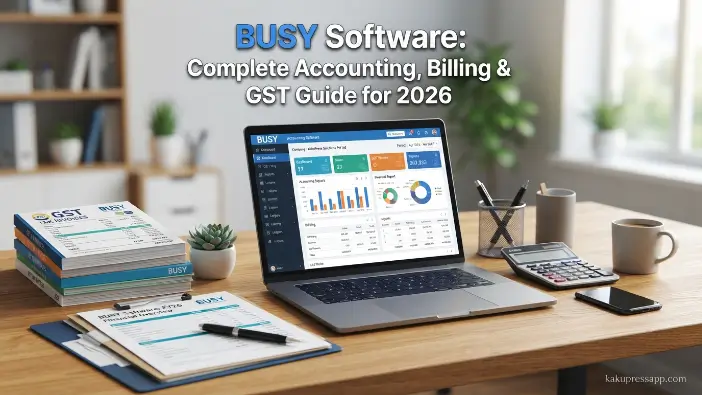
Welcome to Kaku Press App. Managing business finances manually can be complicated and time-consuming, particularly when dealing with invoices, taxes, inventory, and everyday transactions. As businesses grow, having a dependable accounting and management solution becomes increasingly important for maintaining accuracy and streamlining financial operations. BUSY software is a business management and accounting solution designed to help small and medium-sized businesses handle accounting, billing, GST compliance, inventory management, and financial reporting more efficiently.
With its range of automation-focused features, BUSY software can help reduce paperwork, improve accuracy, and simplify routine accounting tasks. Businesses can use it to create professional invoices, monitor stock levels, manage transactions, and prepare relevant tax reports from a centralized platform. By bringing essential financial and business-management functions together, the software can make day-to-day operations more organized and easier to manage.
What Is Busy Software?
BUSY software is an accounting and enterprise resource planning (ERP) solution designed to help small and medium-sized businesses manage essential financial and operational activities from one platform. It supports tasks such as accounting, billing, taxation, inventory management, and business reporting, making routine financial processes more organized and efficient.
Overview of BUSY Accounting Software
Busy software is a business accounting andBUSY software is an enterprise resource planning (ERP) solution developed primarily for small and medium-sized businesses, including traders, manufacturers, retailers, and service providers. It brings accounting, billing, inventory management, taxation, and reporting features together in a single platform, helping businesses handle their everyday operations more systematically.
Some of the key areas supported by BUSY accounting software include:
- Financial accounting and record management
- Sales and purchase tracking
- GST billing and compliance
- Inventory and stock management
- Business and financial reporting
- Customer and supplier management
- Data security and backup
BUSY software can be particularly helpful for businesses that handle frequent transactions and need timely, organized financial information to support everyday management and decision-making.
How Does Busy Software Work?
Busy software works by organizing different business operations into a centralized accounting system. After installation, users can create their company profile, configure financial settings, and start recording daily transactions.Busy software is a business accounting and enterprise resource planning (ERP) solution designed to help small and medium-sized businesses manage their financial operations, billing, taxation, inventory, and reporting activities from a single platform.
Company Setup
The first step is creating a company account inside the software. Users enter important business details such as:It is mainly used by traders, manufacturers, distributors, retailers, and service providers to automate daily accounting tasks and maintain accurate business records. Instead of managing accounts manually through spreadsheets or paperwork, businesses can use busy software to record transactions, create invoices, track inventory, and genOnce the basic setup is completed, BUSY software allows users to configure important company details before starting regular accounting activities.
The setup process may include details such as:
- Company name
- Business address
- Financial year
- Tax-related information
- Accounting preferences
Providing accurate company information during the initial setup can make future accounting, billing, taxation, and reporting activities more consistent and easier to manage.
Recording Business Transactions
Businesses can record different types of transactions, including:It is mainly used by traders, manufacturers, distributors, retailers, and service providers to automate daily accounting tasks and maintain accurate business records. Instead of managing accounts manually through spreadsheets or paperwork, businesses can use busy software to record transactions, create invoices, track inventory, and generate fBUSY software makes it easier for businesses to record and manage different types of daily financial transactions.
Common transaction types include:
- Sales entries
- Purchase entries
- Receipts
- Payments
- Expense records
- Journal entries
Once a transaction is recorded, the software links it with the appropriate accounts and financial records. This can reduce repetitive manual calculations, improve record accuracy, and make routine accounting tasks more efficient.
Invoice Generation
One of the key features of BUSY software is its billing and invoice management system. Businesses can create professional invoices by entering customer details, product information, pricing, applicable taxes, and payment terms. The software connects billing transactions with the relevant accounting records, helping reduce the need for repetitive manual calculations.
Well-organized invoices can help businesses maintain accurate transaction records and improve overall financial management. Automated billing also saves time, minimizes common data-entry errors, and makes it easier to manage day-to-day sales activities efficiently. By combining invoicing with accounting functions, BUSY software provides businesses with a more streamlined approach to handling their billing processes.
Tax and GST Management
The software helps businesses manage tax-related activities by calculating BUSY software helps businesses manage GST-related activities by applying applicable taxes to transactions and generating relevant tax reports. Financial entries can be linked with the appropriate accounts, which helps reduce repetitive manual calculations and keeps accounting records organized.
Users can manage important GST and business records, including:
- GST invoices
- Tax summaries
- Sales reports
- Purchase reports
- Compliance records
Professional invoices and organized tax records can make financial documentation easier to maintain while helping businesses prepare GST-related information more efficiently. By automating calculations and reporting tasks, BUSY software can also reduce the risk of common data-entry and calculation errors.
Report Generation
After recording transactions, businesses can generate different financial reports, including:Professional invoices help companies maintain accurate transaction records, improve financial organization, and provide a better experience for customers.TheseBUSY software offers a range of reporting tools that help businesses review financial data and understand their overall performance. These reports organize important information into useful formats, making it easier to monitor sales, expenses, inventory, profits, and outstanding amounts.
Commonly used reports include:
- Profit and loss statements
- Balance sheets
- Stock and inventory reports
- Sales analysis reports
- Outstanding payment reports
By providing organized financial and operational information, these reports can help business owners monitor day-to-day activities and make informed decisions based on their recorded data.
Read Also: SPSS Software: Complete Guide to Features, Uses, Benefits & Pricing (2026)
Key Features of Busy Software

BUSY software provides a range of features designed to help businesses manage accounting, billing, inventory, GST, and reporting activities from a single platform. Users can maintain financial records, generate invoices, track expenses, monitor stock levels, and prepare detailed business reports without relying heavily on manual processes. By streamlining routine tasks, the software can help improve accuracy, reduce administrative work, and save valuable time.
Accounting and Financial Management
Accounting plays a fundamental role in every business, and BUSY software provides tools that help organizations manage their financial activities in a structured and efficient manner. It enables businesses to record and organize important information related to income, expenses, assets, liabilities, and everyday transactions.
The software combines accounting with billing, inventory management, GST, and reporting features, allowing users to handle multiple business processes from a single platform. Businesses can maintain financial records, create invoices, track expenses, monitor stock, manage GST-related activities, and generate detailed reports with greater convenience.
Ledger Management
Businesses can createBUSY software includes ledger management features that help businesses organize and track financial transactions across different accounts. Users can create and maintain separate ledgers for various parties and financial categories, making accounting records easier to manage and review.
Businesses can maintain ledgers for:
- Customers
- Suppliers
- Bank accounts
- Business expenses
- Income sources
Proper ledger management helps users monitor individual transactions, track outstanding amounts, and maintain a clearer view of business finances. It also makes it easier to identify where money is being received and where it is being spent, supporting more organized financial record-keeping.
Profit and Loss Reports
Understanding profitability is an important part of managing and growing a business. BUSY software helps businesses monitor their financial performance by generating profit and loss statements based on recorded transactions. By organizing income and expense information, the software makes it easier to review the overall financial position of a business.
These reports can help business owners analyze:
- Revenue performance
- Expense levels
- Profit margins
- Changes in financial performance
Regularly reviewing profit and loss information can provide businesses with a clearer understanding of their financial activities and support more informed day-to-day decisions.
Balance Sheet Management
The balance sheet feature provides a complete overview of business financial health..Busy software offers various features that help businesses manage accounting, billing, inventory, GST, and reporting tasks efficiently. It allows users to maintain financial recordBUSY software helps businesses prepare balance sheets using the financial information recorded in their accounting records. A balance sheet provides an overview of a company’s financial position by presenting its assets, liabilities, and owner’s equity in an organized format.
It shows:
- Assets owned by the business
- Outstanding liabilities and obligations
- Owner’s equity
- Overall financial position
Accurate and up-to-date balance sheets can help business owners understand their financial standing, monitor changes in assets and liabilities, and make more informed financial decisions.
Cash Flow Tracking
Managing cash flow effectively is an important part of running a stable business. BUSY software helps users monitor incoming and outgoing payments while keeping financial transactions organized in one place. By tracking receipts, payments, and expenses, businesses can gain a clearer view of their available funds and manage cash movements more efficiently.
Key benefits include:
- Improved payment planning
- Better control over business expenses
- Reduced risk of cash shortages
- Easier monitoring of incoming and outgoing funds
Keeping cash flow records organized can help businesses plan their payments more effectively and maintain better control over their day-to-day financial activities.
How to Use Busy Software for Daily Accounting
BUSY software is designed to simplify everyday accounting by streamlining tasks such as transaction recording, billing, inventory updates, and financial reporting. It allows businesses to manage routine financial activities in an organized manner without depending entirely on complex manual accounting methods.
Creating Sales and Purchase Entries
Sales and purchase entrieSales and purchase entries are among the most frequently used functions in BUSY software. Businesses can record transactions with important details such as customer or supplier information, product descriptions, quantities, prices, and applicable tax details.
When a sales transaction is recorded, the software can update related records, including:
- Customer accounts
- Inventory records
- Sales reports
- Tax calculations
Similarly, purchase entries help businesses maintain supplier information and keep track of incoming stock. By keeping sales and purchase transactions properly organized, businesses can gain a clearer understanding of revenue, expenses, inventory movement, and overall transaction activity.
Managing Ledgers and Accounts
Ledger management is an important part of accounting. Busy softwaBUSY software allows businesses to create and maintain different types of ledgers for customers, suppliers, banks, expenses, and income accounts. Keeping these records organized makes it easier to monitor individual financial activities and maintain accurate accounting information.
With proper ledger management, businesses can track:
- Customer payments
- Supplier dues
- Bank transactions
- Business expenses
- Outstanding balances
Well-maintained ledgers provide a clearer view of financial transactions, support better record-keeping, and make account reconciliation more convenient. They can also help businesses maintain greater transparency across their day-to-day financial activities.
Generating Financial Reports
Reports provide valuable information about business performance. Similarly, purchase entries help businesses maintain supplier records and track incoming stock. Accurate sales and purchase records help businesses understand revenue, expenses, and inventory movement more effectively. Busy software automatically generates different financial reports based on recorded transactionsBUSY software provides a variety of financial and business reports that help users review important accounting information in an organized format. These reports make it easier to monitor income, expenses, sales, purchases, cash flow, and outstanding amounts.
Common reports include:
- Profit and loss statements
- Balance sheets
- Cash flow reports
- Sales reports
- Purchase reports
- Outstanding payment reports
By reviewing these reports regularly, business owners can better understand their financial position, monitor business activities, and use recorded financial information to support day-to-day decision-making.
Managing Inventory Records
Businesses dealing with physical products can use busy software to monitor inveBUSY software helps businesses manage inventory activities by keeping track of stock purchases, sales, and available quantities. By maintaining organized inventory records, businesses can monitor product movement and keep a clearer view of their current stock position.
Effective inventory management can help businesses:
- Avoid stock shortages
- Reduce excess inventory
- Monitor product movement
- Improve purchasing decisions
- Maintain better control over stock levels
Access to updated stock information can make inventory planning easier and help businesses manage their day-to-day operations more efficiently.
Busy Software vs Other Accounting Software
Choosing the right accounting solution depends on business requirements, budget, and operational needs. While many accounting software options are available, busy software is widely preferred by businesses that require accounting, GST, billing, and inventory features together.Real-time stock information allows businesses to maintain better control over their operations.
| Feature | Busy Software | Other Accounting Software |
| Accounting Management | Complete accounting tools | Available with different limitations |
| GST Support | Built-in GST features | Depends on software |
| Inventory Management | Advanced stock control | Varies by provider |
| Billing System | Professional invoice creation | Usually available |
| Business Reports | Detailed financial reports | Depends on plan |
| SME Support | Designed for small and medium businesses | Depends on solution |
Busy software is especially suitable for businesses that need a combination of accounting, taxation, and inventory management features in one system.
Common Mistakes When Using Busy Software
Although BUSY software can simplify and speed up accounting activities, users should enter and manage information carefully to maintain accurate business records. Mistakes such as entering incorrect transaction details, choosing inappropriate tax settings, or neglecting inventory updates can lead to inaccurate reports, billing problems, and financial discrepancies.
Incorrect Company Setup
One common mistake when using BUSY software is entering incorrect company information during the initial setup. Inaccurate details, incorrect financial year settings, or improper tax information can affect transactions and lead to inconsistencies in financial reports.
Solution:
- Verify company information before starting transactions.
- Configure GST and accounting settings correctly.
- Review setup details regularly.
Poor Data Backup Practices
To maintain accurate accounting records, businesses should complete the initial setup carefully, provide proper training to employees, and review financial data regularly. Consistent monitoring can help identify errors and keep business information reliable.
Solution:
- Create regular data backups.
- Store backup files securely.
- Maintain multiple backup copies when possible.
Wrong GST Configuration
To maintain accurate accounting results, businesses should complete the initial setup carefully, provide employees with proper training, and regularly review their financial data. Correct GST configuration is especially important because incorrect tax settings can result in inaccurate tax calculations, billing errors, and issues with GST-related reports.
Solution:
- Verify GST rates.
- Update tax settings regularly.
- Review invoices before final submission.
Tips to Get Maximum Value From Busy Software
To get the most out of BUSY software, businesses should use its accounting, billing, inventory, and reporting features correctly while following consistent accounting practices. Proper use of these tools can help maintain organized financial records, reduce errors, and improve the efficiency of daily business operations.
Train Employees Properly
Employees should have a clear understanding of the accounting, billing, inventory, and reporting features available in BUSY software to use the platform effectively. Knowing how to record transactions, prepare invoices, maintain financial records, and generate reports enables employees to complete their responsibilities more accurately and efficiently.
Proper training can improve employee confidence, minimize common accounting mistakes, and support greater productivity. When staff members understand the software and follow consistent procedures, businesses can maintain more reliable financial records, complete routine tasks efficiently, and make better use of the available BUSY software features.
Use Reports Regularly
Business owners should regularly review financial and sales reports to gain a better understanding of their company’s overall performance. These reports can provide useful information about revenue, expenses, profits, sales trends, and customer activity, helping owners identify areas that are performing well and those that may require attention.
By analyzing reports generated through BUSY software, businesses can make informed decisions based on recorded data, manage unnecessary expenses, refine sales strategies, and plan future activities more effectively. Regularly reviewing reports can also help identify potential issues at an early stage, allowing businesses to address them before they develop into larger operational or financial problems.
Maintain Accurate Inventory Records
Keeping inventory information up to date is important for effective stock management and smooth business operations. Accurate inventory records help businesses monitor available quantities, prevent overstocking or unexpected shortages, and make timely purchasing decisions.
Using BUSY software, businesses can regularly update stock details, monitor product movement, and keep track of inventory levels. Maintaining accurate inventory data can improve planning, reduce potential losses, and give businesses better control over their supply chain and everyday operations.
Frequently Asked Questions
What is busy software used for?
Busy software is used for accounting, billing, GST management, inventory control, financial reporting, and business transaction management. It helps businesses automate daily financial activities and maintain accurate records.
Is BUSY software suitable for small businesses?
Yes, busy software is suitable for small and medium businesses because it provides simple accounting tools along with advanced features like GST billing, inventory management, and reporting.
Can busy software manage GST billing?
Yes, busy software supports GST billing by helping businesses create tax-compliant invoices, calculate taxes, and generate GST-related reports
How much does BUSY software cost?
The cost of busy software depends on the selected edition, features, and business requirements. Different versions are available for small businesses, growing companies, and larger organizations.
Is busy software better than traditional accounting methods?
Yes, busy software provides advantages over traditional accounting methods by automating calculations, reducing errors, improving reporting, and making financial management faster and easier.
Conclusion
BUSY software is a comprehensive business management solution that helps companies handle their financial and operational activities in a more organized manner. It brings essential functions such as accounting, billing, GST management, inventory control, and business reporting together on one platform. By streamlining repetitive tasks such as invoice creation, transaction recording, tax calculations, and report preparation, the software can reduce manual effort and support greater accuracy in everyday operations.
For small and medium-sized businesses, BUSY software provides tools to manage financial activities and keep important records organized and accessible. Businesses can track sales, monitor expenses, manage stock levels, review performance through detailed reports, and maintain customer and supplier information. Features such as automated billing, inventory tracking, and reporting tools can help businesses improve workflow efficiency, maintain better financial control, and make informed decisions based on their recorded data.
