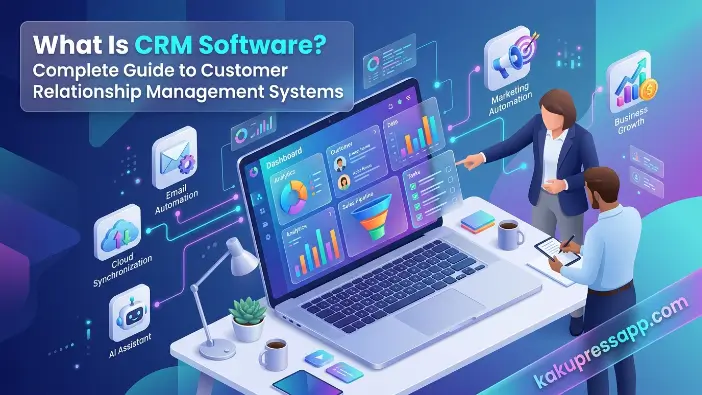
Welcome to kaku press app. In today’s competitive business environment, understanding what is CRM software has become essential for companies of all sizes. Businesses interact with customers through multiple channels, including websites, email, social media, phone calls, and live chat. Managing all these interactions manually can be difficult and time-consuming. This is where customer relationship management software becomes valuable.
A CRM system helps businesses organize customer information, track interactions, manage sales activities, and improve customer satisfaction. Whether you run a startup, a small business, or a large enterprise, CRM software can streamline operations, increase productivity, and strengthen customer relationships. As digital transformation continues to reshape industries, CRM solutions have become a critical component of modern business success.
What Is CRM Software?
CRM software is one of the most important business tools used by organizations to manage and improve their relationships with customers. The primary purpose of a CRM system is to store customer information, track interactions, streamline business processes, and help companies deliver better customer experiences. Whether a business is small or large, CRM software enables teams to organize customer data in a centralized location, making it easier to manage sales, marketing, and customer support activities. In today’s digital business environment, CRM solutions have become essential for increasing efficiency, improving customer satisfaction, and driving long-term business growth.
What Does CRM Stand For?
CRM stands for Customer Relationship Management. It refers not only to a software solution but also to a business strategy focused on building and maintaining strong relationships with customers. Businesses use CRM systems to manage interactions with both existing customers and potential leads throughout the entire customer journey.
A CRM platform centralizes all customer-related information in one secure location. This includes contact details, communication history, purchase records, support requests, and sales activities. By having all this information readily available, businesses can better understand customer needs, improve communication, deliver personalized experiences, and build long-term customer loyalty.
Simple Definition of CRM Software
Simply put, what is CRM software? CRM software is a digital tool designed to help businesses organize, track, and manage customer relationships more efficiently. It enables companies to store customer information, monitor sales opportunities, record interactions, automate repetitive tasks, and provide better customer support.
Instead of relying on spreadsheets, handwritten notes, or multiple disconnected applications, businesses can use a single CRM database to handle all customer-related activities. This centralized approach reduces errors, saves time, and ensures that every team member has access to accurate and up-to-date customer information.
Why CRM Software Matters Today
In today’s highly competitive business environment, customers expect fast responses, personalized communication, and seamless experiences across multiple channels. Without an effective CRM solution, businesses may find it difficult to meet these expectations and maintain strong customer relationships.
Without a CRM system, companies often struggle to:
- Track customer interactions across different channels.
- Follow up with leads and prospects on time.
- Manage sales pipelines efficiently.
- Provide consistent and high-quality customer support.
- Keep customer information organized and updated.
CRM software helps businesses stay competitive by ensuring that every customer interaction is recorded, organized, and easily accessible. This allows teams to respond faster, improve customer satisfaction, increase sales opportunities, and ultimately drive long-term business growth.
How Does CRM Software Work?
Understanding how a CRM system works is essential for businesses that want to improve customer relationships and streamline operations. CRM software acts as a centralized platform that collects, stores, organizes, and analyzes customer information from multiple touchpoints. It allows sales, marketing, and customer support teams to access real-time customer data, automate routine tasks, and track interactions throughout the customer journey. By bringing all customer-related information into one place, CRM software helps businesses work more efficiently and deliver better customer experiences.
Collecting Customer Information
A CRM system collects customer information from various sources, ensuring that businesses have a complete view of every customer interaction. Instead of storing information in separate tools or spreadsheets, CRM software automatically gathers and organizes data from multiple channels.
Common sources include:
- Website forms
- Email inquiries
- Social media platforms
- Phone calls
- Live chat conversations
- Marketing campaigns
The software automatically stores important details such as:
| Customer Data | Examples |
| Personal Information | Name, email address, phone number |
| Company Information | Business name, industry, job title |
| Purchase History | Previous orders, transactions |
| Communication History | Emails, calls, meetings, support tickets |
This centralized customer database creates a complete customer profile, allowing businesses to understand customer behavior, preferences, and purchasing patterns more effectively.
Organizing Sales and Communication
CRM software organizes all customer interactions in chronological order, making it easy for teams to access complete communication histories. Every email, phone call, meeting, note, and customer inquiry is automatically recorded and stored within the system.
Sales representatives can easily view:
- Previous conversations
- Meeting notes
- Sent proposals
- Purchase records
- Support requests
Having access to this information ensures that team members always have updated and accurate customer data before contacting a customer. This not only improves communication but also helps deliver a more personalized customer experience.
Automating Business Processes
One of the biggest advantages of CRM software is sales automation. Many routine and repetitive tasks can be automated, allowing employees to focus on more valuable activities such as building customer relationships and closing deals.
Examples of automation include:
- Automatically send welcome emails to new customers.
- Scheduling follow-up reminders for sales representatives.
- Assigning leads to the appropriate sales team members.
- Creating tasks after customer inquiries or form submissions.
- Triggering email marketing campaigns based on customer behavior.
Automation reduces manual work, minimizes human errors, increases productivity, and ensures that important tasks are never overlooked.
Generating Reports and Analytics
Most modern CRM platforms provide detailed reports, dashboards, and analytical tools that help businesses monitor performance and identify growth opportunities. These reporting features transform raw customer data into meaningful business insights.
Businesses can analyze:
- Sales performance
- Conversion rates
- Lead sources
- Customer retention rates
- Revenue trends
By analyzing these metrics, businesses can make data-driven decisions, improve sales strategies, optimize marketing campaigns, and support long-term business growth.
Read Also: What is hardware and software
Key Features of CRM Software
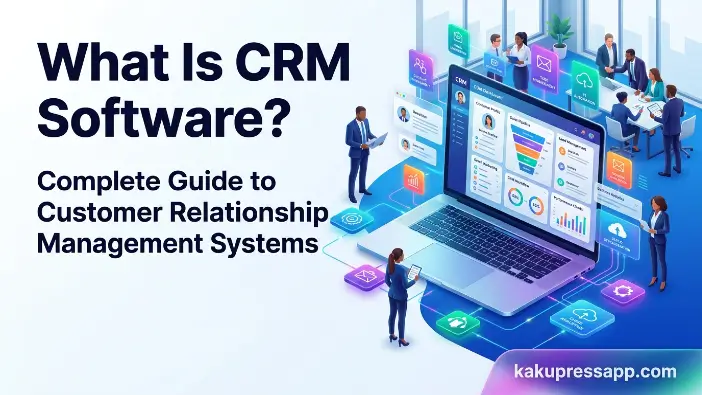
To fully understand what is CRM software, it is important to explore its core features. Modern CRM platforms offer a wide range of tools designed to help businesses manage customer relationships, improve sales performance, automate routine tasks, and enhance customer service. Although features may vary depending on the software provider, most CRM systems include several essential functionalities that support business growth and operational efficiency.
Contact Management
Contact management is the foundation of every CRM platform. It allows businesses to store, organize, and manage all customer information in a centralized system. Instead of maintaining separate spreadsheets or manual records, companies can access complete customer profiles from a single dashboard.
Businesses can:
- Store customer details.
- Update contact information.
- Segment audiences.
- View complete customer histories.
This creates a well-organized customer database that enables teams to quickly access important information whenever needed. Having accurate customer records also improves communication and helps businesses deliver personalized experiences.
Lead Management
Lead management helps businesses capture, track, and nurture potential customers throughout the sales process. Every inquiry or prospect can be recorded and monitored from the initial interaction until conversion.
CRM software allows users to:
- Record new leads.
- Score leads based on quality.
- Monitor lead progress.
- Prioritize high-value opportunities.
By effectively managing leads, businesses can focus their efforts on prospects with the highest conversion potential, resulting in increased sales and improved efficiency.
Sales Pipeline Management
A sales pipeline visually represents each stage of the sales process, allowing sales teams to monitor opportunities and track deal progress in real time. This feature provides a clear overview of where each prospect stands within the buying journey.
Typical stages include:
- New Lead
- Qualified Lead
- Proposal Sent
- Negotiation
- Closed Deal
With a well-structured sales pipeline, sales representatives can quickly identify opportunities requiring immediate attention, forecast future revenue, and ensure that no potential customer is overlooked.
Marketing Automation
Many CRM solutions include marketing automation capabilities that simplify and streamline marketing activities. Automation reduces repetitive tasks while enabling businesses to deliver personalized messages to customers at the right time.
Features often include:
- Email marketing campaigns
- Customer segmentation
- Drip campaigns
- Campaign performance tracking
Marketing automation improves efficiency, increases engagement, and helps businesses build stronger relationships with their target audience through personalized communication.
Customer Support Tools
CRM systems often integrate customer service functions that enable businesses to provide faster and more effective support. These tools ensure that customer inquiries are handled efficiently and consistently.
Common customer support features include:
- Ticket management
- Live chat
- Knowledge bases
- Service history tracking
These tools improve customer satisfaction, reduce response times, and help support teams deliver a seamless customer experience across multiple channels.
Reporting and Analytics
Analytics features help businesses measure success by transforming customer and sales data into meaningful insights. Most CRM systems provide dashboards and customizable reports that enable managers to monitor performance and identify improvement opportunities.
Common reports include:
- Sales forecasts
- Revenue reports
- Customer acquisition reports
- Team performance reports
Data-driven decisions lead to improved business outcomes, better resource allocation, and more effective business strategies.
Mobile Access and Integrations
Modern CRM platforms offer mobile applications and seamless integrations with various third-party tools, allowing teams to remain productive regardless of their location.
Common integrations include:
- Email platforms
- Accounting software
- E-commerce platforms
- Communication tools
Mobile access enables employees to view customer information, update records, and manage tasks while working remotely or traveling. Integrations also ensure smooth data flow between different business applications, creating a more connected and efficient workflow.
Benefits of CRM Software for Businesses
Understanding the benefits of a CRM system helps businesses recognize why CRM technology has become an essential part of modern operations. Beyond simply storing customer information, CRM software helps organizations improve customer relationships, streamline workflows, increase sales, and make smarter business decisions. Whether a company is small or large, implementing the right CRM solution can significantly enhance overall business performance and support long-term growth.
Better Customer Relationships
One of the biggest advantages of CRM software is its ability to strengthen customer relationships. Since a CRM platform stores complete customer histories, businesses can better understand individual customer needs, preferences, and previous interactions.
Businesses can:
- Understand customer preferences.
- Deliver relevant recommendations.
- Respond quickly to inquiries.
Having access to detailed customer information allows employees to provide personalized communication and tailored solutions. Customers who feel valued and understood are more likely to remain loyal to a brand, resulting in stronger long-term relationships and increased customer satisfaction.
Improved Team Productivity
CRM software significantly improves team productivity by automating repetitive and time-consuming tasks. Instead of manually updating spreadsheets, sending reminders, or tracking follow-ups, employees can rely on automation tools to handle these activities.
Automation eliminates repetitive tasks, allowing employees to focus on strategic activities such as nurturing leads, building customer relationships, and closing sales.
As a result, teams spend less time on administrative work and more time engaging customers, improving efficiency across sales, marketing, and customer support departments.
Higher Sales Revenue
CRM systems play a crucial role in increasing sales revenue by improving lead management and follow-up processes. Sales representatives can easily monitor opportunities, prioritize prospects, and ensure that no potential customer is overlooked.
Benefits include:
- Increased conversion rates.
- Shorter sales cycles.
- Better opportunity management.
By streamlining the sales process and providing greater visibility into the sales pipeline, CRM software enables businesses to close more deals and maximize revenue opportunities. Over time, these improvements often lead to substantial business growth.
Better Customer Retention
Retaining existing customers is generally more cost-effective than acquiring new ones. CRM software helps businesses maintain ongoing communication with customers, monitor customer satisfaction, and proactively address concerns before they become major issues.
Through automated follow-ups, personalized messaging, and detailed service histories, businesses can consistently deliver positive customer experiences. Satisfied customers are more likely to make repeat purchases, recommend the business to others, and remain loyal over the long term.
Improved Decision-Making
Modern CRM platforms provide comprehensive reports, dashboards, and analytical tools that offer valuable business insights. Managers can access real-time information about sales performance, customer behavior, marketing effectiveness, and team productivity.
Comprehensive reports help managers:
- Identify business trends.
- Monitor team performance.
- Evaluate marketing campaigns.
- Forecast future sales.
- Make informed strategic decisions.
Access to accurate and real-time data allows organizations to make better decisions, optimize business processes, and respond quickly to changing market conditions.
Types of CRM Software
Not all CRM systems are designed for the same purpose. Different businesses have different goals, which is why several types of CRM software are available in the market. Each type focuses on specific business needs, such as automation, data analysis, collaboration, or long-term customer relationship building. Understanding these CRM categories can help organizations choose the right solution based on their operational requirements and growth objectives.
Operational CRM
Operational CRM focuses on automating day-to-day business operations and streamlining customer-facing processes. This type of CRM is primarily designed to improve efficiency across sales, marketing, and customer service departments by reducing manual tasks and standardizing workflows.
Key functions include:
- Sales automation
- Marketing automation
- Customer service automation
Operational CRM helps businesses automate repetitive activities such as lead assignment, follow-up reminders, email campaigns, and customer support tasks. By automating routine processes, organizations can improve productivity, reduce human errors, and deliver faster customer service. This type of CRM is ideal for businesses looking to improve operational efficiency and optimize their daily activities.
Analytical CRM
Analytical CRM emphasizes data analysis and customer insights. Unlike operational CRM, which focuses on process automation, analytical CRM helps businesses understand customer behavior by analyzing large volumes of customer data.
Businesses use it to:
- Analyze customer behavior.
- Identify buying patterns.
- Predict future trends.
Using advanced reporting and analytics tools, analytical CRM enables organizations to identify profitable customer segments, forecast future sales, and make data-driven decisions. These insights support strategic planning and help businesses create more effective marketing and sales strategies.
Collaborative CRM
Collaborative CRM improves communication and information sharing among different departments within an organization. Since customers interact with multiple teams throughout their journey, all departments must have access to the same customer information.
Sales, marketing, and customer support teams can share customer information seamlessly, ensuring consistent communication across all touchpoints.
Benefits include:
- Better teamwork
- Improved customer experiences
- Consistent communication
By promoting collaboration, this type of CRM ensures that customers receive a seamless experience regardless of which department they interact with. Collaborative CRM is especially valuable for organizations with multiple teams or branch locations.
Strategic CRM
Strategic CRM focuses on building and maintaining long-term customer relationships rather than simply increasing short-term sales. The primary goal is to improve customer loyalty, maximize customer lifetime value, and create personalized experiences that encourage repeat business.
Its primary objective is maximizing customer lifetime value through personalized engagement and retention strategies. Businesses using strategic CRM often develop customized communication plans, loyalty programs, and personalized marketing campaigns based on customer preferences and behavior.
Organizations that prioritize customer retention and relationship building often benefit greatly from strategic CRM solutions.
| CRM Type | Primary Focus |
| Operational CRM | Process automation |
| Analytical CRM | Data analysis |
| Collaborative CRM | Team collaboration |
| Strategic CRM | Customer retention |
Who Should Use CRM Software?
CRM software is not limited to large corporations or specific industries. In fact, businesses of all sizes and sectors can benefit from implementing a CRM system. Any organization that interacts with customers, manages leads, tracks sales opportunities, or provides customer support can use CRM software to improve efficiency and strengthen customer relationships. Whether a company is just starting out or already operating at a large scale, a CRM platform can help streamline operations and support long-term business growth.
Small Businesses
Small businesses can use CRM systems to manage customers more efficiently while scaling their operations. As customer numbers grow, manually tracking interactions through spreadsheets or notebooks becomes increasingly difficult.
A CRM platform helps small businesses organize customer information, automate follow-ups, manage sales activities, and improve customer service. By centralizing customer data, small businesses can save time, reduce administrative work, and compete more effectively with larger organizations.
Startups
Startups often experience rapid growth, making it essential to have organized systems in place from the beginning. CRM software helps startups manage leads, track customer interactions, and automate repetitive tasks while maintaining strong relationships with prospects and customers.
Startups benefit from organized lead management and automated workflows during rapid growth phases. Implementing a CRM system early can also help startups build scalable processes that support future expansion.
Large Enterprises
Large organizations typically manage thousands of customers, multiple departments, and complex business processes. A CRM platform enables enterprises to coordinate sales, marketing, and customer service teams while maintaining a centralized customer database.
Large enterprises use CRM software to improve collaboration, standardize workflows, monitor performance, and deliver consistent customer experiences across multiple locations or business units.
E-commerce Companies
Online businesses generate significant amounts of customer data through websites, online stores, email campaigns, and social media channels. CRM tools help e-commerce companies organize this information and use it effectively.
E-commerce businesses use CRM software to track purchases, personalize marketing campaigns, analyze customer behavior, and improve customer retention. These capabilities help increase repeat purchases and enhance the overall shopping experience.
Service Businesses
Consultants, agencies, freelancers, and professional service providers rely heavily on strong client relationships. CRM systems enable service-based businesses to manage customer communications, schedule follow-ups, track project-related discussions, and maintain detailed client histories.
By using CRM software, service businesses can improve responsiveness, strengthen client relationships, and deliver more personalized services.
Real Estate Companies
Real estate professionals handle numerous leads, property inquiries, appointments, and follow-up activities on a daily basis. Managing these interactions manually can be challenging and may result in missed opportunities.
CRM software helps real estate companies manage leads, track property inquiries, schedule follow-ups, and maintain ongoing communication with buyers and sellers. This ensures that agents remain organized and can provide timely responses throughout the property buying or selling process.
Real-Life Examples of CRM Software
Understanding what is CRM software becomes much easier when looking at real-world examples. Today, many businesses rely on CRM platforms to manage customer relationships, streamline sales processes, and improve overall productivity. Different CRM solutions are designed to meet the needs of various industries and business sizes. Some platforms focus on sales automation, while others emphasize marketing, customer support, or enterprise resource management. Below are some of the most widely used CRM software solutions in the market.
Salesforce
Salesforce is one of the world’s most widely used CRM platforms and is considered an industry leader in customer relationship management. It offers a comprehensive suite of tools for sales, marketing, customer service, analytics, and automation.
Businesses use Salesforce to:
- Manage customer relationships.
- Track sales opportunities.
- Automate business workflows.
- Generate advanced reports and forecasts.
Because of its scalability and extensive customization options, Salesforce is suitable for both small businesses and large enterprises operating across multiple locations.
HubSpot
HubSpot CRM is particularly popular among startups and small businesses due to its user-friendly interface and generous free plan. The platform is designed to help organizations manage contacts, track leads, and automate marketing activities without requiring extensive technical expertise.
Key features include:
- Contact and lead management.
- Email marketing tools.
- Sales pipeline tracking.
- Marketing automation.
- Customer service features.
Its intuitive design makes HubSpot an excellent choice for businesses that are new to CRM software.
Zoho
Zoho CRM provides affordable and flexible CRM solutions suitable for businesses of all sizes. It is widely recognized for offering powerful features at competitive pricing, making it especially attractive to small and medium-sized businesses.
Zoho CRM offers:
- Sales automation.
- Workflow automation.
- Customer analytics.
- Omnichannel communication.
- Extensive customization options.
The platform also integrates seamlessly with other business applications, helping organizations create a connected and efficient workflow.
Microsoft
Microsoft Dynamics 365 combines CRM and ERP capabilities into a single platform, making it an ideal solution for large enterprises with complex business operations. The platform enables organizations to manage customer relationships while also handling finance, operations, and supply chain activities.
Key benefits include:
- Advanced analytics and reporting.
- Artificial intelligence capabilities.
- Seamless integration with Microsoft products.
- Enterprise-level security and scalability.
Businesses already using Microsoft tools such as Office 365 often find Dynamics 365 particularly beneficial because of its strong ecosystem integration.
Pipedrive
Pipedrive is a sales-focused CRM platform designed primarily for sales teams. It places significant emphasis on sales pipeline management, helping businesses visualize their sales process and monitor opportunities effectively.
Pipedrive enables sales teams to:
- Track deals through every sales stage.
- Automate repetitive sales tasks.
- Schedule follow-ups and reminders.
- Monitor team performance.
Its simple interface and strong focus on sales activities make Pipedrive a popular choice for organizations looking to improve sales efficiency and close more deals.
How to Choose the Right CRM Software
Selecting the right CRM software is a crucial decision that can significantly impact your business operations and customer relationships. Since there are numerous CRM solutions available in the market, choosing the most suitable platform requires careful evaluation. The ideal CRM system should align with your business goals, support your existing workflows, and provide the features necessary to improve efficiency and growth. By considering several important factors, businesses can invest in a CRM platform that delivers long-term value.
Identify Your Business Needs
The first step in choosing the right CRM software is to clearly define your business objectives and requirements. Every organization has different goals, which means the features needed by one company may not be necessary for another.
Start by asking questions such as:
- Do you need sales automation?
- Are marketing features required?
- How many users will access the system?
- Do you need customer support tools?
- What business processes need improvement?
Understanding your specific needs will help narrow down your options and ensure you select a CRM solution that supports your business operations effectively.
Set a Budget
CRM solutions vary significantly in price, ranging from free plans for small businesses to enterprise-level platforms with advanced features and higher costs. Before making a decision, it is important to establish a realistic budget.
Consider expenses such as:
- Subscription costs
- Implementation expenses
- Training costs
- Future scalability
Businesses should also evaluate long-term costs, including additional user licenses, premium features, and integration expenses. Choosing a CRM that fits both your current budget and future growth plans can help avoid unexpected costs later.
Check Integrations
A CRM system should integrate seamlessly with the tools and applications your business already uses. Proper integration ensures smooth data flow across different departments and eliminates the need for manual data entry.
Ensure the CRM integrates with existing tools such as:
- Email systems
- Accounting software
- E-commerce platforms
- Communication tools
- Marketing applications
Integration reduces data silos, improves collaboration, and enables businesses to create a more connected and efficient workflow.
Consider Ease of Use
Even the most powerful CRM platform can fail if employees find it difficult to use. A complicated system may reduce user adoption, leading to lower productivity and poor implementation results.
Choose software with:
- Intuitive interfaces
- User-friendly dashboards
- Simple navigation
A user-friendly CRM allows employees to learn the system quickly, reduces training time, and encourages consistent usage across the organization. Many CRM providers offer free trials or demos, which can help businesses evaluate usability before purchasing.
Evaluate Security and Support
Customer data is one of a company’s most valuable assets, making security a top priority when selecting CRM software. Businesses should ensure that the chosen platform includes robust security measures to protect sensitive customer information.
Look for features such as:
- Data encryption
- User permissions
- Regular backups
- Responsive customer support
In addition to security, reliable customer support is essential. Businesses should evaluate the availability of technical assistance, training resources, and support channels to ensure issues can be resolved quickly whenever needed.
Common CRM Mistakes to Avoid
Implementing a CRM system can significantly improve business performance, but simply purchasing CRM software does not guarantee success. Many organizations fail to achieve the expected results because they make avoidable mistakes during implementation and day-to-day usage. Understanding these common CRM mistakes can help businesses maximize the value of their investment, improve user adoption, and build stronger customer relationships.
Buying Too Many Features
One of the most common mistakes businesses make is purchasing expensive CRM systems with numerous advanced features that they may never use. While feature-rich platforms can be attractive, not every business requires complex functionality.
Businesses should choose a CRM solution that aligns with their actual business requirements rather than selecting software based solely on popularity or feature quantity. Investing in unnecessary features can increase costs, complicate implementation, and reduce employee adoption. It is always better to select a CRM platform that meets current needs while offering room for future growth.
Poor Data Management
A CRM system is only as effective as the quality of the data stored within it. Incomplete, outdated, or inaccurate customer records can significantly reduce CRM effectiveness and lead to poor business decisions.
Common data management problems include:
- Duplicate customer records.
- Missing contact information.
- Incorrect customer details.
- Outdated communication histories.
Businesses should regularly update, verify, and clean customer data to ensure accuracy. Maintaining a well-organized customer database improves reporting, customer communication, and overall CRM performance.
Ignoring Employee Training
Even the most advanced CRM software can fail if employees do not know how to use it effectively. Without proper training, team members may resist adopting the system or use it incorrectly, limiting its overall value.
Businesses should invest in:
- Employee onboarding programs.
- CRM training sessions.
- User guides and documentation.
- Ongoing education and support.
Providing continuous training ensures employees understand the system’s features, follow best practices, and use the CRM platform consistently across the organization.
Failing to Set Goals
Another common mistake is implementing CRM software without clearly defined objectives. Without measurable goals, it becomes difficult to evaluate whether the CRM system is delivering the expected results.
Businesses should establish clear success metrics before implementation.
Examples include:
- Increased sales conversions
- Faster response times
- Improved retention rates
- Higher customer satisfaction scores
- Improved team productivity
Setting specific goals helps organizations measure performance, identify improvement opportunities, and maximize return on investment.
Not Updating Customer Information
Customer information constantly changes as customers update their contact details, preferences, or purchasing behavior. Failing to update this information can lead to poor customer experiences, ineffective communication, and missed sales opportunities.
Outdated information may result in:
- Sending communications to incorrect contacts.
- Missing follow-up opportunities.
- Delivering irrelevant marketing messages.
- Providing inconsistent customer service.
Businesses should establish processes for regularly reviewing and updating customer records to ensure that all teams have access to accurate and current information.
Future Trends in CRM Software
The world of customer relationship management is constantly evolving as new technologies reshape how businesses interact with customers. Modern CRM platforms are becoming smarter, more automated, and increasingly focused on delivering personalized customer experiences. As customer expectations continue to rise, businesses must stay informed about emerging CRM trends to remain competitive. Understanding the future trends in CRM software can help organizations prepare for upcoming changes and make better technology investments.
Artificial Intelligence in CRM
Artificial intelligence (AI) is transforming CRM platforms by making them more intelligent and efficient. AI-powered CRM systems can analyze large amounts of customer data, identify patterns, and provide actionable recommendations that help businesses improve customer relationships and sales performance.
Artificial intelligence enables features such as:
- Predictive recommendations
- Automated insights
- Intelligent customer interactions
For example, AI can suggest the best time to contact a customer, recommend products based on previous purchases, or automatically prioritize high-value leads. AI-driven chatbots and virtual assistants are also becoming increasingly common, enabling businesses to provide faster and more personalized customer support.
Predictive Analytics
Predictive analytics is becoming a key feature of modern CRM software. By analyzing historical customer data and behavioral patterns, predictive analytics helps businesses anticipate future customer actions and market trends.
Businesses can use predictive analytics to:
- Forecast future sales.
- Identify customers likely to make purchases.
- Detect customers at risk of leaving.
- Improve marketing campaign effectiveness.
These insights enable organizations to make proactive decisions, optimize sales strategies, and improve customer retention efforts.
Automation and Personalization
Automation and personalization are expected to play an even greater role in the future of CRM systems. Customers increasingly expect businesses to deliver relevant content, personalized recommendations, and timely communication.
Future CRM platforms will provide increasingly personalized customer experiences through advanced automation technologies. Businesses will be able to automatically send targeted messages, recommend products based on customer behavior, and create highly customized customer journeys.
As automation capabilities continue to advance, organizations will be able to improve efficiency while simultaneously delivering more meaningful and engaging customer experiences.
Mobile-First CRM Solutions
The adoption of mobile CRM solutions continues to grow as remote and hybrid work environments become more common. Modern employees often need access to customer information while traveling, working remotely, or meeting clients outside the office.
Mobile-first CRM platforms enable users to:
- Access customer data from any location.
- Update records in real time.
- Manage tasks and appointments remotely.
- Communicate with customers on the go.
As workforce flexibility continues to increase, mobile CRM solutions will become an essential requirement for businesses seeking to maintain productivity and responsiveness in a rapidly changing work environment.
Frequently Asked Questions
What is CRM software used for?
CRM software is used to manage customer relationships, track sales activities, automate workflows, and improve customer service.
Is CRM software only for large businesses?
No. CRM software benefits businesses of all sizes, including startups and small businesses.
What are the main features of CRM software?
Core features include contact management, lead management, sales automation, reporting, customer support tools, and marketing automation.
What is the difference between CRM and ERP?
CRM focuses on customer interactions and sales processes, while ERP manages broader business operations such as finance, inventory, and supply chain management.
Which CRM software is best for beginners?
Many beginners prefer HubSpot CRM because it offers an easy-to-use interface and a free version.
Conclusion
Understanding what is CRM software is essential for businesses seeking sustainable growth and stronger customer relationships. A modern customer relationship management platform centralizes customer data, automates routine tasks, improves communication, and supports data-driven decision-making.
Whether you operate a startup, small business, or enterprise, implementing the right CRM solution can improve productivity, increase revenue, and enhance customer satisfaction. By carefully evaluating business needs and selecting an appropriate CRM system, organizations can build long-lasting customer relationships and achieve long-term success.
